


AgilityCMS Overview
Agility CMS is a headless content management system that streamlines content creation through an intuitive platform. It offers businesses the flexibility to manage digital content without the constraints of traditional CMS architectures. A standout feature is its user-friendly interface, designed to facilitate seamless content workflows for both technical and non-technical users. Agility CMS provides robust support, ensuring users have assistance whenever needed. This platform is particularly effective for enterprises seeking to manage and distribute content across multiple channels efficiently. Notably, Agility CMS is recognized for its ability to integrate with existing systems and adapt to evolving business needs, making it a versatile tool for dynamic content strategies.
Use Cases
Customers recommend Content Management, Onboarding, Loyalty Management, as the business use cases that they have been most satisfied with while using AgilityCMS.
Business Priorities
Acquire Customers and Increase Sales & Revenue are the most popular business priorities that customers and associates have achieved using AgilityCMS.
AgilityCMS Use-Cases and Business Priorities: Customer Satisfaction Data
AgilityCMS works with different mediums / channels such as Website. and Omnichannel.
AgilityCMS's features include Gamification, SEM, Templates, etc. and AgilityCMS support capabilities include Chat Support, Email Support, Phone Support, etc. also AgilityCMS analytics capabilities include Analytics, and Custom Reports.
Reviews
"The Agility team is knowledgeable and works diligently to ensure the success of its clients. The platform is flexible and powerful enough for all of our projects while remaining approachable for a range of non-technical staff." - Craig Cameron
Peer review evidence (same sources as the product rating summary)
"...The Content Manager provides simple and seamless functionality for keeping our website fresh with consistently updated and brand new content...." Testimonial by Laura Ng, NJKidsOnline.com
"...Their excellent customer service team and online support library are great resources for our team to learn and grow with the Agility CMS platform...." Testimonial by Andrea Di Tomas, Graphic Arts Technician, The English Montreal School Board
"...Innovating Omnichannel Customer Experience for SCENE Rewards Program...." Case Study Compass Group
AgilityCMS, Strapi, DialogsCMS, Butter CMS, MemberSpace, etc., all belong to a category of solutions that help Content Management Systems. Each of them excels in different abilities. Therefore, determining the best platform for your business will depend on your specific needs and requirements.
Agility CMS allows for flexible content structuring and relationship definition. Content can be reordered, reused, and repurposed efficiently across digital channels.
Popular Business Setting
for AgilityCMS
Top Industries
- Entertainment
- Education
- Sports
Popular in
- Enterprise
- Mid Market
AgilityCMS is popular in Entertainment, Education, and Sports and is widely used by Enterprise, and Mid Market,
AgilityCMS Customer wins, Customer success stories, Case studies
How can AgilityCMS enhance your Content Management process?
How can AgilityCMS optimize your Onboarding Workflow?
How efficiently Does AgilityCMS manage your Loyalty Management?
How can AgilityCMS enhance your Sending & Publishing Communications process?
How can AgilityCMS optimize your Engaging And Following Up Workflow?
| CUSTOMERS | TESTIMONIALS |
|---|---|

|
The Agility team is knowledgeable and works diligently to ensure the success of its clients. The platform is flexible and powerful enough for all of our projects while remaining approachable for a range of non-technical staff. Testimonial By Craig Cameron |
|
Agility CMS is a huge improvement from our previous content management platform. Creating and publishing content is now simple and streamlined. Testimonial By Gary Li |

|
I like that Agility CMS is always ready to help, and users can use slack or service desk. I like that everything is configurable, and there are so many possibilities to build any structure. You can really build any kind of complex content structure with Agility. I'm improving my structure and can't... wait to have a new project to set up a more easy and better structure for it. |
| CUSTOMERS | TESTIMONIALS |
|---|---|
|
Craig Cameron Director, Web and Digital Properties Hockey Canada |
The Agility team is knowledgeable and works diligently to ensure the success of its clients. The platform is flexible and powerful enough for all of our projects while remaining approachable for a range of non-technical staff. Testimonial By Craig Cameron |
|
Gary Li Former Digital Marketing Specialist Living Arts Centre |
Agility CMS is a huge improvement from our previous content management platform. Creating and publishing content is now simple and streamlined. Testimonial By Gary Li |
|
Ketevan Tskhadadze Product Owner Smart Source |
I like that Agility CMS is always ready to help, and users can use slack or service desk. I like that everything is configurable, and there are so many possibilities to build any structure. You can really build any kind of complex content structure with Agility. I'm improving my structure and can't... wait to have a new project to set up a more easy and better structure for it. |
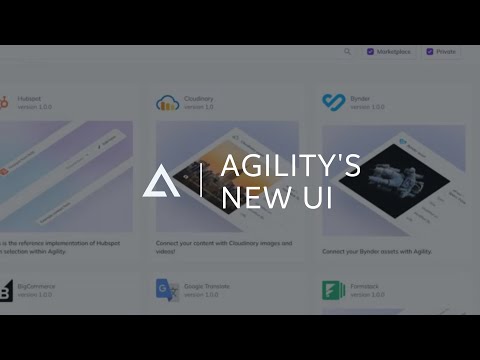
Introducing Agility's New UI
Frequently Asked Questions (FAQ)
What buyers ask before choosing AgilityCMS
Integrations What CRM integrations are available for Agility CMS?
Agility CMS offers seamless integrations with several leading CRM platforms to enhance your marketing and customer relationship management efforts. Notably, you can integrate Agility CMS with HubSpot, which serves as an all-in-one marketing automation and CRM solution, allowing you to track customer journeys, collect form data, and send targeted emails. Additionally, Salesforce Sales Cloud is another robust CRM integration available, enabling you to manage leads and customers effectively while providing detailed reports to monitor business health. These integrations empower businesses to leverage their content management capabilities alongside powerful CRM functionalities, ensuring a cohesive approach to customer engagement and data management.
Integrations How does Agility CMS connect with HubSpot for marketing automation?
Agility CMS connects with HubSpot for marketing automation by integrating seamlessly to enhance customer journey tracking and data collection. Users can create HubSpot forms directly within their Agility CMS-powered websites, allowing for easy data capture from fillable forms. This integration enables businesses to leverage HubSpot's robust marketing automation and CRM capabilities, such as sending targeted emails and analyzing marketing campaign performance through built-in analytics. To set up this integration, users can sign up for a free HubSpot account, create a form, and follow the documentation provided to connect it with Agility CMS. This synergy empowers marketing teams to manage content effectively while utilizing HubSpot's tools to engage with customers and optimize their marketing strategies.
Integrations What are the setup steps for integrating Salesforce with Agility CMS?
To integrate Salesforce Sales Cloud with Agility CMS, follow these setup steps: First, ensure you have active accounts for both Salesforce and Agility CMS. Next, access the Agility CMS dashboard and navigate to the integrations section. Here, you will find the option to connect to Salesforce; select it and follow the prompts to authenticate your Salesforce account. Once authenticated, configure the integration settings to specify which data you want to sync, such as leads and customer information. After setting your preferences, save the configuration and test the integration to ensure data flows correctly between Salesforce and Agility CMS. Finally, monitor the integration regularly to maintain data accuracy and troubleshoot any issues that may arise. This integration allows you to track leads and customers effectively, enhancing your CRM capabilities.
Integrations How does data flow between Agility CMS and Google Analytics?
Data flows between Agility CMS and Google Analytics through a seamless integration that allows users to track and analyze website traffic effectively. When you connect Google Analytics to your Agility CMS-powered website, it enables the collection of user interaction data, which is then processed and displayed within the CMS. This integration allows you to view real-time traffic metrics directly in your Agility dashboard, providing better visibility into how users engage with your content. Additionally, the insights gained from Google Analytics can be leveraged to optimize marketing strategies and improve user experience, as it connects your analytics data with actionable results. By utilizing Google’s unique insights and machine learning capabilities, businesses can make informed decisions to enhance their online presence and reach the right customers.
Integrations Are there any limitations when integrating Agility CMS with Zapier?
When integrating Agility CMS with Zapier, there are a few limitations to consider. While the integration allows for real-time updates through its modern webhook system, the effectiveness of this integration can depend on the complexity of the workflows you create within Zapier. For instance, if your automation involves multiple steps or relies on specific triggers that are not supported by Agility CMS, you may encounter challenges. Additionally, while Zapier supports a wide range of applications, certain advanced features or customizations may require manual coding or additional tools. It's essential to evaluate your specific use case and test the integration thoroughly to ensure it meets your business needs effectively.
Integrations What is the process for configuring the ai12z-Agility CMS Connector?
The process for configuring the ai12z-Agility CMS Connector involves three straightforward steps. First, you need to enable the connector by verifying that it is activated within the ai12z portal. This ensures that the integration can function properly. Next, you will configure the connector by selecting Agility CMS as the target platform, allowing the AI agent to access and automate content ingestion from your Agility CMS website. Finally, you should test the integration to confirm that updates made in Agility CMS are immediately accessible to the ai12z AI platform, ensuring seamless content management and enhanced user experience. Following these steps will help you leverage the full capabilities of the ai12z-Agility CMS Connector effectively.
Features What does the WYSIWYG content editor do in Agility CMS?
The WYSIWYG (What You See Is What You Get) content editor in Agility CMS allows users to create and manage web content without needing to understand HTML or CSS. This intuitive interface enables marketers and editors to focus on crafting engaging content while seamlessly managing page layouts and design elements visually. With the WYSIWYG editor, users can easily format text, insert images, and create links, all while seeing how the content will appear on the live site. This functionality not only streamlines the content creation process but also empowers marketing teams to publish updates independently, enhancing efficiency and reducing reliance on developers. Overall, the WYSIWYG editor in Agility CMS significantly simplifies content management, making it accessible for users of all technical skill levels.
Features How do I optimize my content using Agility CMS's built-in modules?
To optimize your content using Agility CMS's built-in modules, start by leveraging the intuitive WYSIWYG content editor, which allows you to create and format content without needing to handle HTML or CSS directly. Next, utilize the SEO module to enhance your content's visibility by incorporating best practices such as keyword optimization, meta tags, and alt text for images. Additionally, take advantage of the image editing tools to ensure your visuals are high-quality and appropriately sized for faster load times. Use the content search module to analyze user engagement and identify which pieces of content resonate most with your audience, allowing you to refine your strategy accordingly. By integrating these features, you can effectively manage and optimize your content across various digital channels, ensuring a seamless experience for your users.
Features What features does Agility CMS offer for managing multiple media libraries?
Agility CMS offers robust features for managing multiple media libraries, making it an ideal choice for businesses in the media and entertainment sectors. Users can create and organize various media libraries to store and stream diverse content types, including images, music, videos, PDFs, and even Flash or Silverlight applications. This centralized management system allows for easy access and efficient organization of digital assets, ensuring that teams can quickly find and utilize the content they need. Additionally, Agility's CDN-powered APIs enhance performance by delivering content rapidly, regardless of the site's size or traffic load. With these capabilities, Agility CMS not only streamlines media management but also supports seamless collaboration among team members, ultimately improving workflow and productivity.
Features How can I use Google Translate within Agility CMS to translate content?
To use Google Translate within Agility CMS for translating content, you can integrate your Agility CMS instance with Google’s Cloud Translation service. This integration allows you to create a customized workflow that automatically translates content items saved in Agility CMS into different languages. To set this up, you will utilize Webhooks from Agility CMS alongside the Google Cloud Translate API. First, ensure you have access to both Agility CMS and Google Cloud services. Then, configure the Webhooks to trigger translations whenever new content is added or updated. This seamless integration not only enhances your content's reach by making it accessible in multiple languages but also improves user engagement by catering to a diverse audience.
Features What is the process for creating and managing custom roles and workflows in Agility CMS?
Creating and managing custom roles and workflows in Agility CMS involves a few straightforward steps. First, navigate to the user permissions section within the Agility CMS interface, where you can define specific roles based on your organization's needs. You can customize permissions for each role, determining what content users can access and what actions they can perform. Next, set up workflows by defining the stages of content creation and approval, allowing you to streamline the publishing process. This includes assigning tasks to different roles at various stages, ensuring accountability and efficiency. Finally, regularly review and adjust these roles and workflows as your team and content needs evolve, leveraging Agility's flexibility to maintain optimal performance and collaboration among your content managers and developers.
Features How does Agility CMS's caching technology improve website performance?
Agility CMS's caching technology significantly enhances website performance by utilizing proprietary caching capabilities that extend beyond standard ASP.NET features. This advanced caching system allows for faster content delivery by storing frequently accessed data, which reduces the load on servers and minimizes response times for users. As a result, websites built on Agility CMS can handle high traffic loads efficiently, ensuring that page load speeds are optimized even during peak times. For instance, Hockey Canada experienced a remarkable 90% improvement in page load speeds during major tournaments, demonstrating how Agility's caching technology can lead to a smoother user experience and improved site reliability. This performance boost not only enhances user satisfaction but also contributes to better SEO rankings and increased engagement, making it a valuable asset for businesses looking to improve their online presence.
ROI & pricing What measurable business value can AgilityCMS provide for my organization?
Agility CMS offers measurable business value by enhancing content delivery speed and operational efficiency, which is crucial for organizations looking to stay competitive. With its headless architecture, Agility allows teams to decouple content from code, enabling marketers to make updates without developer intervention, thus reducing bottlenecks. This flexibility leads to faster time-to-market for campaigns and content initiatives. Additionally, Agility's robust caching technology ensures high performance even under heavy traffic, improving user experience and engagement. Integration capabilities with tools like Google Analytics and HubSpot further empower organizations to track customer journeys and optimize marketing efforts. Overall, Agility CMS helps organizations streamline workflows, improve collaboration between technical and non-technical teams, and ultimately drive better business outcomes.
ROI & pricing How can I calculate the ROI of switching to AgilityCMS?
To calculate the ROI of switching to Agility CMS, you can utilize Agility's ROI calculator, which is specifically designed to help you estimate potential annual savings by transitioning to a headless CMS. Start by answering a series of questions about your current content operations, such as the number of users, the complexity of your content management, and the time spent on content-related tasks. The calculator will analyze this data to provide you with a clear picture of how much time and money you could save by adopting Agility CMS. This tool is invaluable for content leaders looking to make informed decisions about their CMS infrastructure, allowing you to quantify the benefits of improved efficiency and reduced reliance on developers for content management.
ROI & pricing What are the different pricing plans available for AgilityCMS?
Agility CMS offers a range of pricing plans designed to cater to different business needs, from startups to large enterprises. The Starter plan is ideal for a single website and small teams, providing essential features to get started. For larger teams and multiple websites, the Professional plan offers enhanced capabilities and support for content hubs. The Enterprise plan is tailored for organizations operating at scale, allowing for multiple properties and granular control over every detail, with transparent, fixed pricing rather than usage-based costs. This flexibility enables businesses to choose the right plan based on their size and requirements, ensuring they only pay for what they need as they grow. You can start with a free trial to explore Agility CMS before committing to a paid plan.
ROI & pricing What total cost of ownership should I expect when using AgilityCMS?
The total cost of ownership (TCO) when using Agility CMS can vary based on your organization's size, the number of websites, and specific requirements. Agility CMS offers a transparent pricing model that ranges from a free starter plan for small teams to fixed enterprise pricing for larger organizations, avoiding usage-based costs that can escalate with traffic. Additionally, you can utilize the Developer Dependent CMS Calculator to uncover hidden costs associated with traditional developer-dependent systems, which often require ongoing developer support for content management tasks. By switching to Agility CMS, businesses can expect to reduce operational costs significantly, as it empowers marketers to manage content independently, thus minimizing reliance on developers. For a precise estimate tailored to your needs, it's advisable to contact Agility CMS for a custom quote.
ROI & pricing How quickly can I expect to see value from implementing AgilityCMS?
When implementing Agility CMS, you can expect to see value relatively quickly, often within the first few weeks. The platform is designed to streamline content management processes, allowing teams to publish faster and manage content across multiple digital channels efficiently. With features like an intuitive user interface and robust content modeling capabilities, even non-technical users can create and publish content without delays. Many users report significant improvements in their content delivery speed and overall efficiency shortly after onboarding. Additionally, Agility CMS supports modern development technologies, enabling quicker iterations and faster time-to-market for digital projects. By leveraging Agility's capabilities, businesses can reduce content bottlenecks and enhance their digital experiences almost immediately.
ROI & pricing What cost savings can AgilityCMS deliver compared to traditional CMS solutions?
Agility CMS can deliver significant cost savings compared to traditional CMS solutions by reducing the reliance on developers for content management tasks. In traditional systems, minor configuration changes often require IT staff or developers to deploy updates, leading to increased operational costs and delays. With Agility CMS, brokers and editors can manage varied content independently, allowing for real-time updates without developer intervention. This shift not only streamlines workflows but also minimizes the hidden costs associated with developer-dependent systems, such as ticketing for simple changes. Additionally, Agility's built-in visual page builder empowers marketing teams to publish content autonomously, further enhancing efficiency and reducing the overall cost of content management.
Capabilities What features does Agility CMS offer for enterprise content management?
Agility CMS offers a robust suite of features tailored for enterprise content management, emphasizing flexibility, scalability, and security. Its headless architecture allows businesses to integrate seamlessly with other best-of-breed systems, moving away from monolithic CMS solutions. Key features include a built-in visual page builder that empowers marketing teams to create and manage content independently, along with full API support for REST and GraphQL, ensuring compatibility with various front-end frameworks like Next.js and Gatsby. Additionally, Agility CMS provides enterprise-grade security measures, including data encryption and compliance updates, to safeguard sensitive information. With transparent, fixed pricing and support for multiple properties, Agility CMS is designed to meet the complex needs of large organizations while maintaining an intuitive user experience.
Capabilities Can Agility CMS support multi-site deployments for large organizations?
Yes, Agility CMS can effectively support multi-site deployments for large organizations. With its architecture designed for scalability and flexibility, Agility CMS allows users to manage multiple websites from a single instance, significantly reducing workload. Organizations can set up Sitemaps to consolidate all their websites, enabling the sharing of users, content, and assets seamlessly. This capability not only streamlines the management process but also accelerates the deployment of new solutions by reusing components and code across sites. By leveraging Agility CMS, large enterprises can enhance their operational efficiency and ensure a consistent brand experience across all digital channels, making it an ideal choice for businesses with extensive web presence.
Capabilities Does Agility CMS provide enterprise-grade security and compliance features?
Yes, Agility CMS provides enterprise-grade security and compliance features designed to protect your data and ensure privacy. The platform employs industry-leading best practices, including encryption at rest and in transit using AES-256, to safeguard sensitive information. Agility CMS also offers multi-factor authentication (MFA) and advanced login controls, enhancing user access security. Compliance with regulations such as GDPR is a priority, ensuring that both the company and its vendors adhere to necessary standards. Additionally, Agility CMS maintains ongoing security updates to stay ahead of potential threats, allowing businesses to focus on their core operations without compromising security. Overall, these robust security measures make Agility CMS a reliable choice for organizations seeking a secure content management solution.
Capabilities Can Agility CMS handle omnichannel content publishing across various digital platforms?
Yes, Agility CMS is specifically designed to handle omnichannel content publishing across various digital platforms. Its enterprise-grade composable solutions enable organizations to create, manage, and distribute content seamlessly across multiple channels, ensuring a consistent brand experience. With Agility's intuitive user interface, marketing teams can easily publish and manage content without needing technical expertise, allowing for rapid deployment across websites, mobile apps, and other digital touchpoints. Additionally, Agility CMS serves as a central repository for all content, facilitating collaboration and ensuring that all digital platforms are updated with the latest information. This capability not only enhances customer engagement but also streamlines workflows, making it an ideal choice for businesses looking to optimize their omnichannel strategies.
Capabilities What scalability options are available with Agility CMS for growing businesses?
Agility CMS offers robust scalability options tailored for growing businesses, enabling them to adapt to increasing demands without compromising performance. Its enterprise headless CMS architecture supports a best-of-breed approach, allowing organizations to integrate seamlessly with other systems as they expand. Businesses can start with the Starter package for a single website and small teams, then easily transition to the Enterprise package, which accommodates multiple properties and provides granular control over content management. This flexibility ensures that as your business grows, Agility CMS can scale alongside it, maintaining high performance and security. Additionally, the platform's support for various front-end frameworks and deployment options, including Vercel and Azure DevOps, further enhances its scalability, making it an ideal choice for enterprises looking to future-proof their digital presence.
Capabilities Does Agility CMS support user permissions and multi-factor authentication for enhanced security?
Yes, Agility CMS supports user permissions and multi-factor authentication (MFA) to enhance security for your organization. With Agility CMS, you can define access roles for end-users, allowing you to implement dynamic access control tailored to your specific needs. This feature ensures that only authorized personnel can access sensitive content and functionalities within the CMS. Additionally, Agility CMS enables the integration of MFA, which adds an extra layer of security by requiring users to verify their identity through multiple methods before gaining access. This combination of user permissions and MFA not only protects your data but also helps maintain compliance with industry standards, ensuring that your organization’s information remains secure and private.
Use cases How can SDRs use Agility CMS to streamline their lead tracking and customer engagement?
Sales Development Representatives (SDRs) can leverage Agility CMS to streamline lead tracking and enhance customer engagement by integrating it with powerful CRM tools like Salesforce Sales Cloud and HubSpot. By utilizing these integrations, SDRs can efficiently track leads generated through their websites and applications, ensuring they have real-time access to customer data and interactions. Agility CMS allows for the seamless collection of form data, enabling SDRs to capture valuable information about potential customers. Additionally, the platform's content management capabilities facilitate personalized communication, allowing SDRs to tailor their outreach based on user behavior and preferences. This combination of lead tracking and targeted engagement helps SDRs nurture relationships more effectively, ultimately driving conversions and improving sales outcomes.
Use cases What are the best practices for marketers to implement Agility CMS in their content workflows?
To effectively implement Agility CMS in content workflows, marketers should start by leveraging its intuitive WYSIWYG content editor, which simplifies page management without requiring technical expertise. Establish clear content modeling practices to define and relate content types, ensuring a structured approach to content creation. Utilize Agility's built-in SEO and image editing modules to optimize content for better visibility and performance. Encourage collaboration between marketing and development teams by taking advantage of Agility's visual page builder, allowing marketers to manage content independently while developers maintain control over the front end. Additionally, set up user permissions and multi-factor authentication to enhance security and streamline access. Regularly review and adjust workflows based on performance metrics to continuously improve efficiency and content delivery speed.
Use cases In what scenarios should RevOps teams consider using Agility CMS for managing multiple websites?
RevOps teams should consider using Agility CMS for managing multiple websites in scenarios where they need a centralized platform that allows for efficient content sharing and streamlined operations across various digital properties. Agility CMS excels in multisite deployments, enabling teams to manage all their websites from a single instance, which saves time and reduces workload by reusing components and sharing content. This is particularly beneficial for organizations targeting diverse audiences across different regions and languages, as Agility's built-in internationalization (I18n) capabilities facilitate localized content management. Additionally, the platform's robust content modeling and routing management features empower RevOps teams to maintain consistency and optimize user experiences across all sites, making it an ideal choice for businesses looking to enhance their digital presence while ensuring operational efficiency.
Use cases How can sales leaders leverage Agility CMS to improve the speed of content updates for product information?
Sales leaders can leverage Agility CMS to significantly enhance the speed of content updates for product information by utilizing its intuitive user interface and robust content management capabilities. With Agility, non-technical teams can quickly create, edit, and publish product content across various digital channels without relying heavily on developers. This autonomy allows sales teams to respond swiftly to market changes, ensuring that product information is always current and accurate. Additionally, Agility's features like URL routing management and built-in internationalization enable seamless updates for localized content, further improving efficiency. By integrating tools like HubSpot for tracking customer interactions and Google Analytics for performance insights, sales leaders can ensure that their product information not only updates rapidly but also aligns with customer needs and behaviors, ultimately driving better sales outcomes.
Use cases What role does Agility CMS play in enhancing collaboration between content editors and developers during website updates?
Agility CMS plays a crucial role in enhancing collaboration between content editors and developers during website updates by providing a user-friendly interface that empowers non-technical users to manage content without relying heavily on developers. With features like a WYSIWYG content editor, content managers can easily create, edit, and publish content in real-time, reducing the need for technical intervention for minor updates. This streamlined process allows developers to focus on more complex tasks while editors can handle routine content management independently. Additionally, Agility's robust content modeling capabilities facilitate clear communication between teams, ensuring that both editors and developers are aligned on content structure and requirements. Overall, Agility CMS fosters a collaborative environment that enhances efficiency and accelerates the website update process.
Use cases How can educational institutions benefit from Agility CMS to manage content across multiple campuses effectively?
Educational institutions can significantly benefit from Agility CMS by leveraging its centralized content hub, which allows for effective management of content across multiple campuses. With features like multisite management and granular permissions, Agility CMS empowers editors at each campus to manage their own content independently while maintaining a cohesive overall structure. This reduces content duplication and confusion, ensuring that information is organized and easily accessible. The platform's intuitive WYSIWYG editor enables non-technical staff to create and publish content quickly, enhancing collaboration among teams. Additionally, Agility CMS supports localization, allowing institutions to tailor content for diverse audiences across different regions and languages. Overall, Agility CMS streamlines content management processes, improves website indexing, and enhances the online presence of educational institutions.
Alternatives What are the best alternatives to AgilityCMS?
When considering alternatives to Agility CMS, several notable options stand out in the headless CMS market. Contentful is a popular choice, offering a robust API-first architecture that allows for flexible content delivery across various platforms. Strapi is another strong contender, known for its open-source nature and customizable features, making it ideal for developers looking for a tailored solution. Sanity.io provides real-time collaboration and a powerful content studio, appealing to teams that prioritize content management efficiency. Additionally, Sitecore offers a comprehensive digital experience platform that integrates content management with marketing automation, though it may be more complex and costly. Each of these alternatives has unique strengths, so the best choice will depend on your specific business needs and technical requirements.
Alternatives How does AgilityCMS compare to Contentful?
Agility CMS and Contentful are both headless content management systems, but they cater to different needs and offer distinct features. Agility CMS combines an API-first architecture with a built-in visual page builder, allowing marketing teams to manage content independently while developers maintain control over the front end. This dual approach enhances collaboration and speeds up content publishing. In contrast, Contentful focuses primarily on providing a robust API for developers, which may require additional tools for visual content management. While Contentful excels in flexibility and scalability for developers, Agility CMS emphasizes usability for marketers, making it easier for them to create and manage content without heavy reliance on technical teams. Ultimately, the choice between the two will depend on whether your priority is developer flexibility or marketer usability.
Alternatives What are the key differences between AgilityCMS and Strapi?
Agility CMS and Strapi are both headless content management systems, but they cater to different needs and offer distinct features. Agility CMS combines a full API-first architecture with a built-in visual page builder, allowing marketing teams to manage content independently while developers maintain control over the front end. This makes it particularly user-friendly for non-technical staff. In contrast, Strapi is an open-source headless CMS that provides flexibility and customization through its plugin system, appealing to developers who prefer a more hands-on approach. While Strapi excels in extensibility and community-driven support, Agility CMS focuses on delivering a seamless experience for both marketers and developers, making it ideal for organizations that prioritize collaboration and ease of use.
Alternatives Why should I choose AgilityCMS over Kentico Kontent?
Choosing Agility CMS over Kentico Kontent can be advantageous due to its unique combination of a full API-first headless architecture and a built-in visual page builder, which allows marketing teams to manage content independently while developers maintain control over the front end. This dual capability reduces friction between developers and marketers, enhancing overall efficiency. Additionally, Agility CMS offers robust content modeling and real-time configuration changes without heavy reliance on developers, which can lead to significant time and cost savings. While Kentico Kontent is also a strong headless CMS, it may not provide the same level of flexibility and usability for both technical and non-technical users as Agility CMS does, making it a compelling choice for organizations looking to streamline their content management processes.
Alternatives What makes Prismic a better option than AgilityCMS?
Prismic and Agility CMS both offer headless CMS solutions, but they cater to different needs and preferences. Prismic is known for its user-friendly interface and content modeling capabilities, allowing marketers to create and manage content easily without extensive technical knowledge. It emphasizes a "slice" approach to content, enabling teams to build reusable components, which can streamline the content creation process. Additionally, Prismic offers a built-in scheduling feature for content publication, which can be advantageous for marketing teams looking to plan campaigns effectively. In contrast, Agility CMS combines a full API-first architecture with a visual page builder, giving developers more control over the front end while allowing marketers to publish independently. Ultimately, the choice between Prismic and Agility CMS depends on whether a team prioritizes ease of use and content scheduling (Prismic) or a more flexible, developer-centric approach (Agility CMS).
Alternatives AgilityCMS vs Contentful: Which one is better for enterprise use?
When comparing Agility CMS and Contentful for enterprise use, both platforms offer robust headless CMS capabilities, but they cater to different needs. Agility CMS stands out with its API-first architecture combined with a built-in visual page builder, allowing marketing teams to manage content independently while developers maintain control over the front end. This feature is particularly beneficial for enterprises looking for a collaborative approach. In contrast, Contentful is known for its flexibility and extensive integration options, making it suitable for organizations that prioritize a customizable content model. Ultimately, the choice between Agility CMS and Contentful depends on your enterprise's specific requirements, such as the need for marketer-owned page management versus a more developer-centric approach.
AgilityCMS Competitors


AgilityCMS Features
- Low
- Medium
- High
| FEATURE | RATINGS AND REVIEWS |
|---|---|
| AI Powered | Read Reviews (1) |
| Analytics | Read Reviews (24) |
| Custom Reports | Read Reviews (127) |
| CAPABILITIES | RATINGS AND REVIEWS |
|---|---|
| AI Powered | Read Reviews (1) |
| Analytics | Read Reviews (24) |
| Custom Reports | Read Reviews (127) |
Software Failure Risk Guidance
?for AgilityCMS
Overall Risk Meter
Top Failure Risks for AgilityCMS
Agility Inc. News
Agility CMS Launches MCP Server, Enables Customers to Enhance Content Operations with Leading AI Tools
Agility CMS has launched the MCP Server, enhancing content operations by allowing AI assistants to interact directly with its CMS. This server supports 19 tools across the content management lifecycle and is compatible with MCP-compliant AI clients like ChatGPT and GitHub Copilot. It aims to streamline content creation, reducing blog post creation time to under five minutes and component development to 2-5 minutes. The server aligns with the MACH Alliance's AI initiatives and is now available for use.
Agility CMS Named Headless CMS Leader and Earns 38 Badges in G2 Spring ...
Agility CMS has been named a Leader in G2's Spring 2026 Grid Report for Headless CMS, earning 38 badges across three categories: Headless CMS, Web Content Management, and Web Ops Platforms. This recognition is based on 203 verified reviews, highlighting Agility CMS's ease of use, business compatibility, and performance in enterprise environments. The platform's composable architecture and low administrative overhead are praised for meeting complex enterprise needs without sacrificing simplicity.
Agility Inc. Profile
Company Name
Agility Inc.
Company Website
https://agilitycms.com/HQ Location
Toronto, Ontario
Employees
11-50
Social


Financials
PRIVATE

