


BrightSign Overview
BrightSign® Digital Signage Players enhance user engagement through reliable and powerful technology. Businesses leverage these players to create captivating content displays that attract and engage audiences effectively. Known for their ease of use, BrightSign® devices are utilized across various industries, from retail to corporate environments, where dynamic visual communication is essential. The collaboration with LG further expands their capabilities, offering seamless integration with advanced display solutions. This partnership allows teams to deliver high-quality content that stands out in crowded spaces, ensuring messages are not only seen but remembered.
Use Cases
Customers recommend Digital Marketing, Digital Signature, Engagement Management, as the business use cases that they have been most satisfied with while using BrightSign.
Business Priorities
Grow Market Share and Acquire Customers are the most popular business priorities that customers and associates have achieved using BrightSign.
BrightSign Use-Cases and Business Priorities: Customer Satisfaction Data
BrightSign works with different mediums / channels such as Offline. Point Of Sale. and Mobile.
BrightSign's features include Personalization, Recording, and Widgets. and BrightSign support capabilities include 24/7 Support, Email Support, Chat Support, etc. also BrightSign analytics capabilities include Custom Reports, and Analytics.
Reviews
"...Building lobbies are typically the first interior impression of anyone who works, lives or shops in large, mixed-use buildings, so it s important to make a favorable, lasting impression Particularly in Manhattan, space comes at a premium and one of our primary objectives is to find the best technology capable of pushing the rich media content we create into these environments...." Peer review by Lisa Smith, CEO, RedStraw
Peer review evidence (same sources as the product rating summary)
"...About BrightSign BrightSign LLC, the global market leader in digital signage media players, is headquartered in Los Gatos, California, with offices in Europe and Asia...." BrightSign, Convergent and KenCast Deliver Closed-loop, Satellite-based AV Distribution Platform
"...From entry-level BrightSign LS players to BrightSign XT players offering state-of-the-art technology and unsurpassed performance, BrightSign s products are known for their signature reliability, affordability, ease-of-use, and market-leading technology...." Mimo Vue With BrightSign Built-In Open Frame Available Now in Touch Interactive and Non-Touch Models
"...Las Vegas attracts an internationally diverse tourist base that s particularly tech savvy, so we created a customer experience that engages those customers digitally, through in-store signage and via their mobile devices...." Peer review by Jennifer Turner, President and CEO, Vegas EXP
BrightSign, Yodeck, SmartSign2go, ScreenCloud Digital Signage, Spectrio, etc., all belong to a category of solutions that help Digital Signage. Each of them excels in different abilities. Therefore, determining the best platform for your business will depend on your specific needs and requirements.
BrightSign® transforms digital signage with powerful, reliable, and easy-to-use players. Their products are designed to bring content to life.
Popular Business Setting
for BrightSign
Top Industries
- Information Technology and Services
- Real Estate
- Marketing and Advertising
Popular in
- Small Business
- Large Enterprise
- Enterprise
BrightSign is popular in Information Technology And Services, Real Estate, and Marketing And Advertising and is widely used by Small Business, Large Enterprise, and Enterprise.
BrightSign Customer wins, Customer success stories, Case studies
What makes BrightSign ideal for Digital Marketing?
What benefits does BrightSign offer for Digital Signature?
How can BrightSign enhance your Engagement Management process?
How can BrightSign optimize your International Marketing Workflow?
How can BrightSign optimize your Content Management Workflow?
BrightSign and Socialure Team to Create Innovative Digital Customer Experiences at Cromwell Casino in Las Vegas - rAVe [PUBS]
Green City Solutions Picks BrightSign for World-First Environmental DOOH Innovation - rAVe [PUBS]
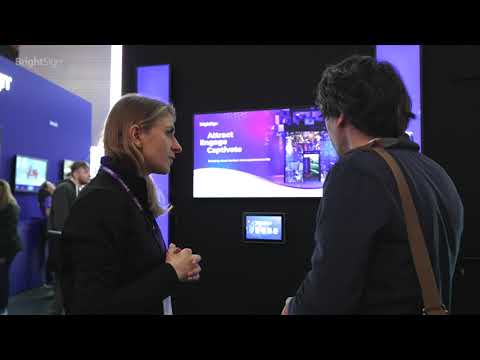
Meet BrightSign
Frequently Asked Questions (FAQ)
What buyers ask before choosing BrightSign
Integrations What CMS integrations are available for BrightSign?
BrightSign offers a wide range of CMS integrations to enhance your digital signage capabilities, allowing for customized content management tailored to your specific needs. Popular CMS solutions that integrate with BrightSign include industry-leading platforms such as Xibo, which is known for its open-source flexibility, and other cloud-based options that facilitate easy content updates and management. Additionally, BrightSign supports various add-ons and peripherals that can further enrich your digital signage experience, such as interactive features and dynamic content displays. By leveraging these integrations, businesses can create immersive and engaging experiences for their audiences, ensuring that their messaging is both effective and visually appealing.
Integrations How does BrightSign connect with Salesforce and other CRM tools?
BrightSign connects with Salesforce and other CRM tools through its robust integration capabilities, allowing businesses to leverage their existing customer data for dynamic digital signage solutions. By utilizing BrightSign's Cloud Management Console and partner CMS solutions, users can easily configure their BrightSign players to pull relevant content directly from their CRM systems. This integration enables real-time updates and personalized messaging based on customer interactions and data stored in Salesforce or similar platforms. Additionally, BrightSign supports various add-ons and peripherals that can enhance interactivity, such as motion sensors and touch screens, further engaging audiences with tailored experiences. This seamless connection not only streamlines content management but also enhances the effectiveness of marketing campaigns by delivering targeted messages to the right audience at the right time.
Integrations What are the setup steps for integrating BrightSign with HubSpot?
To integrate BrightSign with HubSpot, start by ensuring you have a BrightSign player and a HubSpot account. First, access the BrightSign Cloud Management Console and navigate to the integration settings. Here, you will need to authenticate your HubSpot account by providing the necessary API key or OAuth credentials. Once authenticated, you can configure the data synchronization settings, allowing BrightSign to pull or push content based on your HubSpot marketing campaigns. Next, create your digital signage content using BrightSign's powerful presentation tools, ensuring it aligns with your HubSpot assets. Finally, test the integration by publishing a sample campaign to your BrightSign player and verify that the content updates as expected in HubSpot. This seamless integration enhances your marketing efforts by delivering dynamic content directly to your audience.
Integrations Can BrightSign integrate with LinkedIn Ads, and if so, how?
Yes, BrightSign can integrate with LinkedIn Ads to enhance your digital signage strategy. By utilizing BrightSign's capabilities, you can display dynamic content sourced from LinkedIn Ads directly on your digital signage screens. To achieve this integration, you would typically use a content management system (CMS) that supports LinkedIn Ads, allowing you to pull in real-time data and advertisements. This integration enables you to showcase targeted ads to specific audiences, enhancing engagement and driving traffic to your LinkedIn campaigns. Additionally, BrightSign's support for various add-ons and peripherals can further enrich the viewer experience, making your advertising efforts more interactive and effective. For detailed steps on setting up this integration, consulting BrightSign's documentation or reaching out to their support team can provide tailored guidance.
Integrations What is the API access like for BrightSign integrations?
BrightSign offers robust API access that facilitates seamless integrations with various applications and systems, enhancing the functionality of its digital signage solutions. The API allows developers to control BrightSign players programmatically, enabling features such as content management, device monitoring, and remote management. This flexibility supports a wide range of integrations with industry-leading CMS solutions and popular peripherals, allowing businesses to customize their digital signage experiences to meet specific needs. Additionally, BrightSign's API documentation provides comprehensive guidance, making it easier for developers to implement and optimize integrations. Overall, the API access empowers businesses to create dynamic, interactive, and engaging digital signage solutions that can adapt to evolving customer demands and technological advancements.
Integrations Are there any limitations on data flow between BrightSign and ERP systems?
BrightSign's integration capabilities with ERP systems are robust, allowing for seamless data flow; however, there may be some limitations depending on the specific ERP system in use and the complexity of the data being transferred. BrightSign supports various popular CMS solutions and can be customized to fit different applications, but the extent of integration may vary based on the ERP's API capabilities and data structure. It's essential to assess the specific requirements of your ERP system and consult with BrightSign experts to ensure compatibility and optimal performance. Additionally, while BrightSign players are designed for reliable operation, factors such as network bandwidth and data processing speed can also impact data flow efficiency.
Features What does the BSN.Cloud platform do for digital signage management?
The BSN.Cloud platform by BrightSign is a comprehensive cloud-based solution designed for managing digital signage networks efficiently. It enables users to remotely configure and monitor multiple BrightSign media players, ensuring seamless content delivery and device management. With BSN.Cloud, businesses can create and manage presentations using an intuitive interface, incorporating various content types such as text, images, and videos. The platform also integrates with partner CMS solutions, enhancing its versatility. Additionally, BSN.Cloud provides real-time monitoring of player health, allowing operators to maintain optimal performance and quickly address any issues. This centralized management capability empowers businesses to scale their digital signage operations effectively, whether they are managing a single display or thousands across multiple locations.
Features How do I configure remote management features in BrightSign?
To configure remote management features in BrightSign, start by accessing the Cloud Management Console, which is included with every BrightSign player. From there, you can easily set up and manage your devices by selecting the "Remote Player Setup" option. This allows you to configure single or multiple players to publish content seamlessly, including integration with BSN.Cloud services and partner CMS solutions. Utilize the intuitive interface to create presentations and manage your content effectively. For advanced capabilities, consider BrightSign Control Plus, which offers features like real-time visibility and AI-powered diagnostics for multisite operators. Ensure your players are connected to the internet for optimal performance and follow the guided walkthroughs available on BrightSign's YouTube channel for additional support.
Features What are the capabilities of BrightSign's interactive features?
BrightSign's interactive features empower businesses to create engaging and immersive experiences that captivate audiences. With capabilities such as multi-gesture touch, motion-activated sensors, and eye-tracking technology, BrightSign enables users to interact with content in dynamic ways, enhancing viewer engagement. The platform supports a variety of content types, including text, images, video, and HTML, allowing for versatile presentations tailored to specific audience needs. Additionally, BrightSign's integration with popular content management systems and add-on peripherals facilitates seamless customization for various applications, from retail kiosks to interactive demos. This flexibility not only enhances customer experiences but also drives sales and brand loyalty, making BrightSign a powerful tool for businesses looking to leverage interactive digital signage.
Features How do I create complex presentations using BrightSign's software?
To create complex presentations using BrightSign's software, start by accessing the intuitive interface provided with every BrightSign player, which includes powerful tools for designing presentations. First, gather your content, such as text, images, videos, and motion graphics, and decide how you want to display it—whether on a single large LCD screen or multiple smaller LED screens. Utilize the software's features to incorporate interactive elements, such as quizzes or user engagement options, to enhance viewer experience. You can also leverage AI capabilities for dynamic content adjustments. Once your presentation is designed, use the remote player setup to configure and publish your content seamlessly across devices, ensuring that you can manage everything through the BSN.Cloud services for optimal performance and control.
Features What functionality does the Cloud Management Console provide in BrightSign?
The Cloud Management Console in BrightSign provides a comprehensive suite of functionalities designed to streamline the management of digital signage networks. It allows users to easily configure and control multiple BrightSign players from a single interface, enabling efficient content publishing and device management. Key features include real-time visibility into device status, AI-powered diagnostics for troubleshooting, and bulk device management capabilities, which significantly reduce manual setup time. Additionally, the console integrates seamlessly with BSN.Cloud services, enhancing the overall user experience by providing a centralized platform for monitoring and managing content across various displays. This functionality empowers businesses to maintain operational efficiency and ensure consistent content delivery across their digital signage networks.
Features How do I set up and manage multiple BrightSign players effectively?
To set up and manage multiple BrightSign players effectively, start by utilizing the remote player setup feature, which allows you to configure all players from a single location. Use the intuitive BrightAuthor software to create and publish presentations across your devices, ensuring you leverage the powerful features available, including AI capabilities. For centralized management, take advantage of BSN.Cloud services, which enable seamless content updates and monitoring of all players in real-time. Additionally, consider implementing a custom web page display on a centrally located tablet to serve as a remote control center, allowing staff to easily toggle between content sources. This streamlined approach not only enhances operational efficiency but also ensures that your digital signage remains dynamic and engaging across all displays.
ROI & pricing What measurable business value can BrightSign provide for my organization?
BrightSign provides measurable business value by enhancing customer engagement, improving communication, and driving revenue growth through its advanced digital signage solutions. By utilizing BrightSign's technology, organizations can create captivating visual experiences that attract and retain customers, whether in retail, hospitality, or corporate environments. The ability to display dynamic content, such as promotions, real-time updates, and interactive experiences, allows businesses to respond quickly to market changes and customer needs. Additionally, BrightSign's cloud-based control and remote management capabilities streamline operations, reducing labor costs and increasing efficiency. With features like video walls and interactive kiosks, businesses can elevate the customer experience, ultimately leading to increased foot traffic, higher sales conversions, and improved brand loyalty.
ROI & pricing How does BrightSign contribute to cost savings and improved ROI for digital signage?
BrightSign contributes to cost savings and improved ROI for digital signage through its reliable, solid-state digital signage players that operate with virtually zero downtime, ensuring consistent performance and reducing maintenance costs. By offering an end-to-end solution, BrightSign enables businesses to create engaging content that attracts and retains customers, ultimately driving sales and increasing revenue. The scalability of BrightSign's technology allows businesses to expand their digital signage networks without significant additional investment, making it a cost-effective choice for various industries, including retail and healthcare. Furthermore, the ability to easily update and manage content remotely reduces labor costs associated with manual updates, enhancing operational efficiency and maximizing the return on investment for digital signage initiatives.
ROI & pricing What are the different pricing plans available for BrightSign solutions?
BrightSign offers a variety of pricing plans tailored to meet different business needs and budgets. Their solutions include free software that comes with every BrightSign player, allowing users to set up and create presentations without additional costs. For more advanced features, such as cloud management and remote player setup, pricing may vary based on the specific hardware and software configurations chosen. BrightSign also provides options for enterprise solutions, which typically involve customized pricing based on the scale and complexity of the deployment. To get a precise quote or to explore specific pricing plans, it's recommended to contact BrightSign directly or consult their sales team, who can assist in finding the best solution for your requirements.
ROI & pricing What is the total cost of ownership when implementing BrightSign for my business?
The total cost of ownership (TCO) when implementing BrightSign for your business includes several factors that contribute to both initial and ongoing expenses. Initially, you will need to consider the cost of BrightSign players, which are known for their reliability and performance. Additionally, there may be expenses related to the setup and configuration of your digital signage system, including any necessary accessories and software. Ongoing costs can include content creation, management, and potential subscription fees for services like BSN.Cloud. It's also important to factor in maintenance and support, which BrightSign offers through various resources and support options. By evaluating these components, you can better understand the TCO and how BrightSign can fit within your budget while enhancing your digital signage capabilities.
ROI & pricing How quickly can I expect to see value from BrightSign after implementation?
After implementing BrightSign, you can expect to see value relatively quickly, often within a few weeks, depending on your specific use case and deployment scale. BrightSign's robust digital signage solutions are designed for rapid deployment, allowing you to start displaying engaging content almost immediately. With features like pre-provisioning and Wi-Fi install services, you can accelerate your setup process. Many users report enhanced customer engagement and increased foot traffic shortly after installation, as BrightSign's technology effectively captivates audiences with high-quality visuals and interactive experiences. Additionally, the flexibility of BrightSign players enables you to adapt and optimize your content strategy based on real-time feedback, further enhancing the value you derive from your investment.
ROI & pricing What are the potential revenue impacts of using BrightSign in my marketing strategy?
Using BrightSign in your marketing strategy can significantly enhance revenue by transforming customer engagement and in-store experiences. BrightSign's digital signage solutions allow businesses to display dynamic content, including videos, motion graphics, and interactive elements, which can attract new shoppers and retain existing ones. By creating visually captivating displays, brands can effectively communicate promotions, product information, and brand stories, leading to increased foot traffic and higher conversion rates. Additionally, the ability to integrate with various content management systems and interactive technologies enables personalized experiences that resonate with customers, further driving sales. Ultimately, leveraging BrightSign can result in a more engaging retail environment, fostering customer loyalty and boosting overall revenue.
Capabilities What capabilities does BrightSign offer for managing digital signage networks?
BrightSign offers a comprehensive suite of capabilities for managing digital signage networks, designed to enhance operational efficiency and content delivery. With the BrightSign Control Plus solution, users benefit from advanced cloud-based device management, providing real-time visibility and AI-powered diagnostics for multisite operators. This premium tier allows for bulk device management, enabling IT managers to efficiently oversee distributed signage networks. Additionally, BrightSign's media players, powered by BrightSignOS, support remote device control and real-time content management, ensuring seamless updates and tailored experiences. The platform also facilitates the creation of interactive content and immersive experiences, making it suitable for various industries, including retail, healthcare, and corporate environments. Overall, BrightSign empowers businesses to effectively manage their digital signage networks while delivering captivating visual experiences.
Capabilities Can BrightSign support cloud-based remote management for multiple players?
Yes, BrightSign supports cloud-based remote management for multiple players through its advanced solutions like BrightSign Control Plus and BSN.Cloud services. These platforms enable IT managers and multisite operators to efficiently manage distributed signage networks with features such as real-time visibility, AI-powered diagnostics, and bulk device management. This capability allows users to configure, monitor, and deploy content across numerous BrightSign players from a centralized location, ensuring seamless operation and reducing the need for on-site intervention. By leveraging these cloud-based tools, businesses can enhance their digital signage management, streamline content updates, and maintain control over their display networks, ultimately improving operational efficiency and responsiveness to changing content needs.
Capabilities Does BrightSign provide features for interactive content and presentations?
Yes, BrightSign provides robust features for creating interactive content and presentations, making it an ideal choice for businesses looking to engage their audience. With BrightSign's technology, users can develop captivating interactive demos that enhance viewer experiences, whether in retail, hospitality, or entertainment venues. The platform supports various content types, including text, images, video, and motion graphics, allowing for dynamic presentations. Additionally, BrightSign offers tools for multi-gesture interactions, enabling users to create immersive experiences that drive engagement and sales. The included free software allows for easy setup and management of presentations, ensuring that businesses can leverage BrightSign's capabilities to captivate their audience effectively.
Capabilities Can BrightSign handle 4K video playback across multiple displays?
Yes, BrightSign can handle 4K video playback across multiple displays, making it an excellent choice for creating dynamic video walls. With its advanced solid-state digital signage players, BrightSign supports stunning 4K resolution, allowing you to deliver high-quality visuals that captivate your audience. The BrightAuthor software facilitates seamless content integration and synchronization across various screen configurations, ensuring that your video content is displayed flawlessly without cropping or cutting. Additionally, BrightSign's multi-screen output feature simplifies the process of spanning videos across multiple displays, providing a cohesive viewing experience. Whether you're in retail, hospitality, or any other sector, BrightSign's capabilities enable you to create impressive visual displays that leave a lasting impression.
Capabilities Is BrightSignOS designed for enterprise-level security and compliance?
Yes, BrightSignOS is specifically designed for enterprise-level security and compliance, making it an ideal choice for businesses that require robust digital signage solutions. This proprietary operating system powers all BrightSign digital signage players and incorporates advanced security features essential for managing large-scale digital signage networks. BrightSignOS ensures secure connections to BSN.Cloud services and partner solutions, providing a reliable platform for content management and remote device management. Its purpose-built performance not only enhances operational efficiency but also supports compliance with industry standards, safeguarding sensitive data and ensuring that enterprises can confidently deploy their digital signage solutions without compromising security.
Capabilities Does BrightSign allow for centralized content management and scheduling?
Yes, BrightSign does allow for centralized content management and scheduling, making it an ideal solution for businesses that require efficient control over their digital signage networks. With BrightSign's cloud-based management capabilities, users can easily manage multiple devices from a single interface, enabling programmatic scheduling by zone. This feature allows businesses to tailor content delivery based on specific times or locations, ensuring that the right message reaches the right audience at the right time. Additionally, BrightSign supports template-driven content creation, which simplifies the process of designing and deploying presentations across various screens. This centralized approach not only streamlines operations but also enhances the overall effectiveness of digital signage strategies.
Use cases How can SDRs utilize BrightSign for effective customer engagement during presentations?
Sales Development Representatives (SDRs) can leverage BrightSign's digital signage solutions to enhance customer engagement during presentations by creating dynamic and interactive content that captivates their audience. By utilizing BrightSign's advanced technology, SDRs can display a variety of media, including videos, motion graphics, and HTML content, tailored to the specific interests of their prospects. This allows for a more immersive experience, encouraging interaction and deeper engagement. Additionally, BrightSign's ability to integrate with various platforms enables SDRs to seamlessly incorporate real-time data and analytics into their presentations, making the content more relevant and impactful. By employing BrightSign's solutions, SDRs can effectively communicate their brand message, foster connections, and ultimately drive sales.
Use cases What are the best practices for marketers to implement BrightSign in retail environments to enhance customer experience?
To effectively implement BrightSign in retail environments and enhance customer experience, marketers should focus on several best practices. First, identify the specific content types that resonate with your audience, such as videos, motion graphics, or interactive elements, to engage customers meaningfully. Next, consider the display setup; using a combination of large LCD screens and smaller LED displays can create a dynamic visual experience. Additionally, ensure that the content is updated regularly to reflect promotions, seasonal changes, or new products, keeping the messaging fresh and relevant. Incorporating interactive features can also encourage customer participation, making the shopping experience more engaging. Finally, leverage BrightSign's analytics capabilities to track viewer engagement and optimize content based on real-time data, ultimately driving conversions and fostering customer loyalty.
Use cases In what scenarios should RevOps teams consider using BrightSign for data-driven decision-making in digital signage?
RevOps teams should consider using BrightSign for data-driven decision-making in digital signage when they aim to enhance customer engagement, optimize marketing strategies, and improve operational efficiency. BrightSign's robust digital signage solutions enable the integration of real-time analytics and AI-driven insights, allowing teams to track viewer interactions and content performance effectively. This data can inform decisions on content display, such as choosing between text, images, or videos, and help determine the most effective screen configurations, whether using large LCD screens or multiple smaller LED displays. Additionally, BrightSign's capabilities in creating interactive experiences can further engage customers, providing valuable data on consumer behavior that can drive future marketing initiatives and improve ROI. By leveraging BrightSign's technology, RevOps teams can make informed, strategic decisions that align with their business goals.
Use cases How can sales leaders leverage BrightSign's video wall capabilities to improve team collaboration and communication?
Sales leaders can leverage BrightSign's video wall capabilities to enhance team collaboration and communication by creating dynamic, visually engaging displays that facilitate information sharing and real-time updates. By utilizing BrightSign's powerful video wall technology, teams can showcase key performance metrics, sales targets, and motivational content across multiple screens, ensuring that all team members are aligned and informed. The ability to customize content and synchronize displays allows for tailored presentations during meetings or training sessions, fostering a collaborative environment. Additionally, interactive features can be integrated, enabling team members to engage with the content directly, ask questions, and provide feedback, ultimately driving better communication and teamwork. This strategic use of BrightSign's video wall solutions can significantly improve overall team performance and morale.
Use cases What workflows should be followed by marketing teams when deploying interactive features of BrightSign for events?
When deploying interactive features of BrightSign for events, marketing teams should follow a structured workflow to ensure a successful implementation. First, define the objectives of the interactive experience, such as enhancing audience engagement or collecting data. Next, collaborate with content creators to design compelling visuals and interactive elements that align with the event's theme. After that, select the appropriate BrightSign player and configure it to support the desired content types, whether they be videos, motion graphics, or HTML. Conduct thorough testing to ensure all interactive features function seamlessly before the event. Finally, monitor the deployment in real-time to make adjustments as needed and gather feedback post-event to evaluate the effectiveness of the interactive features. This systematic approach will help maximize the impact of BrightSign's technology at your event.
Use cases When is it most beneficial for businesses to adopt BrightSign's cloud-based control for remote management of digital signage?
Adopting BrightSign's cloud-based control for remote management of digital signage is most beneficial for businesses that operate multiple locations or require real-time content updates and monitoring. This solution is ideal for enterprises looking to streamline their digital signage operations, as it allows for centralized management of all devices, ensuring consistent messaging across various platforms. Businesses can leverage features like real-time visibility, AI-powered diagnostics, and bulk device management to enhance operational efficiency and reduce downtime. Additionally, companies in sectors such as retail, corporate environments, and hospitality can significantly improve customer engagement and brand communication by utilizing BrightSign's advanced capabilities, making it a strategic investment for enhancing overall business performance.
Alternatives What are the key differences between BrightSign and ViewSonic?
BrightSign and ViewSonic both offer digital signage solutions, but they cater to different needs and functionalities. BrightSign specializes in dedicated digital signage players that provide robust performance, reliability, and a comprehensive ecosystem for managing content across various displays. It excels in interactive and immersive experiences, making it ideal for businesses looking to engage audiences with dynamic content. In contrast, ViewSonic primarily focuses on display technology, offering a range of monitors and projectors that can be used for digital signage but may require additional software or hardware for full functionality. While BrightSign provides an end-to-end solution with integrated software and hardware, ViewSonic's offerings are more about high-quality displays that can be paired with third-party solutions. Ultimately, the choice between them depends on whether you prioritize a complete signage system (BrightSign) or high-quality display hardware (ViewSonic).
Alternatives How does BrightSign compare to Intel NUC in terms of digital signage capabilities?
BrightSign and Intel NUC serve different purposes in the realm of digital signage, each with its unique strengths. BrightSign is specifically designed for digital signage applications, offering robust features such as AI-powered content optimization, seamless integration with existing infrastructure, and a variety of player options tailored for different display needs. Its dedicated hardware ensures reliability and performance in delivering high-quality visuals. In contrast, Intel NUC is a compact computing solution that can run digital signage software but lacks the specialized features and optimizations found in BrightSign devices. While NUC offers flexibility and can be customized for various applications, it may require additional setup and software to achieve the same level of performance and ease of use that BrightSign provides out of the box. Ultimately, the choice depends on whether you prioritize specialized digital signage capabilities or a more general computing solution.
Alternatives What are the advantages of using LG SuperSign over BrightSign?
LG SuperSign and BrightSign both offer robust digital signage solutions, but they cater to different needs and preferences. LG SuperSign is known for its user-friendly interface and seamless integration with LG displays, making it an excellent choice for businesses already invested in LG hardware. It provides a comprehensive content management system that simplifies the scheduling and playback of media, which can be particularly advantageous for users seeking an all-in-one solution. On the other hand, BrightSign is recognized for its powerful hardware and flexibility, supporting a wide range of content types and interactive experiences. BrightSign's players are designed for high-performance applications, making them ideal for complex installations. Ultimately, the choice between LG SuperSign and BrightSign depends on your specific requirements, existing infrastructure, and desired level of customization in your digital signage strategy.
Alternatives Is Sony Digital Signage a better option than BrightSign for commercial use?
When comparing Sony Digital Signage and BrightSign for commercial use, both have distinct advantages. Sony Digital Signage is known for its high-quality displays and integration with its Bravia line, making it ideal for environments where visual fidelity is paramount. It offers robust software solutions that cater to various industries, including retail and corporate settings. On the other hand, BrightSign specializes in providing an end-to-end digital signage solution that is highly reliable and scalable, making it suitable for businesses of all sizes. BrightSign's players are designed for seamless integration with various content management systems and support interactive content, which can enhance viewer engagement. Ultimately, the choice depends on specific business needs, such as display quality versus comprehensive signage solutions.
Alternatives What are the best alternatives to BrightSign for digital signage solutions?
When considering alternatives to BrightSign for digital signage solutions, several notable options stand out. One popular choice is Mvix, which offers a robust digital signage platform with features like multi-site content management and customizable templates. Another competitor is ScreenCloud, known for its user-friendly interface and cloud-based capabilities, making it easy to manage content across various devices. Additionally, NoviSign provides an intuitive digital signage software that supports interactive content and real-time updates, catering to diverse business needs. For those seeking a more comprehensive solution, Signagelive offers a versatile platform that integrates with various hardware and supports a wide range of content types. Each of these alternatives presents unique features and pricing structures, allowing businesses to find a solution that best fits their specific requirements.
Alternatives How does BrightSign stack up against other digital signage players like Samsung and LG?
BrightSign stands out in the digital signage market when compared to competitors like Samsung and LG due to its robust, dedicated hardware and software ecosystem designed specifically for digital signage applications. While Samsung and LG offer integrated solutions that combine displays with their own software, BrightSign provides a comprehensive end-to-end solution that includes a variety of players, customizable software, and professional services tailored for diverse business needs. BrightSign players are known for their reliability, scalability, and ease of use, making them suitable for both small and large deployments. Additionally, BrightSign's focus on interactivity and immersive experiences gives it an edge in creating engaging content, whereas Samsung and LG may excel in display technology but lack the same level of specialized digital signage features. Ultimately, the choice depends on specific business requirements, such as the need for interactivity or the scale of deployment.
BrightSign Competitors


BrightSign Features
- Low
- Medium
- High
| FEATURE | RATINGS AND REVIEWS |
|---|---|
| AI Powered | Read Reviews (1) |
| Custom Reports | Read Reviews (52) |
| Analytics | Read Reviews (12) |
| CAPABILITIES | RATINGS AND REVIEWS |
|---|---|
| AI Powered | Read Reviews (1) |
| Custom Reports | Read Reviews (52) |
| Analytics | Read Reviews (12) |
Software Failure Risk Guidance
?for BrightSign
Overall Risk Meter
Top Failure Risks for BrightSign
BrightSign LLC News
BrightSign Launches Control Plus On AWS - UK Broadcast News | 25/08/2026
BrightSign launched BrightSign Control Plus, a premium device management solution for digital signage players, hosted on AWS. It offers advanced fleet management features like health dashboards, AI diagnostics, and real-time oversight. By leveraging AWS infrastructure, it supports over 300,000 players globally, enhancing scalability and security.
InfoComm 2024: BrightSign Shows XC5 Player, the Company'sMost Power Player With Duel and Quad Output
BrightSign unveiled its new XC5 Player at InfoComm 2024, showcasing its most powerful player with dual and quad output capabilities. This product enhances digital signage solutions, offering advanced display technology for professional AV applications.
PPDS and BrightSign® form strategic partnership; new AI-ready and ...
BrightSign and PPDS have partnered to integrate BrightSign's XS156 system-on-chip into the new Philips Signage 6060 displays. This integration enhances performance, security, and energy efficiency, while enabling AI applications directly on the display. The collaboration offers businesses advanced digital signage solutions across various environments, including retail and corporate offices.
PPDS launches AI-ready signage with BrightSign Built-In
PPDS has launched the Philips Signage 6060 series with BrightSign Built-In, featuring BrightSignOS and an integrated Neural Processing Unit for AI applications. The displays offer enhanced control, security, and energy efficiency, available in 43”, 55”, and 65” variants. The series will be available in North America and EMEA during Q3.
BrightSign LLC Profile
Company Name
BrightSign LLC
Company Website
https://www.brightsign.biz/HQ Location
983 University Ave, Los Gatos, California 95032, US
Employees
11-50
Social


Financials
PRIVATE

