


ContactMonkey Overview
ContactMonkey enhances internal communication by enabling users to build, send, and analyze employee emails through its specialized platform. This tool integrates seamlessly with Outlook, allowing businesses to create engaging internal communications that are more likely to be opened and interacted with. The platform supports strategic communication efforts across various industries, ensuring messages reach their intended audience effectively. It simplifies onboarding processes, bypassing IT hurdles, which accelerates the adoption of communication strategies. A notable feature is its analytics capability, which provides insights into email engagement, helping organizations refine their communication tactics for better employee interaction.
Use Cases
Customers recommend Communication Management, Engagement Management, Social Media Management, as the business use cases that they have been most satisfied with while using ContactMonkey.
Business Priorities
Improve Internal Communications and Improve ROI are the most popular business priorities that customers and associates have achieved using ContactMonkey.
ContactMonkey Use-Cases and Business Priorities: Customer Satisfaction Data
ContactMonkey works with different mediums / channels such as E-Mail. Social Media. Offline etc.
ContactMonkey's features include Templates, Personalization, Feedback Surveys, etc. and ContactMonkey support capabilities include Email Support, Chat Support, 24/7 Support, etc. also ContactMonkey analytics capabilities include Analytics, and Custom Reports.
Reviews
"It’s been really helpful to test and try various subject lines, experiment with what times of the day work best for reaching our audience and ensure we get maximum opens." - Ashley Allen
Peer review evidence (same sources as the product rating summary)
"...Kate also turned to Mailchimp, taking advantage of the tracking features offered by the newsletter tool to track email opens and employee engagement levels...." Case Study Mettler Toledo
"...It is important to me to know that my emails to clients have been opened as I know that I can then follow up with a telephone call...." Peer review by Phil S., Legal Services
"...With ContactMonkey, the University of North Texas benefited from: The user-friendly analytics dashboard...." Case Study University of North Texas
ContactMonkey, GMass, EasySender, Ebsta Revenue Intelligence, Autoklose, etc., all belong to a category of solutions that help Sales Engagement. Each of them excels in different abilities. Therefore, determining the best platform for your business will depend on your specific needs and requirements.
ContactMonkey improves workplace communications with features like email tracking, employee engagement surveys, and customizable templates. Integration with Outlook, Gmail, and Salesforce boosts efficiency and engagement.
Popular Business Setting
for ContactMonkey
Top Industries
- Education
- Consumer Goods
- Internet
Popular in
- Small Business
- Mid Market
- Large Enterprise
ContactMonkey is popular in Education, Consumer Goods, and Internet and is widely used by Small Business, Mid Market, and Large Enterprise.
ContactMonkey Customer wins, Customer success stories, Case studies
What benefits does ContactMonkey offer for Communication Management?
How can ContactMonkey optimize your Engagement Management Workflow?
How does ContactMonkey facilitate Campaign Management?
How can ContactMonkey optimize your Track Learning Progress Workflow?
| CUSTOMERS | TESTIMONIALS |
|---|---|

|
It’s been really helpful to test and try various subject lines, experiment with what times of the day work best for reaching our audience and ensure we get maximum opens. Testimonial By Ashley Allen |

|
Giving our team the chance to interact with pulse surveys, comments & ratings has allowed us to informally check in on our team without sending bulky engagement surveys. Testimonial By Corey Kachigan |

|
Boosting Employee Engagement with Newsletters within Outlook Featuring House of Travel Testimonial By Louise Reeves |
| CUSTOMERS | TESTIMONIALS |
|---|---|
|
Ashley Allen Director Strategic Communications Cimpress |
It’s been really helpful to test and try various subject lines, experiment with what times of the day work best for reaching our audience and ensure we get maximum opens. Testimonial By Ashley Allen |
|
Corey Kachigan Engagement & Communications Lead Exemplis |
Giving our team the chance to interact with pulse surveys, comments & ratings has allowed us to informally check in on our team without sending bulky engagement surveys. Testimonial By Corey Kachigan |
|
Louise Reeves Internal Communications Manager House of Travel |
Boosting Employee Engagement with Newsletters within Outlook Featuring House of Travel Testimonial By Louise Reeves |
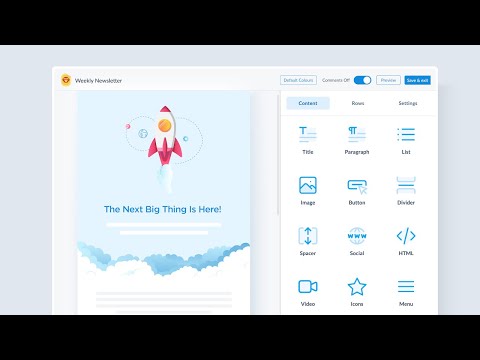
ContactMonkey Internal Communications Tool in 30 Seconds
Frequently Asked Questions (FAQ)
What buyers ask before choosing ContactMonkey
Integrations What CRM integrations are available with ContactMonkey?
ContactMonkey offers several CRM integrations to enhance your internal communications and streamline workflows. Specifically, it integrates with popular platforms such as HubSpot, Microsoft Dynamics 365, Marketo, and Pardot, allowing users to synchronize their communication efforts with customer relationship management processes. These integrations enable teams to manage contacts more effectively, automate email campaigns, and track engagement metrics directly from their CRM systems. By leveraging these integrations, businesses can ensure that their internal communications are aligned with their customer outreach strategies, ultimately improving employee engagement and operational efficiency. This seamless connectivity helps reduce manual data entry and enhances the overall effectiveness of communication initiatives within organizations.
Integrations How does ContactMonkey connect to Salesforce and what are the setup steps?
ContactMonkey integrates seamlessly with Salesforce, allowing users to enhance their internal communications by leveraging Salesforce data. To set up this integration, first, ensure you have administrative access to both your ContactMonkey and Salesforce accounts. Begin by navigating to the integrations section within the ContactMonkey platform and selecting Salesforce. You will be prompted to log into your Salesforce account to authorize the connection. Once authorized, you can customize the integration settings to sync relevant data, such as employee information and communication metrics. After completing these steps, you can utilize Salesforce data to create targeted email campaigns and track engagement metrics directly within ContactMonkey, ultimately improving your internal communication strategies.
Integrations Can I integrate ContactMonkey with HubSpot and what is the sync behavior?
ContactMonkey does not currently offer a direct integration with HubSpot. However, it seamlessly integrates with Microsoft Outlook, Gmail, and various HR tools, allowing for efficient internal communications management. While HubSpot is a powerful marketing and CRM platform, users looking to sync data between ContactMonkey and HubSpot may need to explore third-party integration solutions or manual data transfer methods. The sync behavior for existing integrations, such as with Microsoft Teams and Active Directory, typically involves real-time updates and automated workflows, which help streamline internal communications and reduce manual errors. For businesses heavily reliant on HubSpot, considering alternatives like Zapier for potential automation between the two platforms may be beneficial.
Integrations What API access does ContactMonkey provide for data integration?
ContactMonkey provides robust API access that facilitates seamless data integration with various platforms, enhancing internal communication management. Users can integrate ContactMonkey with existing tools such as HRIS systems, Microsoft Teams, Outlook, and Gmail, allowing for streamlined workflows and improved data synchronization. The API enables users to create, manage, and send emails while ensuring that data handling adheres to enterprise-grade security practices. Additionally, the API supports functionalities like real-time processing for AI features, ensuring that customer data is handled securely and efficiently. This integration capability not only saves time but also enhances visibility into communication effectiveness across multiple channels, making it a valuable asset for organizations looking to optimize their internal communication strategies.
Integrations Are there any limitations on data flow between ContactMonkey and Marketo?
ContactMonkey integrates seamlessly with Marketo, allowing for efficient data flow between the two platforms. However, while there are no inherent limitations on the integration itself, the effectiveness of data transfer can depend on the specific configurations and settings established by the user. For instance, users should ensure that their data fields in Marketo align with those in ContactMonkey to facilitate smooth synchronization. Additionally, any restrictions imposed by Marketo's API limits or data handling policies may affect the volume of data that can be transferred at any given time. Overall, leveraging ContactMonkey's capabilities alongside Marketo can enhance your internal communication strategies, provided that users are mindful of these potential considerations.
Integrations How do I configure ContactMonkey to work with Microsoft Teams and Outlook?
To configure ContactMonkey to work seamlessly with Microsoft Teams and Outlook, start by ensuring you have the ContactMonkey add-in installed in your Outlook application. You can find it in the Microsoft AppSource or directly within Outlook under the "Get Add-ins" option. Once installed, log in to your ContactMonkey account and follow the prompts to connect your Microsoft Teams account, allowing for integrated communication and collaboration. You can then utilize ContactMonkey's drag-and-drop email template builder to create engaging internal emails directly from Outlook, while also leveraging analytics to track engagement metrics. For a more streamlined experience, ensure that your HRIS and other relevant systems are also integrated, enhancing your internal communications management process. This setup will enable you to maximize the effectiveness of your employee communications across both platforms.
Features What does the email template builder feature do?
The email template builder feature in ContactMonkey allows users to create engaging internal emails quickly and efficiently using a drag-and-drop interface. Unlike traditional email clients like Outlook and Gmail, which are limited in design capabilities, this feature provides a library of pre-built, on-brand templates that can be customized to fit specific communication needs. Users can easily incorporate dynamic content, ensuring that messages are tailored to different employee groups within a single email. Additionally, the builder includes tools for real-time collaboration, allowing teams to co-edit emails seamlessly. With integrated AI assistance, users can draft and edit content rapidly, enhancing productivity while maintaining brand consistency and visual appeal across devices. This feature ultimately streamlines the internal communication process, making it easier to engage employees effectively.
Features How do I send bulk emails using ContactMonkey?
To send bulk emails using ContactMonkey, first, ensure you have the necessary permissions and access to the platform. Begin by logging into your ContactMonkey account and navigating to the email creation section. Here, you can utilize the email template builder to design your message, incorporating dynamic content to personalize it for different employee groups if needed. Once your email is ready, select your distribution list, which can include thousands of recipients without the limitations imposed by Outlook or Gmail. After confirming your email's content and recipient list, you can schedule the email for immediate sending or set it to go out at a later date. Finally, utilize the built-in analytics tools to track engagement and gather feedback, ensuring your internal communications are effective and impactful.
Features What analytics can I track with ContactMonkey's dashboard?
With ContactMonkey's dashboard, you can track a comprehensive range of internal email analytics that provide real-time insights into employee engagement. Key metrics include email open rates, click-through rates, read time, device type, and geographic location of your audience. The dashboard also allows for individual engagement tracking, enabling you to see who opened and interacted with your emails. Additionally, you can utilize click maps to identify which parts of your emails capture the most attention. For deeper analysis, ContactMonkey integrates with tools like Power BI and Tableau, allowing you to pull data and create leadership-ready reports that highlight the effectiveness of your internal communications. This robust analytics capability empowers organizations to make informed decisions and improve future communications based on actionable insights.
Features How do I create and send segmented communications in Outlook?
To create and send segmented communications in Outlook using ContactMonkey, start by leveraging its advanced audience segmentation tools. First, integrate ContactMonkey with your Outlook account, which allows you to build dynamic, custom segments based on criteria such as department, role, location, or seniority. Once your segments are defined, use the drag-and-drop email template builder to design engaging emails tailored to each group. You can personalize subject lines and content to ensure relevance, enhancing engagement rates. After crafting your message, schedule or send your segmented emails directly from Outlook, while also utilizing ContactMonkey's analytics to track performance metrics like open rates and clicks. This streamlined process not only saves time but also ensures your communications are targeted and effective.
Features What is the purpose of the audience segmentation feature?
The purpose of the audience segmentation feature in ContactMonkey is to enhance internal communications by allowing organizations to group employees based on specific criteria such as location, department, job level, or employment type. This targeted approach enables businesses to send personalized messages that resonate with each segment, rather than relying on generic, one-size-fits-all emails that often lead to low engagement and ignored communications. By utilizing audience segmentation, companies can ensure that every employee receives relevant updates tailored to their context, which drives higher open and click rates, improves understanding, and fosters a more engaged workforce. Ultimately, this feature helps organizations communicate more effectively, maximizing the impact of their internal messaging efforts.
Features How do I measure employee engagement with ContactMonkey's analytics?
To measure employee engagement using ContactMonkey's analytics, start by utilizing the platform's built-in survey tools to gather feedback directly from employees. Focus on key metrics such as participation and completion rates, which indicate how many employees are engaging with the surveys. Additionally, track response time windows to assess how quickly employees are providing feedback. Use segmentation to analyze representation across different teams and locations, ensuring that insights reflect the entire organization. After collecting data, generate reports that highlight engagement levels and early insights, allowing you to establish a baseline for future comparisons. By leveraging these analytics, you can gain a comprehensive understanding of employee engagement and identify areas for improvement.
ROI & pricing What measurable outcomes can I expect from using ContactMonkey for internal communications?
Using ContactMonkey for internal communications can lead to significant measurable outcomes that enhance your organization's communication effectiveness. Users typically experience email open rates of 90% or higher, with click-through rates averaging between 20-30%, which indicates strong engagement with the content. The platform provides real-time analytics, allowing you to track metrics such as open rates, click rates, and employee engagement across different departments and locations. This data enables you to benchmark performance and make informed decisions to improve future communications. Additionally, features like embedded polls and feedback mechanisms allow for instant sentiment capture, enhancing two-way communication and fostering a more engaged workforce. Overall, ContactMonkey empowers organizations to turn internal communications into actionable insights, driving culture and improving employee connection.
ROI & pricing How does ContactMonkey demonstrate ROI for businesses implementing its software?
ContactMonkey demonstrates ROI for businesses by providing measurable insights into internal communications, enabling organizations to track engagement metrics such as open and click rates. By utilizing features like Dynamic Content, companies can streamline their messaging processes, saving time and reducing manual effort, which translates to cost savings. The software allows for real-time feedback collection, helping teams understand employee preferences and improve communication strategies. For instance, businesses like Mustang Cat and CertaPro Painters have reported significant increases in open rates and click rates, showcasing the effectiveness of ContactMonkey in enhancing employee engagement. Additionally, ContactMonkey offers a business case guide to help leaders justify the investment by presenting data-driven results, ensuring that decision-makers can see the tangible benefits of implementing the software.
ROI & pricing What are the different pricing plans available for ContactMonkey, and what do they include?
ContactMonkey offers tailored pricing plans based on your team's size and usage, ensuring that you receive a quote that fits your specific internal communications needs. The plans are structured by tiers, which include the number of sender seats—licensed users who can create and send campaigns—and recipient coverage. While the exact details of each plan may vary, they generally encompass features such as email tracking, analytics, and the ability to send newsletters directly through Outlook or Gmail. To determine the best plan for your organization, it's recommended to request a custom quote through a quick discovery process, allowing ContactMonkey to align their offerings with your internal communication strategy effectively.
ROI & pricing How can ContactMonkey help my organization achieve cost savings in internal communications?
ContactMonkey can help your organization achieve cost savings in internal communications by streamlining workflows and enhancing efficiency. With features like automated list management and the Dynamic Content tool, you can eliminate time-consuming tasks such as copying and pasting emails, which reduces labor costs and minimizes errors associated with manual processes. The platform also provides measurable analytics, allowing you to assess the effectiveness of your communications and make data-driven decisions that optimize resource allocation. By integrating with tools like Appspace, ContactMonkey ensures message consistency across various channels, further reducing the need for multiple platforms and associated costs. Ultimately, these efficiencies lead to a more engaged workforce and a higher return on investment for your internal communications efforts.
ROI & pricing What is the typical time-to-value when implementing ContactMonkey in a business?
The typical time-to-value when implementing ContactMonkey in a business can vary based on the organization's size and existing communication processes, but many users report seeing significant benefits within the first few weeks. ContactMonkey's user-friendly interface and features, such as Dynamic Content and SMS capabilities, allow teams to quickly create and distribute engaging internal communications. Businesses often experience improved employee engagement metrics, such as open and click rates, shortly after deployment. Additionally, the analytics provided by ContactMonkey enable organizations to measure the effectiveness of their communications in real-time, allowing for immediate adjustments and optimizations. Overall, companies can expect to start realizing measurable results and enhanced internal communication efficiency within a month of implementation.
ROI & pricing What factors contribute to the total cost of ownership for ContactMonkey's services?
The total cost of ownership for ContactMonkey's services is influenced by several key factors, including the number of sender seats required, which refers to the accounts needed for users who will send communications. Additionally, the choice of plan affects pricing, as different tiers offer varying features and analytics capabilities. Implementation and onboarding fees may also contribute to the initial costs, depending on the complexity of setup and the level of support needed. Furthermore, if your organization uses integrations with platforms like Outlook, this may impact overall expenses as well. It's essential to consider these elements when evaluating the total cost of ownership to ensure that ContactMonkey aligns with your internal communication needs and budget.
Capabilities What features does ContactMonkey offer for internal communications?
ContactMonkey offers a comprehensive suite of features designed to enhance internal communications for organizations. Key functionalities include the ability to create, send, and track employee emails, newsletters, and surveys directly from Outlook or Gmail, ensuring seamless integration with existing workflows. The Dynamic Content tool allows users to save time by eliminating the need for repetitive tasks like copying and pasting, while the AI ConfidenceCheck feature reviews emails for errors and accessibility issues before sending. Additionally, ContactMonkey provides analytics to measure engagement, helping communicators understand what messaging resonates with employees. With integrations like Appspace, organizations can manage message consistency across various channels, making it easier to engage, inform, and inspire their workforce effectively.
Capabilities Can ContactMonkey support enterprise-level security and compliance requirements?
Yes, ContactMonkey is designed to support enterprise-level security and compliance requirements effectively. The platform aligns with SOC 2 program requirements, ensuring that its security practices meet high industry standards. It supports Single Sign-On (SSO) for enterprise identity management, implements role-based permissions to restrict access, and provides full audit logging of communication activities. Additionally, ContactMonkey is certified for GDPR compliance, ensuring that data handling practices adhere to strict privacy regulations. Emails are sent securely through your domain, avoiding unsecured third-party servers, which enhances data protection. For IT teams evaluating ContactMonkey, specific security documentation is available for review, providing transparency and confidence in the platform's security measures.
Capabilities Does ContactMonkey provide audience segmentation for targeted communications?
Yes, ContactMonkey provides robust audience segmentation capabilities for targeted communications, which is essential for effective internal messaging. By integrating with your HRIS data, ContactMonkey allows you to create dynamic lists based on various organizational attributes such as department, role, and location. This means that instead of sending generic all-staff emails that often lead to low engagement and high unsubscribe rates, you can tailor your communications to specific employee segments. Additionally, ContactMonkey enables you to measure engagement metrics like open rates and click rates by segment, ensuring that your messages resonate with the right audience. This targeted approach not only enhances employee engagement but also streamlines communication efforts within your organization.
Capabilities Can I track engagement metrics such as open rates and click rates with ContactMonkey?
Yes, you can track engagement metrics such as open rates and click rates with ContactMonkey. The platform provides built-in analytics that allow you to monitor various internal email metrics in real-time, including open rates, click-through rates, read time, device usage, and even individual engagement when enabled. This data is accessible whether you are using the Outlook add-in, Gmail add-on, web app, or desktop app, ensuring you have comprehensive visibility into how your internal communications are performing. By leveraging these insights, you can make informed decisions to improve future communications and enhance employee engagement, ultimately driving better results for your organization.
Capabilities Does ContactMonkey allow for automated onboarding communications for new hires?
Yes, ContactMonkey does facilitate automated onboarding communications for new hires, enhancing the employee experience from day one. By utilizing its email template builder and dynamic content features, organizations can create tailored onboarding emails that provide essential information and resources to new employees. This automation ensures that onboarding messages are sent consistently and efficiently, reducing the manual workload on HR teams. Additionally, ContactMonkey's integration with Outlook and Gmail allows for seamless communication directly from familiar platforms, ensuring that new hires receive timely updates and important announcements. This streamlined approach not only improves engagement but also helps new employees feel welcomed and informed, ultimately contributing to a smoother onboarding process.
Capabilities Can ContactMonkey integrate with existing email platforms like Outlook and Gmail?
Yes, ContactMonkey seamlessly integrates with existing email platforms like Outlook and Gmail, enhancing their functionality for internal communications. With its add-in for Outlook and add-on for Gmail, users can create, send, and track engaging emails directly within their inboxes without needing to switch applications. This integration allows for the use of ContactMonkey's drag-and-drop email template builder, dynamic content, and built-in analytics to measure engagement metrics such as open rates and click-throughs. Additionally, users can access these features through a desktop app or web app, ensuring flexibility in how they manage their email communications. This integration not only simplifies the email creation process but also boosts employee engagement by transforming standard emails into interactive communication tools.
Use cases How can SDRs use ContactMonkey to improve their internal communication with remote teams?
Sales Development Representatives (SDRs) can leverage ContactMonkey to enhance internal communication with remote teams by utilizing its dynamic content tools and automated workflows. By creating interactive newsletters and updates directly from their Outlook or Gmail inbox, SDRs can ensure consistent messaging across various channels, including email and intranet. This capability allows them to share important information quickly and efficiently, fostering better collaboration among remote team members. Additionally, ContactMonkey's analytics features enable SDRs to track engagement metrics, such as open and click rates, providing valuable insights into how effectively their messages are received. By streamlining communication processes and facilitating two-way feedback, SDRs can significantly improve team alignment and morale, ultimately driving better performance in a remote work environment.
Use cases What are the best practices for marketers to segment audiences using ContactMonkey for targeted email campaigns?
To effectively segment audiences using ContactMonkey for targeted email campaigns, marketers should start by integrating the platform with their HRIS or Active Directory to create dynamic lists based on specific attributes such as department, role, location, or seniority. This ensures that each email is tailored to the right audience, enhancing relevance and engagement. Marketers should utilize the platform's advanced audience segmentation tools to analyze engagement metrics like open rates and click rates by segment, allowing for continuous optimization of campaigns. Additionally, employing dynamic content blocks within emails can personalize messages further, ensuring that different employee groups receive the most pertinent information. Regularly updating and maintaining these segments will help avoid outdated lists and improve overall communication effectiveness.
Use cases In what scenarios should RevOps teams leverage ContactMonkey's analytics to measure communication effectiveness?
RevOps teams should leverage ContactMonkey's analytics in scenarios where understanding the effectiveness of internal communications is crucial for driving business outcomes. For instance, when launching new initiatives or changes, ContactMonkey's ability to track metrics such as open rates, click rates, and engagement levels allows teams to assess which messages resonate with employees and which do not. This data-driven approach helps identify trends over time, enabling RevOps to refine their communication strategies and improve employee engagement. Additionally, by utilizing audience segmentation based on HRIS data, RevOps can ensure that messages are tailored to specific departments or roles, further enhancing relevance and effectiveness. Ultimately, ContactMonkey's analytics empower RevOps teams to make informed decisions that correlate communication performance with key business metrics, such as change adoption and policy compliance.
Use cases How can sales leaders utilize ContactMonkey to keep their teams informed about product updates and training sessions?
Sales leaders can utilize ContactMonkey to effectively keep their teams informed about product updates and training sessions by leveraging its dynamic email capabilities. With ContactMonkey, leaders can create visually appealing, mobile-friendly newsletters that highlight key information, ensuring that updates are engaging and easily digestible. The platform allows for the integration of built-in feedback tools, such as surveys and emoji reactions, enabling sales teams to provide real-time feedback on the content shared. By tracking email open rates and click rates, sales leaders can measure engagement and adjust their communication strategies accordingly. This streamlined approach not only enhances information dissemination but also fosters a culture of two-way communication, ensuring that sales teams are well-informed and aligned with the latest product developments and training opportunities.
Use cases What workflows can internal communicators implement with ContactMonkey to enhance employee engagement during organizational changes?
Internal communicators can implement several workflows with ContactMonkey to enhance employee engagement during organizational changes. By utilizing ContactMonkey's built-in feedback tools, such as surveys and reactions, communicators can gather real-time employee feedback directly through emails, ensuring that employees feel heard and valued. The Dynamic Content tool allows for personalized messaging, which can be crucial during transitions, as it saves time and reduces the risk of errors associated with manual processes. Additionally, ContactMonkey's integration with platforms like Microsoft Outlook and Gmail enables seamless communication across various channels, ensuring consistent messaging. By automating workflows and providing insights into employee engagement metrics, ContactMonkey empowers organizations to effectively manage communication during times of change, fostering a more connected and informed workforce.
Use cases How can teams adopt ContactMonkey to streamline their communication processes and reduce revision cycles?
Teams can adopt ContactMonkey to streamline their communication processes and reduce revision cycles by leveraging its Dynamic Content tool, which automates the creation and distribution of internal communications. To get started, teams should integrate ContactMonkey with their existing email platforms, such as Microsoft Outlook or Gmail, and utilize its real-time list syncing capabilities to eliminate manual uploads and distribution errors. By creating interactive newsletters and utilizing the platform's analytics features, teams can track engagement metrics like open rates and click rates, allowing for data-driven adjustments to messaging. This not only saves time by reducing the need for repetitive revisions but also enhances message consistency across various channels, ultimately leading to more effective internal communications and improved employee engagement.
Alternatives What are the key differences between ContactMonkey and PoliteMail?
The key differences between ContactMonkey and PoliteMail primarily revolve around functionality, user experience, and integration capabilities. ContactMonkey is designed specifically for internal communications, offering a seamless Outlook-native experience with features like real-time analytics, editable newsletter templates, and audience segmentation, which enhance collaboration and engagement. Users report fewer crashes and formatting issues with ContactMonkey, making it a more reliable choice. In contrast, PoliteMail has received criticism for its lack of collaboration features, frequent crashes, and inadequate analytics, which can hinder effective communication. While both tools serve the purpose of internal email communication, ContactMonkey stands out for its modern design and robust support, making it a preferred option for organizations seeking efficient internal comms solutions.
Alternatives How does ContactMonkey compare to ChangeEngine for internal communications?
ContactMonkey and ChangeEngine both serve as internal communication tools, but they differ significantly in features and capabilities. ContactMonkey excels with its user-friendly drag-and-drop email builder, allowing users to create branded, interactive emails quickly without coding. It offers deep analytics that go beyond basic open rates, enabling businesses to track clicks, device usage, and engagement trends across teams and locations, which helps refine communication strategies. In contrast, while ChangeEngine is rated as user-friendly and supports various use cases like newsletters and employee feedback, its analytics are considered less comprehensive. Additionally, ContactMonkey integrates seamlessly with platforms like Outlook and Gmail, enhancing its usability for teams. Overall, ContactMonkey provides a more robust solution for organizations looking to enhance their internal communications and measure employee engagement effectively.
Alternatives What makes ContactMonkey a better choice than Poppulo for employee engagement?
ContactMonkey is often considered a better choice than Poppulo for employee engagement due to its focus on real-time analytics, seamless Outlook integration, and user-friendly design. Unlike Poppulo, which has been criticized for its archaic analytics and hidden fees, ContactMonkey provides transparent pricing and robust features like dynamic content and audience segmentation, allowing for tailored communications that resonate with employees. Additionally, ContactMonkey enables two-way communication by embedding feedback tools directly within emails, fostering greater engagement and interaction. Users have reported significant improvements in reaching deskless workers and gaining actionable insights, making ContactMonkey a more effective solution for organizations looking to enhance their internal communications and employee engagement strategies.
Alternatives Why should I consider switching from Staffbase to ContactMonkey?
Switching from Staffbase to ContactMonkey can be a strategic decision driven by several key advantages. Many users, like Chamberlain Group, have reported recurring reliability issues and unresponsive support with Staffbase, prompting them to seek a more dependable solution. ContactMonkey offers granular analytics that not only track email opens but also provide insights into who engaged with the content and when, enabling targeted follow-ups to non-openers. This capability transforms communication from a one-size-fits-all approach to a more personalized strategy, enhancing employee engagement. Additionally, ContactMonkey's Dynamic Content tool streamlines the communication process, saving time and reducing the complexity of managing internal communications. Overall, the combination of reliable support, advanced analytics, and user-friendly features makes ContactMonkey a compelling alternative for organizations looking to improve their internal communication efforts.
Alternatives What are the best alternatives to ContactMonkey for internal communication?
When considering alternatives to ContactMonkey for internal communication, two notable options are Poppulo and Staffbase. Poppulo offers robust analytics and reporting features, although some users have criticized its interface as outdated and challenging for sharing reports. Staffbase, on the other hand, is designed for employee engagement and provides a comprehensive platform for internal communications, but it may not be as user-friendly as ContactMonkey. Both alternatives have their strengths, such as Poppulo's focus on analytics and Staffbase's engagement tools, but they may lack the seamless integration with Outlook and Gmail that ContactMonkey provides. Ultimately, the best choice will depend on your organization's specific needs, such as ease of use, analytics capabilities, and integration with existing tools.
Alternatives How does Beezy stack up against ContactMonkey in terms of features and usability?
When comparing Beezy and ContactMonkey in terms of features and usability, both platforms offer distinct advantages tailored to internal communications. ContactMonkey excels with its Outlook integration, allowing users to create and send newsletters directly from their inbox, which enhances usability for teams already using Microsoft products. It also provides robust analytics, including real-time engagement tracking and automated reporting, which are crucial for measuring communication effectiveness. On the other hand, Beezy focuses on creating a collaborative intranet experience, offering features like social networking, document sharing, and team collaboration tools that foster a more interactive environment. While ContactMonkey is ideal for email-centric communication strategies, Beezy may be better suited for organizations looking for a comprehensive intranet solution. Ultimately, the choice depends on whether a business prioritizes email communication or a broader collaborative platform.
ContactMonkey Competitors


ContactMonkey Features
- Low
- Medium
- High
| FEATURE | RATINGS AND REVIEWS |
|---|---|
| Analytics | Read Reviews (85) |
| Custom Reports | Read Reviews (346) |
| CAPABILITIES | RATINGS AND REVIEWS |
|---|---|
| Analytics | Read Reviews (85) |
| Custom Reports | Read Reviews (346) |
Software Failure Risk Guidance
?for ContactMonkey
Overall Risk Meter
Top Failure Risks for ContactMonkey
ContactMonkey Inc. News
Product Updates May 2025: Fix Link Errors Instantly With Our New Edit Sent Links Feature
ContactMonkey launched the Edit Sent Links feature, enabling users to update hyperlinks in internal emails even after sending. This eliminates the need for resending messages or submitting support tickets. The update streamlines error correction for internal communication teams, reducing disruptions and maintaining campaign performance.
Product Updates February 2025: Introducing ContactMonkeys Dynamic Content
ContactMonkey introduces a new Dynamic Content feature, allowing personalized messaging to audience segments in a single send. The platform offers solutions for various industries and use-cases, including internal and HR communications, employee engagement, and leadership communications.
Product Updates December 2024: Introducing ContactMonkeys SharePoint Integration
ContactMonkey introduces a new feature allowing integration with Microsoft SharePoint, enabling users to publish emails directly to SharePoint pages, enhancing internal communication strategies.
ContactMonkey Ranked Number 360 Fastest-Growing Company in North America on the 2024 Deloitte Technology Fast 500
ContactMonkey ranked 360th on the Deloitte Technology Fast 500, growing 314% in revenue due to market adaptability.
ContactMonkey Inc. Profile
HQ Location
ContactMonkey, Inc. 120 Adelaide West Toronto, ON M5H 1T1
Employees
11-50
Social


Financials
SEED


How efficiently Does ContactMonkey manage your Social Media Management?