


TeamGantt Overview
TeamGantt simplifies project management with its intuitive online Gantt chart maker, allowing users to create and manage projects effortlessly. With a drag-and-drop interface, TeamGantt requires no downloads or training, making it accessible for teams of all sizes. Users can visualize tasks and timelines clearly, ensuring fast and accurate planning. The tool facilitates workload balancing directly within the Gantt chart, helping project managers anticipate delays and budget overages. TeamGantt also supports collaboration at scale, allowing teams to access all project information in one centralized location. This feature-rich platform is trusted by top teams for its reliability and ease of use, promoting efficient work management without breaking the budget.
Use Cases
Customers recommend Collaboration, Workflow Management, Onboarding, as the business use cases that they have been most satisfied with while using TeamGantt.
Business Priorities
Launch New Products and Improve Internal Communications are the most popular business priorities that customers and associates have achieved using TeamGantt.
TeamGantt Use-Cases and Business Priorities: Customer Satisfaction Data
TeamGantt's features include Personalization, Alerts: Popups & Notifications, Dashboard, etc. and TeamGantt support capabilities include Chat Support, 24/7 Support, Email Support, etc. also TeamGantt analytics capabilities include Custom Reports, and Analytics.
Reviews
"TeamGantt is really easy to look at. I like that you can switch views. Management has more confidence." - Lush Fresh Handmade Cosmetics
Peer review evidence (same sources as the product rating summary)
"...Since it lives in the cloud, sharing and collaborating is straight-forward and superior to the bulky, constricted predecessor, Microsoft Project...." Peer review by Ross M., Operations Director, Media Production
"...The layout and work flow of things makes its easy for each team member to see what they need to complete daily for each project, what the status of the project is, and ease of editing the project. . ...." Peer review by Verified Reviewer, Retail
"...I use this for managing projects and have been able to train many team members on the application to proficiency in short periods of time...." Peer review by Jacob H, Process Engineer - Principal Engineer II
TeamGantt, Prism PPM (formerly WorkOtter), ClickUp, MeisterTask, Airtable, etc., all belong to a category of solutions that help Project Management. Each of them excels in different abilities. Therefore, determining the best platform for your business will depend on your specific needs and requirements.
TeamGantt offers an easy-to-use, free online Gantt chart maker with drag-and-drop scheduling. No downloads or training are required to create charts in minutes.
Popular Business Setting
for TeamGantt
Top Industries
- Design
- Education
- Marketing and Advertising
Popular in
- Small Business
- Mid Market
- Large Enterprise
TeamGantt is popular in Design, Education, and Marketing And Advertising and is widely used by Small Business, Mid Market, and Large Enterprise.
TeamGantt Customer wins, Customer success stories, Case studies
How does TeamGantt address your Collaboration Challenges?
What Are the key features of TeamGantt for Workflow Management?
What benefits does TeamGantt offer for Onboarding?
How does TeamGantt address your Engaging And Following Up Challenges?
What benefits does TeamGantt offer for Sales Document Management?
| CUSTOMERS | TESTIMONIALS |
|---|---|

|
TeamGantt is really easy to look at. I like that you can switch views. Management has more confidence. Testimonial By Lush Fresh Handmade Cosmetics |

|
Having better software to manage our tasks is huge! Testimonial By Washington Hyperloop |

|
Our team likes using TeamGantt because it allows easy scheduling and is very visual. Testimonial By Ascent Architecture and interiors |
| CUSTOMERS | TESTIMONIALS |
|---|---|
|
Lush Fresh Handmade Cosmetics |
TeamGantt is really easy to look at. I like that you can switch views. Management has more confidence. Testimonial By Lush Fresh Handmade Cosmetics |
|
Washington Hyperloop |
Having better software to manage our tasks is huge! Testimonial By Washington Hyperloop |
|
Ascent Architecture and interiors |
Our team likes using TeamGantt because it allows easy scheduling and is very visual. Testimonial By Ascent Architecture and interiors |
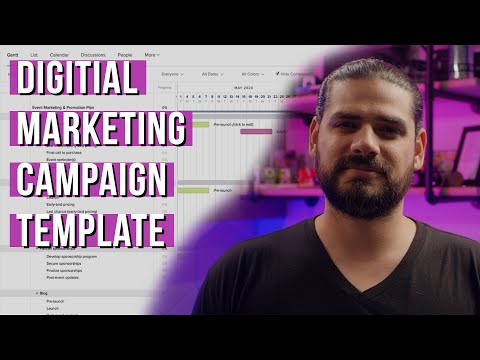
Digital Marketing Campaign Examples & Template | TeamGantt
Frequently Asked Questions (FAQ)
What buyers ask before choosing TeamGantt
Integrations What CRM integrations are available for TeamGantt?
TeamGantt offers several CRM integrations to enhance project management and streamline workflows. Notably, it integrates seamlessly with popular platforms such as Salesforce and HubSpot, allowing users to synchronize project data and customer information effortlessly. This integration helps teams maintain alignment between project timelines and client interactions, ensuring that all stakeholders are informed and engaged. Additionally, TeamGantt supports integrations with other tools like Slack and Zapier, which can further enhance communication and automate tasks across different applications. By leveraging these CRM integrations, businesses can improve their project tracking, resource management, and overall efficiency, making TeamGantt a valuable asset for teams looking to optimize their project management processes.
Integrations How does TeamGantt connect with Salesforce and HubSpot?
TeamGantt integrates seamlessly with Salesforce and HubSpot, enhancing project management and customer relationship management (CRM) capabilities. With the Salesforce integration, users can sync project timelines and tasks directly with their Salesforce records, allowing for better visibility of project progress alongside sales data. This connection helps teams align their project schedules with sales goals, ensuring that deadlines are met in tandem with customer expectations. Similarly, the HubSpot integration allows users to link marketing campaigns and project timelines, facilitating collaboration between marketing and project management teams. By connecting TeamGantt with these platforms, businesses can streamline workflows, improve communication, and ensure that all team members are on the same page regarding project timelines and customer interactions.
Integrations What are the setup steps for integrating TeamGantt with Zapier?
To integrate TeamGantt with Zapier, start by creating a Zapier account if you don’t have one already. Once logged in, click on "Make a Zap" to begin the integration process. In the "Trigger" section, search for and select TeamGantt as your app, then choose a specific trigger event, such as "New Task" or "Task Updated." Follow the prompts to connect your TeamGantt account by providing the necessary credentials. Next, set up the action by selecting another app you want to connect with TeamGantt, like ClickUp or Gmail, and choose the corresponding action event. Finally, customize the data fields as needed, test the Zap to ensure it works correctly, and then activate it. This integration will help automate workflows and improve collaboration between TeamGantt and your other work tools.
Integrations How does data flow between TeamGantt and Procore?
Data flows seamlessly between TeamGantt and Procore through a dedicated integration that enhances project scheduling and management for construction teams. When you connect TeamGantt with Procore, you can easily import project schedules, ensuring that both field and office teams are aligned in real time. This integration allows for automatic updates, meaning any changes made in TeamGantt—such as task adjustments or timeline shifts—are reflected instantly in Procore, eliminating the need for outdated PDFs and manual updates. Additionally, users can manage tasks, dependencies, and resources effectively, ensuring smooth project execution. This real-time synchronization helps maintain clear communication and reduces the risk of miscommunication among team members, ultimately leading to more efficient project management.
Integrations Are there any limitations to the TeamGantt API access?
Yes, there are some limitations to TeamGantt's API access. While the API allows for integration with various tools and platforms, it may not support all features available in the TeamGantt interface, which can restrict certain functionalities. For instance, users might find limitations in the types of data they can retrieve or manipulate through the API compared to what is accessible directly within the TeamGantt application. Additionally, API rate limits may apply, which can affect how frequently you can make requests. It's essential to review the official TeamGantt API documentation for detailed information on these limitations and to ensure that your integration needs can be met effectively.
Integrations What is the sync behavior when connecting TeamGantt with other project management tools?
When connecting TeamGantt with other project management tools, the sync behavior is designed to ensure seamless collaboration and real-time updates across platforms. TeamGantt integrates with various applications, allowing users to sync project timelines, task assignments, and progress updates automatically. This means that any changes made in TeamGantt, such as adjustments to deadlines or task statuses, are reflected instantly in the connected tools, eliminating the risk of outdated information. Additionally, users can customize their workflows to match their specific processes, ensuring that all team members, whether in the office or on-site, have access to the most current project data. This integration capability enhances communication and efficiency, making it easier for teams to stay aligned and productive.
Features What does the Gantt chart feature do in TeamGantt?
The Gantt chart feature in TeamGantt serves as a visual project management tool that allows teams to plan, schedule, and track their projects effectively. It provides a clear timeline that displays tasks, deadlines, and dependencies, ensuring that everyone is aligned on project progress. Unlike other tools where Gantt charts may be an add-on, TeamGantt integrates the Gantt chart as the core of its project management system, making it easy to drag and drop tasks for quick adjustments. This feature enhances collaboration by offering real-time updates and shared visibility, allowing team members to stay informed about project status. Overall, the Gantt chart in TeamGantt streamlines project management, improves communication, and helps teams meet their deadlines efficiently.
Features How do I create a project timeline using TeamGantt's drag-and-drop functionality?
To create a project timeline using TeamGantt's drag-and-drop functionality, start by logging into your TeamGantt account and selecting "Create New Project." You can either build your timeline from scratch or choose from one of the free templates available for common project types. Once you have your project open, you can add tasks by clicking on the timeline and entering task details. To set deadlines and dependencies, simply drag the task bars to adjust their lengths and positions on the timeline. You can also link tasks by dragging from one task to another to establish dependencies. This intuitive interface allows for real-time updates, ensuring that your project timeline remains clear and easy to manage as changes occur.
Features What is the purpose of task dependencies in TeamGantt and how do I set them up?
Task dependencies in TeamGantt are crucial for managing project timelines effectively, as they define the relationships between tasks and dictate the order in which they must be completed. The primary purpose of these dependencies is to ensure that your project schedule remains intact, even when plans change, by allowing you to visualize how tasks are interconnected. To set up task dependencies in TeamGantt, first, create your tasks within a Gantt chart. Then, click on the task you want to link, select the dependency option, and choose the type of dependency you need—Finish-to-Start, Start-to-Start, Finish-to-Finish, or Start-to-Finish. This setup helps you maintain control over your project flow, ensuring that all team members are aligned and aware of their responsibilities.
Features How can I use the portfolio dashboard to track multiple projects in TeamGantt?
To use the portfolio dashboard in TeamGantt for tracking multiple projects, start by creating a portfolio that includes all the projects you want to monitor. You can do this by selecting the "Portfolio" option from the main menu and then adding existing projects or creating new ones. Once your portfolio is set up, you can view key metrics such as project timelines, progress, and resource allocation in one centralized location. This allows you to easily identify which projects are on track, which may need attention, and how resources are being utilized across the board. Additionally, the portfolio dashboard provides visual insights through Gantt charts and other views, enabling you to make informed decisions and adjustments as needed to ensure all projects align with your overall business objectives.
Features What does the critical path analysis feature do and how can I utilize it in my projects?
The critical path analysis feature in TeamGantt helps you identify the sequence of essential tasks that determine the minimum project duration. By visualizing these tasks, you can pinpoint which activities are critical to completing the project on time and which have flexibility in their scheduling. To utilize this feature effectively, start by inputting all your project tasks, their durations, and dependencies into TeamGantt. The software will automatically highlight the critical path, allowing you to focus your resources and attention on these key tasks. This ensures that you can manage deadlines more effectively, allocate resources efficiently, and minimize the risk of delays, ultimately leading to a smoother project execution and successful outcomes.
Features How do I share my project schedule with team members using TeamGantt?
To share your project schedule with team members using TeamGantt, first ensure that your project is set up and all tasks are assigned. Navigate to the project dashboard, where you can find the "Share" option. Click on it to generate a shareable link or invite team members directly by entering their email addresses. You can customize the permissions for each user, allowing them to view or edit the project as needed. Additionally, TeamGantt provides real-time updates, so any changes made to the schedule will automatically reflect for all team members, ensuring everyone stays aligned. For further assistance, you can also refer to TeamGantt’s support library for detailed guidance on sharing projects effectively.
ROI & pricing What measurable business outcomes can I expect from using TeamGantt?
Using TeamGantt can lead to several measurable business outcomes that enhance project management efficiency and team productivity. For instance, companies like Maddox Planning have reported saving 10-20% on administrative time, allowing teams to focus more on core tasks. Additionally, organizations such as DayBrook Kitchen & Baths experienced a remarkable 30% revenue growth within six months of implementing TeamGantt, attributed to improved project scheduling and resource management. The platform's visual Gantt charts facilitate real-time collaboration and progress tracking, which can help teams meet deadlines more consistently and improve overall project success rates. By providing better visibility into project timelines and resource allocation, TeamGantt empowers teams to work smarter, ultimately leading to increased profitability and customer satisfaction.
ROI & pricing How does TeamGantt contribute to cost savings and increased revenue for businesses?
TeamGantt contributes to cost savings and increased revenue for businesses by streamlining project management and enhancing team collaboration. By utilizing Gantt charts, teams can visualize project timelines, allocate resources effectively, and identify potential bottlenecks early, which reduces administrative time by 10-20%, as evidenced by success stories like Maddox Planning. This increased efficiency allows teams to focus on high-value tasks, ultimately leading to improved project outcomes and higher client satisfaction. Additionally, businesses like DayBrook Kitchen & Baths have reported up to 30% revenue growth within six months of using TeamGantt, showcasing how better project management can directly impact financial performance. Overall, TeamGantt empowers organizations to work smarter, stay organized, and drive revenue growth through effective project execution.
ROI & pricing What are the different pricing plans available for TeamGantt, and what do they include?
TeamGantt offers flexible pricing plans designed to accommodate various team needs. The primary options include a free plan that provides core Gantt chart features without requiring a credit card, making it ideal for individuals or small teams starting out. For more advanced scheduling and collaboration tools, users can opt for the Pro and Unlimited Everything plans, which are billed monthly or annually. The Pro plan is tailored for managers who handle planning and scheduling, while the Unlimited plan allows for additional features and capabilities. Notably, TeamGantt's pricing model allows you to pay only for managers, with all other collaborators accessing the platform for free, ensuring cost-effective project management. You can also unlock premium features free for 7 days to evaluate the service before committing.
ROI & pricing What is the total cost of ownership for using TeamGantt over time?
The total cost of ownership (TCO) for using TeamGantt over time includes several factors such as subscription fees, potential training costs, and any additional expenses related to project management. TeamGantt offers flexible pricing plans, allowing users to choose between monthly or yearly subscriptions, with the yearly plan generally recommended for cost savings. Managers are charged for their accounts, while collaborators can access the platform for free, which can significantly reduce overall costs for larger teams. Additionally, the time saved through improved project visibility and streamlined collaboration can lead to reduced administrative overhead, further enhancing the value of the investment. By considering these elements, businesses can effectively assess the long-term financial implications of using TeamGantt for their project management needs.
ROI & pricing How quickly can I expect to see value from implementing TeamGantt in my organization?
When implementing TeamGantt in your organization, you can expect to see value relatively quickly, often within the first few weeks. Many users report that the intuitive design and user-friendly interface allow teams to start managing projects effectively almost immediately. With features like real-time collaboration, automatic progress updates, and easy-to-use Gantt charts, teams can gain visibility into their projects and streamline workflows without a steep learning curve. Additionally, TeamGantt offers a Kickstart Training session that helps new users get up to speed quickly, ensuring that your team can start planning, scheduling, and managing projects efficiently right away. As teams adapt to the tool, they often experience improvements in project organization and communication, leading to enhanced productivity and project outcomes.
ROI & pricing What are the potential ROI metrics I should consider when evaluating TeamGantt?
When evaluating TeamGantt for potential ROI metrics, consider several key factors that can significantly impact your business. First, assess the reduction in administrative time, as many users report saving 10-20% on admin tasks, which translates to increased productivity. Next, look at project completion rates and the ability to manage multiple projects simultaneously, as TeamGantt provides visibility into project timelines and resource allocation. Additionally, consider the financial growth metrics, such as revenue increases; for instance, some users have experienced up to 30% revenue growth within six months of using the platform. Finally, evaluate customer satisfaction and retention rates, as improved project management can lead to higher quality outputs and more positive client feedback, ultimately enhancing your brand reputation and profitability.
Capabilities What project management features does TeamGantt offer?
TeamGantt offers a robust suite of project management features designed to streamline planning, tracking, and collaboration. Central to its functionality is the Gantt chart, which serves as the primary tool for visualizing project timelines, tasks, deadlines, and dependencies, allowing teams to easily manage their schedules. Users can benefit from drag-and-drop scheduling, enabling quick adjustments to timelines and task assignments. Additionally, TeamGantt supports real-time updates, ensuring that all team members are aligned and informed about project progress. Other features include structured planning with task dependencies and milestones, flexible views (Gantt, board, list, and calendar), and collaboration tools that facilitate communication and feedback. This comprehensive approach helps teams deliver projects on time while maintaining clarity and organization throughout the process.
Capabilities Can TeamGantt help with resource management across multiple projects?
Yes, TeamGantt can significantly aid in resource management across multiple projects by providing a visual and intuitive platform for planning workloads and forecasting capacity. With its schedule-first design, TeamGantt allows you to manage people, equipment, and spaces directly from the Gantt chart, ensuring that resource allocation is seamless and efficient. You can easily assign tasks to individuals or teams, track global workloads, and monitor resource utilization across all projects in one view. This centralized approach helps prevent overloading team members and optimizes resource use, ultimately leading to smoother project execution and improved productivity. By integrating with your favorite apps, TeamGantt aligns resources effectively, making it a valuable tool for managing multiple projects simultaneously.
Capabilities Does TeamGantt support real-time project tracking and updates?
Yes, TeamGantt supports real-time project tracking and updates, making it an ideal choice for teams that require constant visibility into project progress. With its schedule-first workspace, TeamGantt allows users to see live updates as tasks are completed or adjusted, ensuring that everyone stays informed and aligned. The platform's Gantt chart serves as the central hub for project management, where changes are reflected instantly across all views—be it Gantt, board, list, or calendar. This real-time collaboration feature helps eliminate miscommunication and delays, allowing team members to react quickly to any changes. Additionally, TeamGantt's mobile apps for iOS and Android enable users to track progress and make updates on the go, further enhancing the ability to manage projects effectively in real-time.
Capabilities Can I use TeamGantt to create and manage Gantt charts for long-term projects?
Yes, you can absolutely use TeamGantt to create and manage Gantt charts for long-term projects. TeamGantt is designed specifically for project management, allowing you to visualize your project timelines, tasks, deadlines, and dependencies in a clear and organized manner. Its schedule-first workspace ensures that your Gantt chart is the central focus, making it easy to adjust timelines as project needs evolve. You can start from scratch, utilize ready-made templates for common project types, or even draft plans using TeamGantt’s AI Gantt Chart Maker. Additionally, the platform supports real-time collaboration, enabling your team to stay aligned and updated throughout the duration of your long-term projects. With features like drag-and-drop scheduling and automatic progress updates, TeamGantt is well-suited for managing complex, extended timelines effectively.
Capabilities Does TeamGantt provide tools for workload management to prevent team burnout?
Yes, TeamGantt provides robust tools for workload management designed to prevent team burnout. With its visual resource management features, users can easily plan workloads and forecast team capacity in a single view. This allows project managers to balance workloads effectively across multiple projects, ensuring that no team member is overwhelmed. TeamGantt's built-in workload management tools help assign tasks confidently while monitoring capacity and availability, which is crucial for maintaining team morale and productivity. Additionally, the platform offers real-time updates and insights into project health, enabling managers to spot potential risks early and make necessary adjustments. By keeping everyone aligned around a single source of truth, TeamGantt fosters a collaborative environment that minimizes stress and enhances overall project efficiency.
Capabilities Can TeamGantt facilitate collaboration among team members and project partners?
Yes, TeamGantt is designed to facilitate collaboration among team members and project partners effectively. It features built-in collaboration tools that allow users to post detailed instructions in the Notes section, attach key documents, and upload content drafts for review. Team members can capture feedback and approvals in the Comments section, ensuring that everyone stays informed and engaged throughout the project lifecycle. Additionally, the ability to tag individuals in comments notifies them of important updates, enhancing communication. With real-time views that keep everyone connected and the option to manage multiple projects within a single Gantt chart, TeamGantt helps streamline project communication and resource management, making it easier to coordinate efforts and meet deadlines collaboratively.
Use cases How can SDRs use TeamGantt to manage their outreach campaigns effectively?
Sales Development Representatives (SDRs) can effectively manage their outreach campaigns using TeamGantt by leveraging its intuitive Gantt chart features to visualize timelines and tasks. They can create detailed project schedules that outline each step of their outreach process, from initial research to follow-up communications. By utilizing TeamGantt’s collaboration tools, SDRs can easily share updates and feedback with their team, ensuring everyone is aligned on goals and timelines. The platform also allows for the integration of various tools, enabling SDRs to track their progress and adjust strategies in real-time. Additionally, using ready-made templates for outreach campaigns can help SDRs kickstart their planning, making it easier to focus on building relationships and closing deals. Overall, TeamGantt streamlines the outreach process, enhancing productivity and effectiveness for SDRs.
Use cases What are the best practices for marketers to implement TeamGantt in their project workflows?
To effectively implement TeamGantt in project workflows, marketers should start by clearly defining project goals and timelines, ensuring that all team members understand their roles and responsibilities. Utilizing TeamGantt's Gantt chart feature allows for visualizing project timelines and dependencies, which helps in managing scope creep and maintaining focus on deliverables. Regularly updating the project status within TeamGantt fosters transparency and accountability among team members. Additionally, leveraging the platform's collaboration tools, such as task assignments and comments, can enhance communication and streamline feedback processes. Marketers should also take advantage of TeamGantt's training resources, like the Kickstart Training, to onboard new users quickly and efficiently. By integrating these best practices, teams can optimize their project management efforts and improve overall productivity.
Use cases In what scenarios should RevOps teams consider using TeamGantt for resource planning?
RevOps teams should consider using TeamGantt for resource planning in scenarios where they need to manage multiple projects simultaneously while ensuring optimal resource allocation and workload balancing. TeamGantt's visual Gantt chart allows teams to easily plan and track resources across various projects, providing a clear overview of who is working on what and when. This is particularly beneficial for RevOps teams that require real-time collaboration and updates to prevent delays and maintain alignment across departments. Additionally, the platform's simplicity means that no extensive training is required, allowing teams to quickly adapt and start utilizing the tool effectively. By integrating TeamGantt into their workflow, RevOps teams can enhance visibility, streamline project management, and ultimately drive better results.
Use cases How can sales leaders leverage TeamGantt to align their teams on project timelines and deliverables?
Sales leaders can leverage TeamGantt to enhance team alignment on project timelines and deliverables by utilizing its intuitive Gantt chart features, which provide a clear visual representation of project schedules. By creating detailed project plans that outline key milestones and deadlines, sales leaders can ensure that all team members are aware of their responsibilities and the overall timeline. TeamGantt's real-time collaboration tools allow for seamless communication, enabling teams to update progress and adjust timelines as needed. Additionally, the platform's ready-made templates can help sales leaders quickly set up projects tailored to their specific needs, whether for product launches or marketing campaigns. This structured approach not only keeps everyone on the same page but also helps in managing resources effectively, ultimately driving project success and meeting sales objectives.
Use cases What specific challenges can TeamGantt help product teams overcome during project management?
TeamGantt can help product teams overcome several specific challenges during project management, primarily by providing a clear visual overview of all ongoing projects through its Gantt chart functionality. This allows teams to manage project scope creep effectively by visualizing timelines and dependencies, ensuring that everyone is aligned on deadlines and deliverables. Additionally, TeamGantt facilitates real-time collaboration among team members, which is crucial for maintaining communication and accountability. The platform also supports resource allocation and workload balancing, helping teams optimize their efforts and avoid burnout. By offering features like automatic progress updates and portfolio views, TeamGantt enables product teams to stay organized and focused, ultimately leading to more successful project outcomes.
Use cases How do construction teams benefit from using TeamGantt to coordinate job site schedules?
Construction teams benefit significantly from using TeamGantt to coordinate job site schedules by leveraging its intuitive Gantt chart interface, which serves as the central hub for project management. This tool allows teams to create transparent, shared schedules that reduce costly delays by providing same-day updates to field crews, ensuring everyone is aligned on timelines and tasks. TeamGantt supports complex task dependencies, enabling teams to manage intricate schedules with ease. Additionally, the platform offers ready-made templates tailored for construction projects, allowing teams to get started quickly. With features like portfolio-wide visibility and real-time collaboration, TeamGantt enhances communication among fabrication, shipping, service, and installation teams, ultimately leading to smoother operations and more efficient project execution.
Alternatives What are the best alternatives to TeamGantt for project management?
When considering alternatives to TeamGantt for project management, several notable options stand out. Asana is a popular choice, offering robust task management features and customizable workflows, making it suitable for teams that prioritize flexibility. Trello, known for its visual Kanban boards, is ideal for teams that prefer a more straightforward, card-based approach to project tracking. Monday.com provides a highly customizable platform with various views, including Gantt charts, which can cater to diverse project needs. Wrike is another strong contender, offering advanced reporting and resource management capabilities, making it suitable for larger teams. Each of these tools has unique strengths, so the best choice will depend on your team's specific requirements and workflow preferences.
Alternatives How does TeamGantt compare to Monday.com in terms of user experience?
TeamGantt and Monday.com both offer project management solutions, but they differ significantly in user experience. TeamGantt is centered around its Gantt chart feature, which serves as the core of its project management capabilities, allowing users to easily visualize timelines and dependencies. Its drag-and-drop interface is designed for simplicity, making it easy to adjust schedules in real-time. In contrast, Monday.com provides a more flexible, board-based approach that allows for various views, including Kanban and calendar, catering to diverse project management styles. While TeamGantt excels in providing a clear, schedule-first workspace ideal for timeline-focused projects, Monday.com offers broader customization options and integrations, making it suitable for teams that require a more versatile tool. Ultimately, the choice between them depends on whether a user prioritizes Gantt-centric planning or a more adaptable project management framework.
Alternatives What are the key differentiators between TeamGantt and Asana?
TeamGantt and Asana are both popular project management tools, but they cater to different needs and preferences. TeamGantt is centered around Gantt charts, making it ideal for teams that prioritize visual project timelines and scheduling. Its schedule-first workspace allows users to easily adjust timelines, manage dependencies, and share real-time updates, which is particularly beneficial for teams managing complex projects. In contrast, Asana offers a more flexible task management approach with various views, including lists, boards, and calendars, making it suitable for teams that prefer a more adaptable workflow. While TeamGantt excels in providing a clear visual representation of project progress, Asana focuses on task management and collaboration features, allowing for a broader range of project types. Ultimately, the choice between the two depends on whether a team values detailed scheduling or flexible task management.
Alternatives Is TeamGantt a better choice than Smartsheet for Gantt chart functionality?
TeamGantt and Smartsheet both offer robust Gantt chart functionality, but they cater to different user needs. TeamGantt is specifically designed around the Gantt chart, making it the core of project management with an intuitive drag-and-drop interface that allows for quick adjustments and real-time collaboration. It excels in providing a clear, schedule-first workspace that simplifies project visibility and management. In contrast, Smartsheet offers a broader range of project management features, including advanced reporting and automation capabilities, which may be beneficial for larger teams or more complex projects. Ultimately, if your primary focus is on Gantt chart functionality and ease of use, TeamGantt may be the better choice, while Smartsheet could be more suitable for comprehensive project management needs.
Alternatives How does TeamGantt stack up against ClickUp for managing project timelines?
TeamGantt and ClickUp both offer robust project management features, but they cater to different user needs when it comes to managing project timelines. TeamGantt is centered around its Gantt chart functionality, providing a clear visual timeline that allows for easy drag-and-drop adjustments and real-time updates, making it ideal for teams that prioritize schedule clarity and simplicity. In contrast, ClickUp offers a more comprehensive project management suite with various views, including Gantt charts, but also includes extensive task management features, automation, and integrations. While TeamGantt excels in providing a focused scheduling experience, ClickUp may be better suited for teams looking for a versatile platform that combines project management with additional productivity tools. Ultimately, the choice depends on whether you prefer a dedicated Gantt chart tool or a multifaceted project management solution.
Alternatives What makes TeamGantt stand out compared to Wrike for project scheduling?
TeamGantt stands out compared to Wrike for project scheduling primarily due to its user-friendly Gantt chart-centric approach. Unlike Wrike, where Gantt charts are an additional feature, TeamGantt integrates the Gantt chart as the core of its project management tool, making it the central hub for scheduling. This design allows for easy drag-and-drop adjustments, ensuring that changes in timelines are reflected in real-time across all views, including board, list, and calendar formats. Additionally, TeamGantt offers ready-made templates for various project types, simplifying the setup process. While Wrike provides robust features for complex project management, TeamGantt's focus on clarity and ease of use makes it particularly appealing for teams seeking straightforward scheduling solutions without the added complexity.
TeamGantt Competitors


TeamGantt Features
- Low
- Medium
- High
| FEATURE | RATINGS AND REVIEWS |
|---|---|
| Custom Reports | Read Reviews (872) |
| Analytics | Read Reviews (16) |
| CAPABILITIES | RATINGS AND REVIEWS |
|---|---|
| Custom Reports | Read Reviews (872) |
| Analytics | Read Reviews (16) |
TeamGantt Integrations
TeamGantt integrates with a wide range of software applications through its robust data import and export capabilities.


Software Failure Risk Guidance
?for TeamGantt
Overall Risk Meter
Top Failure Risks for TeamGantt
TeamGantt, LLC. News
Trello Gantt Charts: An Easy Guide to the TeamGantt Power-Up
TeamGantt introduces a Power-Up for Trello, enabling seamless integration of Gantt charts with Trello boards. This feature allows automatic syncing of project tasks, enhancing project management by combining Trello's task visualization with Gantt's timeline view. Users can easily manage complex projects, track progress, and communicate effectively with stakeholders using this integration.
TeamGantt, LLC. Profile
Company Name
TeamGantt, LLC.
Company Website
https://www.teamgantt.com/HQ Location
5234 Glen Arm Road Suite 202, Glen Arm, MD 21087
Employees
1-10
Social


Financials
PRIVATE

