Docsvault Overview
Docsvault makes managing documents a breeze by capturing, organizing, and securing paper and electronic files, including emails. It automates workflows, making processes more efficient. The software creates a unified hub for documents, offering instant access and dynamic control. Users can easily track documents, ensuring streamlined workflows and maximum productivity. Secure collaboration is possible anytime, anywhere, which is great for teams spread across different locations. With features like invoice processing, email management, and eDiscovery, Docsvault fits seamlessly into various business operations. Whether it’s for human resources, quality management, or industry compliance, Docsvault adapts to diverse needs, making it a versatile choice for document management.
Use Cases
Customers recommend Sales Document Management, Workflow Management, Content Sharing, as the business use cases that they have been most satisfied with while using Docsvault.
Business Priorities
Enhance Customer Relationships and Improve Efficiency are the most popular business priorities that customers and associates have achieved using Docsvault.
Docsvault Use-Cases and Business Priorities: Customer Satisfaction Data
Docsvault works with different mediums / channels such as E-Mail.
Docsvault's features include Templates, Recording, Alerts: Popups & Notifications, etc. and Docsvault support capabilities include 24/7 Support, Email Support, Chat Support, etc. also Docsvault analytics capabilities include Analytics, and Custom Reports.
Reviews
"I have been a Docsvault customer for more than ten years and would recommend Docsvault as an essential tool if you want to maintain a tidy and efficient office" - Steven Curtis
Peer review evidence (same sources as the product rating summary)
"...Connect remote offices and allow remote users to participate in the document creation and sharing Secure all your documents in your main office and yet share them with geographically distributed users Manage documents with remote users without having to rely on e-mail or other sharing platforms ..." Remote Office Connection
"...Its workflow feature will minimize physical routing of documents...." Customer Testimonials
"...Allows setting up default site URL for the Docsvault web client access used in shared links, workflow links, etc...." Small Business Document Management
Docsvault, Intelligencebank DAM, Responsive (formerly RFPIO), Hyland Governance, IntelligenceBank, etc., all belong to a category of solutions that help Content Management Systems. Each of them excels in different abilities. Therefore, determining the best platform for your business will depend on your specific needs and requirements.
Docsvault captures, manages, and secures paper documents, electronic files, and emails. Workflow processes are automated for enhanced efficiency.
Popular Business Setting
for Docsvault
Top Industries
- Manufacturing
- Hospital & Health Care
- Consumer Services
Popular in
- Mid Market
- Small Business
- Enterprise
Docsvault is popular in Manufacturing, Hospital & Health Care, and Consumer Services and is widely used by Mid Market, Small Business, and Enterprise.
Docsvault Customer wins, Customer success stories, Case studies
What makes Docsvault ideal for Sales Document Management?
What solutions does Docsvault provide for Workflow Management?
How does Docsvault facilitate Content Sharing?
Why is Docsvault the best choice for Collaboration?
How does Docsvault facilitate Sending & Publishing Communications?
17 buyers and buying teams have used Cuspera to assess how well Docsvault solved their Content Management Systems needs. Cuspera uses 3121 insights from these buyers along with peer reviews, customer case studies, testimonials, expert blogs and vendor provided installation data to help you assess the fit for your specific Content Management Systems needs.
| CUSTOMERS | TESTIMONIALS |
|---|---|

|
I have been a Docsvault customer for more than ten years and would recommend Docsvault as an essential tool if you want to maintain a tidy and efficient office Testimonial By Steven Curtis |

|
Going paperless with Docsvault has been one of the best decisions that our company has made Testimonial By Christina Bianchi |

|
I would strongly recommend Docsvault to anyone who wants to efficiently manage 100s of thousands or even a million office files in a very secure vault. The added benefits of Workflow automation, Auto capture/import of scanned documents, OCR and in-depth file security make Docsvault an ideal solutio...n for small, medium and enterprise level organizations |
| CUSTOMERS | TESTIMONIALS |
|---|---|
|
Steven Curtis Owner Steme Holdings Pty Ltd |
I have been a Docsvault customer for more than ten years and would recommend Docsvault as an essential tool if you want to maintain a tidy and efficient office Testimonial By Steven Curtis |
|
Christina Bianchi Accountant Industrial Packaging |
Going paperless with Docsvault has been one of the best decisions that our company has made Testimonial By Christina Bianchi |
|
Anand Rao Manager, IT Konkan Speciality Poly Products Pvt. Ltd. (KONSPEC) |
I would strongly recommend Docsvault to anyone who wants to efficiently manage 100s of thousands or even a million office files in a very secure vault. The added benefits of Workflow automation, Auto capture/import of scanned documents, OCR and in-depth file security make Docsvault an ideal solutio...n for small, medium and enterprise level organizations |
A fictional government agency - Government Administration
A fictional university - Education
Saxon Auto Group - Automotive - Small
Frequently Asked Questions (FAQ)
What buyers ask before choosing Docsvault
What is Docsvault?
Docsvault is a Document Management Software that allows to capture, centralize, manage, and secure all paper documents, electronic files and emails. It helps companies manage, share and collaborate on documents easily.
Docsvault is feature-rich document management software with all the tools for a complete conversion to a paperless office. It comes with version control, scanning, OCR, full-text indexing, search, audit trail, inbuilt PDF editor, document preview, document workflow, task management, automatic and incremental backups and more. It provides instant email notifications and audit trails for activity monitoring. Docsvault allows users to create workflows to eliminate repetitive tasks such as document revisions and leave applications.
Some of its features include centralizing paper documents and electronic files, document relations allow grouping and easy access of documents filed in different locations throughout the repository, document scanning and digitization, create, edit and save MS Office documents, and more.
What is Docsvault used for?
What are the top features of Docsvault?
Who uses Docsvault?
What are Docsvault alternatives?
Where is Docsvault located?

Peers used Docsvault for sales document management and workflow management
Docsvault Competitors


Docsvault Features
- Low
- Medium
- High
| FEATURE | RATINGS AND REVIEWS |
|---|---|
| AI Powered | Read Reviews (5) |
| Analytics | Read Reviews (38) |
| Custom Reports | Read Reviews (263) |
| CAPABILITIES | RATINGS AND REVIEWS |
|---|---|
| AI Powered | Read Reviews (5) |
| Analytics | Read Reviews (38) |
| Custom Reports | Read Reviews (263) |
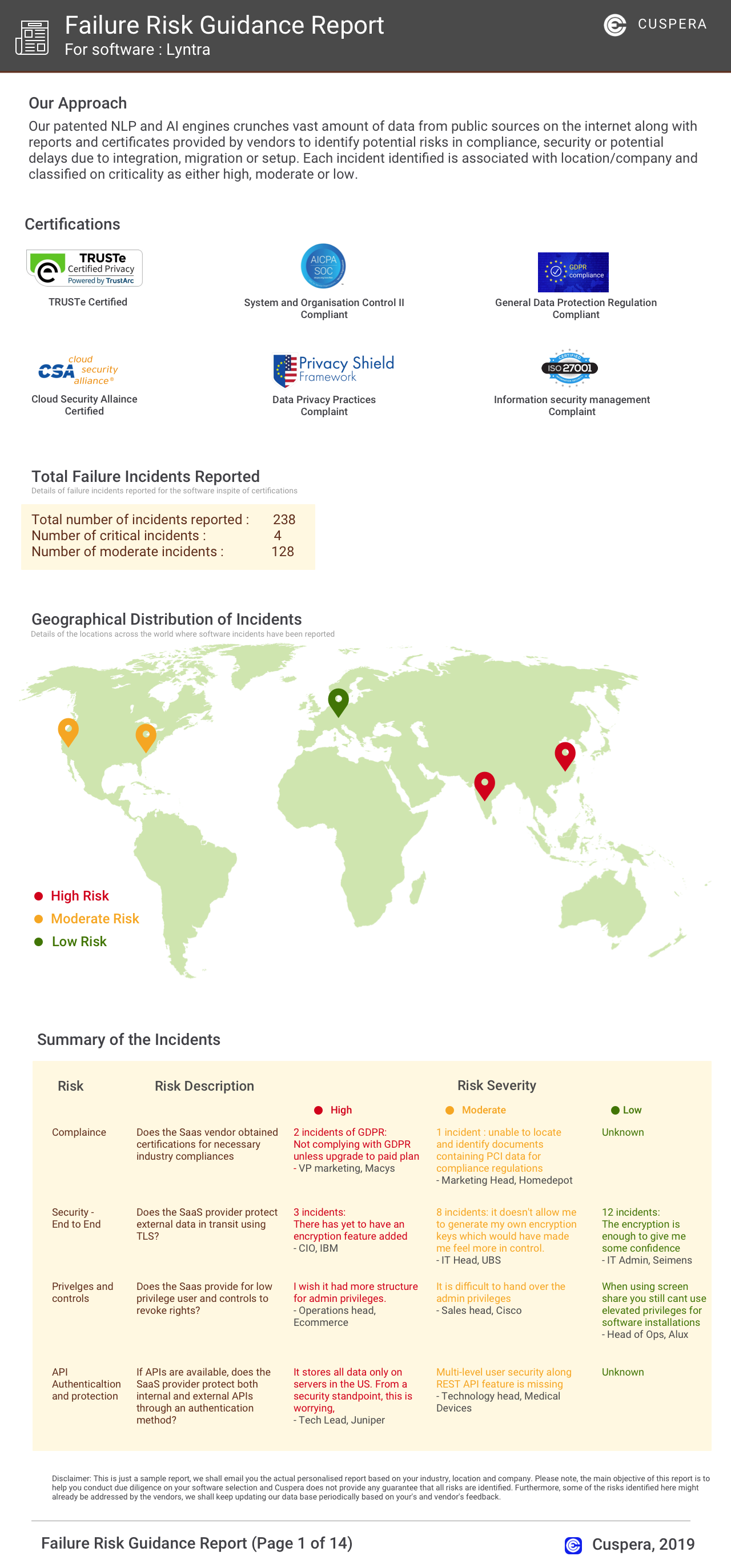
Software Failure Risk Guidance
?for Docsvault
Overall Risk Meter
Top Failure Risks for Docsvault
Docsvault News
Easy Data Access Introduces Docai: AI-Powered Document Management Add-On For Docsvault
Easy Data Access LLC has launched DocAI, an AI-powered add-on for Docsvault, enhancing document data extraction and metadata indexing. This integration automates manual indexing, reducing time and errors for document-heavy teams. DocAI is available for existing Docsvault customers and supports workflows in accounts payable, legal, HR, and operations.
Comment on Document Management Software by Docsvault Offers Structured On-Premise Alternative for Law Firms Ahead of Worldox End-of-Support Deadline
Docsvault has launched version 18 of its document management software, featuring fast search, smarter workflows, and AI-powered capture with DocAI. This on-premise solution is tailored for legal professionals, offering secure document and email management. It integrates with Microsoft Office, supports PDF management, and provides robust search, version control, and compliance features. Docsvault is positioned as a modern alternative for law firms transitioning from Worldox.
Announcement of New Docsvault Release v17
Docsvault has released version 17 of its document management software, introducing features like a floating drop folder for easy file import, seamless drag-and-drop functionality, and enhanced PDF tools. The update also includes improved search capabilities, user experience upgrades, and technical improvements for better document management efficiency.
Announcement of New Docsvault Release v16
Docsvault announced the release of its new version 16, featuring enhancements in document management, security, and integration capabilities.
Docsvault Profile
Company Name
Docsvault
Company Website
https://www.docsvault.com/HQ Location
199 New Road,, Suite 68, Linwood,, NJ 08221, US
Employees
11-50
Social


Financials
PRIVATE