


Firefiles.ai Overview
Fireflies leverages generative AI to transform meeting interactions across platforms like Zoom, Google Meet, and Microsoft Teams. It captures real-time transcripts and distills them into concise summaries, enhancing team productivity. Users can access conversations anytime, ensuring no detail is lost. The AI-powered search feature enables swift retrieval of past discussions, fostering informed decision-making. Fireflies integrates with over 200 apps, centralizing tasks, contacts, and knowledge. It goes beyond traditional note-taking by offering conversation intelligence, making it a valuable tool for teams seeking to unlock insights from their interactions.
Use Cases
Customers recommend Sales Call Management, Collaboration, Engaging And Following Up, as the business use cases that they have been most satisfied with while using Firefiles.ai.
Business Priorities
Enhance Customer Relationships and Acquire Customers are the most popular business priorities that customers and associates have achieved using Firefiles.ai.
Firefiles.ai Use-Cases and Business Priorities: Customer Satisfaction Data
Firefiles.ai works with different mediums / channels such as Phone Calls. Video. Chat etc.
Firefiles.ai's features include Recording, Voice Transcription, Personalization, etc. and Firefiles.ai support capabilities include AI Powered, 24/7 Support, Email Support, etc. also Firefiles.ai analytics capabilities include Analytics, and Custom Reports.
Reviews
"The problem of taking minutes of meetings as meetings are ongoing. It was distracting and stressful," admits Michelle, the publicist and client experience personnel at BukiHQ Media." - Michele
Peer review evidence (same sources as the product rating summary)
"...Salesforce Automatically log calls, transcript and notes into Salesforce under the appropriate contacts. ..." Fireflies.ai Automatic Meetings Transcription
"...Project management for the company became easier, with a single platform to collaborate with the team...." Case Study Moonfrog Labs
"...They were able to follow up on action items, stick to timelines, and improve overall project management...." Testimonial by Alok Kumar, Lead UX Designer, Moonfrog Labs
Firefiles.ai, Salesken, Gong, Jiminny, CallRail, etc., all belong to a category of solutions that help Conversation Intelligence. Each of them excels in different abilities. Therefore, determining the best platform for your business will depend on your specific needs and requirements.
Fireflies.ai, an AI notetaker, transcribes and summarizes meetings across platforms like Zoom and Google Meet. It uses generative AI to integrate ChatGPT for creating smart summaries and analyses.
Popular Business Setting
for Firefiles.ai
Top Industries
- Marketing and Advertising
- Computer Software
- Legal Services
Popular in
- Mid Market
- Small Business
Firefiles.ai is popular in Marketing And Advertising, Computer Software, and Legal Services and is widely used by Mid Market, and Small Business,
Firefiles.ai Customer wins, Customer success stories, Case studies
How does Firefiles.ai address your Sales Call Management Challenges?
How can Firefiles.ai enhance your Collaboration process?
What benefits does Firefiles.ai offer for Engaging And Following Up?
How does Firefiles.ai address your Workflow Management Challenges?
How does Firefiles.ai address your Public Relations Challenges?
| CUSTOMERS | TESTIMONIALS |
|---|---|

|
The problem of taking minutes of meetings as meetings are ongoing. It was distracting and stressful," admits Michelle, the publicist and client experience personnel at BukiHQ Media. Testimonial By Michele |

|
Now it's easier to pass along information via detailed notes using Fireflies rather than paraphrasing and retelling from sketchy notes. Testimonial By Fiona Pietruski |
|
|
With Fireflies, I can get usable transcripts, time stamps, and marked action items for all of my meetings without lifting a hand! Its integrations with Zoom and Slack make it a no-brainer for my workflow. I love that Fireflies helps me to quickly act on client calls, capturing the nuance of recorde...d dialog. |
| CUSTOMERS | TESTIMONIALS |
|---|---|
|
Michele Publicist & Client Experience Personnel BukiHQ Media |
The problem of taking minutes of meetings as meetings are ongoing. It was distracting and stressful," admits Michelle, the publicist and client experience personnel at BukiHQ Media. Testimonial By Michele |
|
Fiona Pietruski Owner and CMO Adopter Marketing |
Now it's easier to pass along information via detailed notes using Fireflies rather than paraphrasing and retelling from sketchy notes. Testimonial By Fiona Pietruski |
|
Maddy Osman Founder and SEO Content Strategist The Blogsmith |
With Fireflies, I can get usable transcripts, time stamps, and marked action items for all of my meetings without lifting a hand! Its integrations with Zoom and Slack make it a no-brainer for my workflow. I love that Fireflies helps me to quickly act on client calls, capturing the nuance of recorde...d dialog. |
Rotterdam Dockers - Sports - Medium
Jonty Rhodes, John Abraham Unveil Rotterdam Dockers Jersey; Fireflies ...
Moonfrog Labs - Entertainment - Medium
Fireflies 2023 Product Webinar
Frequently Asked Questions (FAQ)
What buyers ask before choosing Firefiles.ai
Integrations What CRM integrations are available for Firefiles.ai?
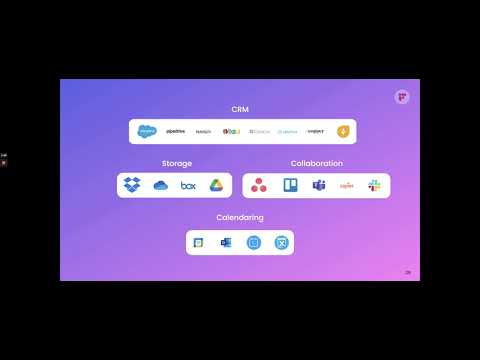
Fireflies.ai offers a variety of CRM integrations designed to enhance your workflow and streamline data management. Notable integrations include Microsoft Dynamics 365, which allows for seamless syncing of meetings, participants, and tasks directly into your CRM, and Freshsales, where you can automatically log transcripts and summaries under Freshsales contacts. Additionally, Fireflies.ai integrates with Salesflare, enabling automatic pushing of meeting summaries and action items to your Salesflare contacts. Other CRM options include HubSpot, Marketo, and Pardot, providing flexibility depending on your business needs. These integrations not only improve efficiency but also ensure that critical insights from meetings are captured and organized within your existing CRM systems.
Integrations How does Firefiles.ai connect to HubSpot for automated CRM updates?
Fireflies.ai connects to HubSpot for automated CRM updates by allowing users to navigate to their Fireflies.ai dashboard and access the integrations section. From there, users can select HubSpot and follow the prompts to link their accounts. Once connected, Fireflies.ai automatically syncs meeting notes, summaries, and action items directly into HubSpot under relevant contacts, companies, and deals. Additionally, if a meeting participant is not already in the CRM, Fireflies can create new contacts or leads automatically. This integration streamlines CRM workflows, enhances deal management, and ensures that all pertinent meeting information is readily available within HubSpot, ultimately improving sales and customer management processes.
Integrations What are the setup steps to integrate Firefiles.ai with Microsoft Dynamics 365?
To integrate Fireflies.ai with Microsoft Dynamics 365, start by signing in to your Fireflies.ai account. Once logged in, navigate to the integrations section where you will find the option to connect Microsoft Dynamics 365. Click on this option and follow the prompts to authorize the integration, ensuring that Fireflies.ai has the necessary permissions to access your Dynamics 365 data. After the connection is established, you can schedule your meetings as usual, and Fireflies.ai will automatically log meeting transcripts and summaries under the relevant contacts in Microsoft Dynamics 365. This integration streamlines your workflow by ensuring that all important meeting insights are captured and organized within your CRM, enhancing productivity and collaboration.
Integrations Can Firefiles.ai sync meeting notes with Marketo, and if so, how does that work?
Fireflies.ai does not currently offer a direct integration with Marketo for syncing meeting notes. However, users can leverage Fireflies.ai's capabilities to record and transcribe meetings, and then manually input or export the relevant notes into Marketo. This process involves using Fireflies.ai to capture meeting summaries and action items, which can then be copied and pasted into Marketo for tracking and follow-up. While this method requires additional steps, it allows teams to ensure that important insights from meetings are documented within their marketing automation platform. For users seeking seamless integration, exploring alternatives like Salesforce, which Fireflies.ai does integrate with, may provide a more automated solution for syncing meeting notes directly into a CRM.
Integrations What limitations should I be aware of when integrating Firefiles.ai with Salesforce?
When integrating Fireflies.ai with Salesforce, there are a few limitations to consider. First, while Fireflies.ai can automatically log meeting notes, transcripts, and action items, the integration may not support all Salesforce features, such as custom fields or specific workflows, which could limit the data captured. Additionally, users should be aware of potential synchronization delays, as updates in Fireflies.ai may not reflect in Salesforce immediately. There may also be restrictions on the number of meetings that can be recorded or the frequency of data syncs, depending on your subscription plan. Lastly, ensure that you have the necessary permissions in both platforms to facilitate a smooth integration process. Understanding these limitations will help you maximize the benefits of using Fireflies.ai with Salesforce.
Integrations How does the data flow between Firefiles.ai and Outreach during integration?
When integrating Fireflies.ai with Outreach, the data flow is designed to be seamless and efficient. Once you connect your Fireflies.ai account to Outreach through the integrations page, every call made via Outreach is automatically captured and transcribed by Fireflies.ai. The transcriptions, along with meeting notes, are then stored and mapped directly to the relevant contacts, leads, and opportunities within Outreach. This ensures that all critical conversation details are easily accessible for your team. Additionally, the integration allows for instant sharing of these transcripts, enhancing collaboration and keeping everyone aligned on customer interactions. Overall, this streamlined data flow optimizes your sales processes by ensuring that important information is readily available and organized.
Features What does the speech to text feature in Firefiles.ai do?
The speech to text feature in Firefiles.ai converts spoken language into written text, enabling users to transcribe audio recordings, meetings, or voice memos efficiently. This functionality leverages advanced speech recognition technology to accurately capture and transcribe dialogue in real-time or from pre-recorded audio files. The business value of this feature lies in its ability to enhance productivity by reducing the time spent on manual transcription, improving accessibility for individuals with disabilities, and facilitating better documentation of conversations for future reference. By integrating this feature into workflows, organizations can streamline communication, ensure accurate record-keeping, and foster collaboration among team members, ultimately leading to more effective decision-making and project management.
Features How do I use the transcription feature to convert meeting audio to text?
To use the transcription feature of Fireflies.ai to convert meeting audio to text, start by logging into your Fireflies.ai account and navigating to the integrations section. Connect Fireflies.ai with your preferred meeting platform, such as Zoom, GoToMeeting, or Google Meet. Once integrated, schedule or start your meeting as usual, and Fireflies will automatically join the call to record and transcribe the audio in real-time. After the meeting concludes, you can access the transcriptions through your Fireflies dashboard, where they will be organized and searchable. This feature not only saves time but also ensures that you have accurate meeting notes, key highlights, and action items documented for future reference, enhancing collaboration and communication within your team.
Features What functionalities does the collaborative project management tool in Firefiles.ai offer?
Firefiles.ai offers a robust collaborative project management tool designed to enhance team productivity and streamline workflows. Key functionalities include real-time collaboration features that allow team members to work together seamlessly, whether they are in the same location or distributed across different regions. The tool integrates with popular project management platforms such as Jira, ClickUp, and Trello, enabling users to automate task creation and turn conversations into actionable tasks. Additionally, Firefiles.ai supports collaborative authoring, online code sharing, and visual collaboration, making it suitable for diverse project needs. By leveraging these features, teams can improve communication, maintain alignment on project goals, and ultimately drive successful project outcomes.
Features How can I automate my workflow using Firefiles.ai?
To automate your workflow using Fireflies.ai, start by logging into your Fireflies.ai account and navigating to the integrations section. Here, you can connect Fireflies.ai to various platforms such as CRMs, project management tools, and note-taking apps, allowing for seamless data transfers. Utilize tools like Zapier to create customizable workflows that fit your specific business needs, enabling automatic sending of audio files to Fireflies and pushing transcripts, meeting notes, and action items to your preferred applications. Additionally, leverage the AI Notetaker feature to generate tailored FAQs and insights from your meetings, further streamlining your processes. By automating these tasks, you can significantly boost productivity and reduce manual work, allowing your team to focus on more strategic initiatives.
Features What is the process for using the voice recognition feature in Firefiles.ai?
The voice recognition feature in Firefiles.ai allows users to seamlessly convert spoken language into text, enhancing productivity and collaboration. To use this feature, first, ensure you have a compatible microphone and that your device's audio settings are configured correctly. Next, access the Firefiles.ai platform and navigate to the voice recognition tool. Once activated, simply speak clearly into the microphone, and the software will transcribe your speech in real-time. You can edit the transcribed text as needed and save it for future reference or integration into your workflows. This feature is particularly valuable for streamlining note-taking during meetings, improving accessibility, and facilitating faster documentation processes, ultimately enhancing overall efficiency in your business operations.
Features How do I configure the real-time analytics dashboard in Firefiles.ai?
To configure the real-time analytics dashboard in Fireflies.ai, start by logging into your Fireflies.ai account and navigating to the dashboard section. Here, you will find options to customize the metrics displayed, such as meeting frequency, participant engagement, and transcription accuracy. Use the settings menu to select the specific data points you want to track in real-time, and adjust the layout to suit your preferences. Additionally, you can set up alerts for key performance indicators to receive notifications when certain thresholds are met. For further assistance or detailed guidance, feel free to reach out to support@fireflies.ai, and our team will respond promptly to help you optimize your analytics experience.
ROI & pricing What measurable business value can Firefiles.ai provide for my organization?
Fireflies.ai offers significant measurable business value by enhancing onboarding and sales processes through its AI Notetaker capabilities. By generating tailored FAQs from customer and prospect questions, Fireflies.ai streamlines onboarding, leading to improved customer satisfaction and retention. In sales, the tool simplifies calls by identifying key questions and automating FAQ creation, which accelerates deal closure and boosts sales efficiency. Additionally, the platform's ability to provide real-time analytics and insights into customer interactions allows organizations to make data-driven decisions, ultimately increasing productivity and revenue. By integrating with tools like Salesforce and HubSpot, Fireflies.ai further enhances its value proposition, ensuring seamless workflows and improved collaboration across teams.
ROI & pricing How can I calculate the ROI of using Firefiles.ai for my projects?
To calculate the ROI of using Fireflies.ai for your projects, start by utilizing the Fireflies.ai ROI Estimator AI App, which helps predict potential returns based on your specific project details. First, input the expected costs associated with your project, including any expenses related to implementation and ongoing usage of Fireflies.ai. Next, use the app's return analysis feature to estimate the financial benefits you anticipate from improved efficiency and decision-making. Additionally, consider scenario planning to model various investment outcomes, which can provide a clearer picture of potential ROI. By comparing the calculated returns against your initial costs, you can determine the overall ROI of integrating Fireflies.ai into your projects, enabling you to make informed decisions that maximize profitability.
ROI & pricing What are the different pricing plans available for Firefiles.ai?
Firefiles.ai offers flexible pricing plans designed to accommodate various business needs and sizes. While specific pricing details are not publicly disclosed, the plans typically include options for individual users, small teams, and larger enterprises, allowing organizations to choose a plan that best fits their requirements. Each plan provides access to features such as AI-powered meeting transcription, note-taking, and action item tracking across popular platforms like Google Meet, Zoom, and Microsoft Teams. Additionally, Firefiles.ai may offer discounts for educational institutions and enterprise-level pricing for larger organizations. For the most accurate and up-to-date information on pricing, it is recommended to visit the Firefiles.ai website or contact their sales team directly.
ROI & pricing What is the total cost of ownership for implementing Firefiles.ai in my business?
The total cost of ownership (TCO) for implementing Fireflies.ai in your business encompasses several factors, including initial setup costs, subscription fees, and ongoing operational expenses. Fireflies.ai offers various AI applications, such as the Onboarding FAQ AI App, Infrastructure Cost Estimator, and Cost-Benefit Analyzer, each with its pricing structure. Additionally, consider costs related to training staff, integrating with existing systems like Zapier for seamless data transfer, and potential customization needs. To accurately assess TCO, evaluate the specific features your business requires, the number of users, and any additional tools or integrations you plan to utilize. By analyzing these components, you can gain a clearer understanding of the financial commitment involved in adopting Fireflies.ai for your organization.
ROI & pricing How quickly can I expect to see value from Firefiles.ai after implementation?
After implementing Fireflies.ai, users can expect to see value relatively quickly, often within the first few weeks. The AI Notetaker begins generating tailored FAQs from customer queries and prospect questions almost immediately, enhancing onboarding experiences and streamlining sales processes. As teams start utilizing these FAQs, they can improve customer understanding and accelerate deal closures, leading to increased satisfaction and productivity. The speed at which you see results may vary based on your specific use case and the volume of interactions, but many users report noticeable improvements in efficiency and communication within the first month. Regular engagement with the platform will further amplify its benefits, making it a valuable tool for your business right from the start.
ROI & pricing What cost savings can Firefiles.ai deliver compared to traditional methods?
Fireflies.ai can deliver significant cost savings compared to traditional methods by automating the process of capturing and organizing meeting notes, generating FAQs, and analyzing project costs. Traditional onboarding and sales processes often require manual note-taking and follow-up, which can lead to inefficiencies and missed information. With Fireflies.ai's AI Notetaker, businesses can streamline these processes, reducing the time spent on administrative tasks and allowing teams to focus on higher-value activities. Additionally, the Cost-Benefit Analyzer AI App provides clear financial insights, helping organizations make informed decisions based on actual costs and returns discussed in meetings. By minimizing manual effort and enhancing decision-making accuracy, Fireflies.ai ultimately helps businesses reduce operational costs and improve overall productivity.
Capabilities Can Fireflies.ai help verify security compliance standards?
Yes, Fireflies.ai can help verify security compliance standards through its Security Compliance Checker AI Skill. This AI Notetaker simplifies the process of confirming that discussed features meet established security standards, allowing businesses to evaluate their adherence to security regulations effortlessly. By utilizing this tool, organizations can ensure that their data remains safe and secure while maintaining compliance with necessary standards. The Compliance Tracker AI Skill further enhances this capability by organizing and summarizing customer security questions, ensuring that all compliance requirements are met. Together, these tools provide a comprehensive solution for businesses looking to streamline their security compliance verification processes.
Capabilities Does Fireflies.ai support compliance assessment for security regulations?
Yes, Fireflies.ai supports compliance assessment for security regulations through its Security Compliance Checker AI Skill. This AI Notetaker tool simplifies the process of verifying that discussed features meet established security standards, allowing businesses to evaluate their adherence to various security regulations effortlessly. By utilizing this skill, organizations can ensure that their data remains safe and secure while confidently confirming compliance with necessary standards. Additionally, the Compliance Tracker AI Skill further enhances this capability by helping users identify, summarize, and organize customer security questions, ensuring that all compliance requirements are met. Together, these tools provide a comprehensive solution for managing security compliance assessments effectively.
Capabilities Can Fireflies.ai organize customer security questions for compliance tracking?
Yes, Fireflies.ai can effectively organize customer security questions for compliance tracking through its Compliance Tracker AI Skill. This AI Notetaker helps identify, summarize, and categorize security inquiries from customers, ensuring that all compliance requirements are met. By linking questions to specific customers and capturing their security and compliance needs in an organized manner, Fireflies.ai simplifies the process of managing compliance-related discussions. Additionally, it allows teams to highlight requirements critical to deal alignment, making it easier to track and verify adherence to security standards. This streamlined approach not only enhances compliance management but also improves overall efficiency in handling customer security concerns.
Capabilities Does Fireflies.ai provide features for tracking compliance requirements across teams?
Yes, Fireflies.ai offers robust features for tracking compliance requirements across teams through its Compliance Tracker AI Skill. This AI Notetaker simplifies the process of identifying, summarizing, and organizing customer security questions, ensuring that compliance needs are met efficiently. It allows users to link specific questions to individual customers, capture requirement summaries in organized bullet points, and highlight deal alignment with compliance standards. Additionally, Fireflies.ai integrates seamlessly with popular platforms like Salesforce and HubSpot, enabling teams to sync compliance questions and share updates via tools such as Slack and Microsoft Teams. This comprehensive approach not only streamlines compliance tracking but also enhances collaboration across departments, ensuring that all teams are aligned with security and compliance protocols.
Capabilities Can Fireflies.ai automate data analytics for improved performance?
Fireflies.ai does not directly automate data analytics; however, it significantly enhances performance through its advanced analytics and admin controls features. By utilizing the AI Notetaker, Fireflies.ai captures and organizes critical data from meetings, interviews, and sales calls, allowing teams to focus on insights rather than manual note-taking. This automation streamlines the process of gathering performance metrics and feedback, enabling businesses to monitor agent performance, track candidate sentiment, and analyze user insights effectively. The data collected can be leveraged to identify areas for improvement and optimize workflows, ultimately driving better decision-making and enhancing overall performance. Thus, while Fireflies.ai facilitates data collection and organization, users will need to integrate it with dedicated analytics tools for comprehensive data analysis.
Capabilities Does Fireflies.ai support real-time analytics for various data types?
Yes, Fireflies.ai supports real-time analytics, particularly through its advanced analytics and admin controls features. This functionality allows users to monitor various data types, including meeting transcripts, participant engagement, and overall performance metrics. By automatically tracking speaker talk-time and participation during meetings, Fireflies.ai provides insights that help teams understand engagement levels and optimize their workflows. Additionally, the integration capabilities with platforms like Freshsales and Workplace enable seamless access to meeting data, enhancing the ability to analyze and extract actionable insights in real-time. This comprehensive approach to analytics not only streamlines processes but also empowers teams to make informed decisions based on the data collected during meetings.
Use cases How can SDRs use Firefiles.ai to streamline their lead follow-up process?
Sales Development Representatives (SDRs) can leverage Fireflies.ai to streamline their lead follow-up process by utilizing its AI Notetaker to automatically log and summarize key insights from sales calls. By capturing every follow-up date and time mentioned during conversations, SDRs can ensure they never miss a promised meeting. Additionally, Fireflies.ai generates personalized follow-up emails and tasks based on the discussions held, allowing SDRs to maintain engagement with leads effectively. The tool also identifies and prioritizes potential churn risks by analyzing objections and concerns raised during calls, enabling SDRs to address issues proactively. Overall, Fireflies.ai enhances the efficiency of lead follow-ups, helping SDRs close deals faster and improve customer relationships.
Use cases What are the best use cases for Firefiles.ai in remote collaboration for marketing teams?
Firefiles.ai is an excellent tool for remote collaboration among marketing teams, offering several impactful use cases. It facilitates collaborative planning by allowing team members to brainstorm and develop marketing strategies in real-time, enhancing creativity and productivity. The platform supports collaborative authoring, enabling teams to draft content together, such as blog posts or social media updates, ensuring consistency and alignment across messaging. Additionally, Firefiles.ai's advanced data analytics capabilities help marketing teams analyze campaign performance and track customer journeys, providing valuable insights for decision-making. The integration with Microsoft Teams enhances communication, allowing seamless document sharing and video conferencing, which is crucial for remote collaboration. Overall, Firefiles.ai streamlines workflows, fosters teamwork, and improves project outcomes for marketing teams working remotely.
Use cases In what scenarios should RevOps teams implement Firefiles.ai for workflow automation?
RevOps teams should implement Fireflies.ai for workflow automation in scenarios where they need to enhance efficiency and streamline processes across sales, marketing, and customer success functions. For instance, when onboarding new clients, Fireflies.ai can generate tailored FAQs from customer queries, ensuring a smoother transition and improved satisfaction. Additionally, during sales calls, the AI Notetaker can analyze key prospect questions and create automated FAQs, simplifying communication and accelerating deal closures. Furthermore, if RevOps teams are facing bottlenecks in their workflows, the Workflow Optimizer AI Skill can assess meeting outcomes, identify inefficiencies, and uncover automation opportunities, ultimately leading to smarter decision-making and better resource allocation. By leveraging Fireflies.ai, RevOps teams can create a more cohesive and efficient operational framework.
Use cases How can sales leaders leverage Firefiles.ai to improve team communication during client meetings?
Sales leaders can leverage Fireflies.ai to enhance team communication during client meetings by utilizing its Conversation Intelligence suite, which consolidates insights on speakers, topics, and sentiment. This allows leaders to analyze the quality of discussions and identify key areas for improvement, such as rapport, objection handling, and closing techniques. By reviewing detailed analytics and tracking performance over time, sales leaders can coach their teams effectively, ensuring that best practices are replicated across meetings. Additionally, the automated FAQ creation feature helps streamline communication by generating tailored FAQs based on client inquiries, making it easier for team members to address customer concerns promptly. Overall, Fireflies.ai empowers sales leaders to foster a more informed and cohesive team environment, ultimately leading to improved client interactions and higher conversion rates.
Use cases What specific workflows can benefit from using Firefiles.ai's transcription features in legal teams?
Firefiles.ai's transcription features can significantly enhance various workflows within legal teams by streamlining documentation and improving communication. For instance, transcribing court hearings, depositions, and client meetings allows legal professionals to create accurate records quickly, reducing the time spent on manual note-taking. Additionally, these transcriptions can facilitate collaboration among team members by providing a clear reference for case discussions and strategy sessions. Legal teams can also benefit from transcribing interviews and witness statements, ensuring that critical information is captured and easily accessible. By integrating Firefiles.ai's transcription capabilities into their workflows, legal teams can enhance efficiency, minimize errors, and ultimately improve case outcomes.
Use cases When is it most effective for project managers to adopt Firefiles.ai for collaborative project management?
Project managers should consider adopting Firefiles.ai for collaborative project management when they need to enhance team communication and streamline workflows, particularly in remote or hybrid work environments. The platform is most effective during the initial phases of project planning, where real-time collaboration on documents and brainstorming sessions can significantly improve project outcomes. Additionally, Firefiles.ai is beneficial when managing complex projects that require input from multiple stakeholders, as it facilitates seamless document sharing and collaborative authoring. By integrating with tools like Microsoft Teams, project managers can further enhance their team's productivity and ensure that everyone is aligned on project goals and timelines. Ultimately, adopting Firefiles.ai can lead to improved efficiency, better resource management, and a more cohesive team dynamic.
Alternatives What are the key differences between Firefiles.ai and Sonix?
Firefiles.ai and Sonix are both transcription services, but they cater to different needs and functionalities. Firefiles.ai focuses on enhancing business processes through its AI Notetaker, which generates tailored FAQs from customer interactions, streamlining onboarding and sales processes. This tool is particularly beneficial for organizations looking to improve customer satisfaction and sales efficiency. In contrast, Sonix is primarily a transcription service that excels in converting audio and video files into text, offering features like multi-language support and automated transcription. While Firefiles.ai emphasizes workflow automation and customer engagement, Sonix is more suited for users needing straightforward transcription capabilities. Ultimately, the choice between the two depends on whether a business prioritizes comprehensive workflow management or straightforward transcription services.
Alternatives How does Firefiles.ai compare to Trint in terms of features?
Firefiles.ai and Trint both offer robust transcription and data analytics features, but they cater to slightly different user needs. Firefiles.ai excels in automating meeting notes and generating tailored FAQs, making it ideal for businesses focused on enhancing onboarding and customer satisfaction. Its AI-driven capabilities streamline workflows and improve collaboration. In contrast, Trint is known for its powerful editing tools and user-friendly interface, which allows users to easily edit and share transcriptions. While both platforms provide transcription services, Firefiles.ai emphasizes automation and integration with collaboration tools, whereas Trint focuses on editing and accuracy. Ultimately, the choice between Firefiles.ai and Trint will depend on whether a business prioritizes automation and onboarding support or advanced editing capabilities.
Alternatives What are the advantages of using Temi over Firefiles.ai?
Temi and Fireflies.ai both offer transcription and note-taking solutions, but they cater to different needs and use cases. Temi is primarily focused on providing fast and affordable transcription services, making it ideal for users who need quick text outputs from audio recordings without additional features. Its simplicity and cost-effectiveness can be advantageous for individuals or small teams looking for straightforward transcription. In contrast, Fireflies.ai enhances the onboarding and sales processes by generating tailored FAQs from meetings and calls, which can significantly improve customer satisfaction and streamline workflows. Fireflies.ai also offers advanced features like question analysis and customizable FAQs, making it more suitable for businesses that require deeper insights and automation in their communication processes. Ultimately, the choice between Temi and Fireflies.ai depends on whether you prioritize basic transcription or comprehensive AI-driven solutions for business efficiency.
Alternatives What are the best alternatives to Firefiles.ai for transcription services?
When considering alternatives to Firefiles.ai for transcription services, several notable options stand out. Google Speech to Text is a popular choice, offering robust speech recognition capabilities and integration with various Google services. Another strong contender is Dragon Voice Recognition Software, particularly favored in specialized fields like medical transcription due to its accuracy and customization features. Otter.ai is also worth mentioning, known for its real-time transcription and collaboration features, making it ideal for meetings and interviews. Additionally, Rev.com provides professional transcription services with human editors, ensuring high accuracy for critical documents. Each of these alternatives has unique strengths, so the best choice will depend on your specific transcription needs and workflow requirements.
Alternatives How does Happy Scribe stack up against Firefiles.ai?
Happy Scribe and Firefiles.ai both offer transcription and note-taking solutions, but they cater to slightly different needs. Happy Scribe focuses primarily on providing accurate transcription services for audio and video files, making it ideal for users who need straightforward transcription without additional features. In contrast, Firefiles.ai enhances the transcription experience by integrating AI Notetaker capabilities, which not only transcribe but also generate tailored FAQs from meetings, streamline onboarding processes, and improve sales call efficiency. This added functionality makes Firefiles.ai particularly valuable for businesses looking to enhance customer interactions and streamline workflows. Ultimately, the choice between the two depends on whether you prioritize basic transcription (Happy Scribe) or a more comprehensive solution that includes AI-driven insights and automation (Firefiles.ai).
Alternatives Why should I choose Firefiles.ai instead of Sonix?
Choosing Fireflies.ai over Sonix can provide distinct advantages depending on your business needs. Fireflies.ai excels in generating tailored FAQs from customer queries during onboarding and sales calls, enhancing customer satisfaction and streamlining processes. Its AI Notetaker captures key insights and automates FAQ creation, making it easier to address common questions and improve communication. In contrast, while Sonix offers robust transcription services, it may not provide the same level of integration with sales and onboarding workflows that Fireflies.ai does. If your focus is on improving customer interactions and automating FAQ generation, Fireflies.ai is a strong choice, particularly for businesses looking to enhance their onboarding and sales processes.
Firefiles.ai Competitors


Firefiles.ai Features
- Low
- Medium
- High
| FEATURE | RATINGS AND REVIEWS |
|---|---|
| AI Powered | Read Reviews (67) |
| Analytics | Read Reviews (35) |
| Custom Reports | Read Reviews (35) |
| CAPABILITIES | RATINGS AND REVIEWS |
|---|---|
| AI Powered | Read Reviews (67) |
| Analytics | Read Reviews (35) |
| Custom Reports | Read Reviews (35) |
Firefiles.ai Integrations
Firefiles.ai integrates with a wide range of software applications through its robust data import and export capabilities.
Few API Integrations for Firefiles.ai


Software Failure Risk Guidance
?for Firefiles.ai
Overall Risk Meter
Top Failure Risks for Firefiles.ai
Fireflies.ai Corp. News
Fireflies to launch new products, plans India-specific pricing: CEO
Fireflies.ai plans to launch over a dozen new AI-driven products within the next year, expanding from meeting notes to a comprehensive productivity platform. The company aims to automate routine work and enhance productivity, supported by an India-specific pricing strategy and local-language support. New offerings include AI agents capable of attending meetings and gathering information on behalf of users.
Fireflies.ai Launches Email Assistant to Bring AI Meeting Intelligence to Inbox
Fireflies.ai launched the Email Assistant, an AI tool that integrates with Gmail and Outlook to manage emails by triaging, drafting replies, and following up on threads using context from email and past meetings. This tool aims to reduce email overload by connecting meeting intelligence with email workflows, enhancing productivity across platforms.
Fireflies.ai launches email assistant that drafts replies and follows up
Fireflies.ai has launched an Email Assistant that automates email management by drafting replies and follow-ups using past meeting data. It also consolidates insights from emails, meetings, and Slack into Daily Briefs. The assistant is available on all Fireflies plans, ensuring data privacy.
NITDA Seals Strategic Deals with Goose FL and Fireflies AI to Power $1 Trillion Digital Economy Vision
Fireflies AI and Goose FL have partnered with Nigeria's NITDA to support the country's $1 trillion digital economy vision. The collaboration focuses on expanding financial inclusion, deploying local AI infrastructure, and building a stronger digital economy through innovation and technology transfer. This aligns with Nigeria's goal of becoming a leader in the digital economy by 2030.
Fireflies.ai Corp. Profile
Company Name
Fireflies.ai Corp.
Company Website
//fireflies.aiHQ Location
5424 Sunol Blvd , Ste 10-531 Pleasanton, CA 9456
Employees
51-100
Social


Financials
SERIES A

