


Newoldstamp Overview
Newoldstamp addresses the challenge of maintaining consistent branding across email communications. It offers a centralized platform for creating and managing professional email signatures, tailored to align with company branding. This solution transforms employees into brand ambassadors by standardizing email signatures, reinforcing brand identity with every email sent. Additionally, Newoldstamp supports marketing strategies through email signature banner campaigns, enhancing engagement and response rates. By simplifying the creation and management of email signatures, businesses can ensure a cohesive brand image, ultimately contributing to enhanced brand recognition and improved marketing ROI.
Use Cases
Customers recommend Digital Signature, Communication Management, Social Media Management, as the business use cases that they have been most satisfied with while using Newoldstamp.
Business Priorities
Acquire Customers and Build Brand Awareness are the most popular business priorities that customers and associates have achieved using Newoldstamp.
Newoldstamp Use-Cases and Business Priorities: Customer Satisfaction Data
Newoldstamp works with different mediums / channels such as E-Mail. Social Media. Twitter etc.
Newoldstamp's features include Templates, Personalization, Dashboard, etc. and Newoldstamp support capabilities include Email Support, 24/7 Support, Chat Support, etc. also Newoldstamp analytics capabilities include Analytics, and Custom Reports.
Reviews
"...Back in the days, we needed a whole day to design and implement email signatures for one department...." Peer review by Myroslav P, Marketing Manager
Peer review evidence (same sources as the product rating summary)
"...I enjoy the ability to create consistent, branded email signatures in NewOldStamp and manage all the changes directly in the app...." Peer review by Christopher P, Owner, Internet
"...I love that NEWOLDSTAMP allows me to not only have a professional signature on each email I send out, but also that it invites people to take an action toward engaging with my services...." Peer review by Allison Kinnear, Professional Training & Coaching
"...visibility of my social media accounts and website...." Peer review by Julio T, Content producer
Newoldstamp, Rejoiner, Moosend, OM3 Email Marketing Platform, Stencil, etc., all belong to a category of solutions that help Email Marketing. Each of them excels in different abilities. Therefore, determining the best platform for your business will depend on your specific needs and requirements.
Newoldstamp offers centralized email signature management for teams with easy setup and distribution. Signatures can be created, controlled, and managed effortlessly.
Popular Business Setting
for Newoldstamp
Top Industries
- Marketing and Advertising
- Computer Software
- Information Technology and Services
Popular in
- Small Business
- Mid Market
- Enterprise
Newoldstamp is popular in Marketing And Advertising, Computer Software, and Information Technology And Services and is widely used by Small Business, Mid Market, and Enterprise.
Newoldstamp Customer wins, Customer success stories, Case studies
What solutions does Newoldstamp provide for Digital Signature?
What solutions does Newoldstamp provide for Communication Management?
How does Newoldstamp facilitate Advertisement?
How efficiently Does Newoldstamp manage your Engagement Management?
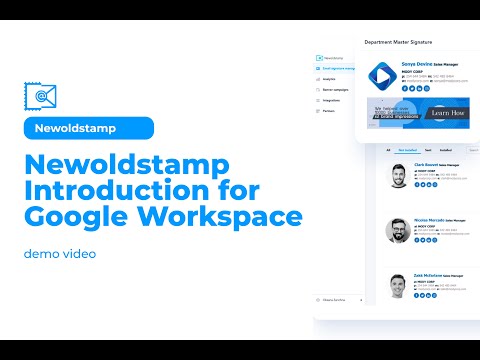
Newoldstamp Introduction for Google Workspace Users
Frequently Asked Questions (FAQ)
What buyers ask before choosing Newoldstamp
Integrations What CRM integrations are available with Newoldstamp for email signature management?
Newoldstamp offers seamless integration with several popular CRM platforms, enhancing your email signature management capabilities. Specifically, it integrates with Salesforce and Copper CRM, allowing businesses to create and manage professional email signatures directly within these systems. This integration ensures that your team’s email signatures are consistent and aligned with your branding, while also enabling the use of promotional banners and call-to-action buttons to drive engagement and sales. By utilizing Newoldstamp with your CRM, you can streamline the process of updating signatures, ensuring that all team members have the latest information and branding elements without manual intervention. This not only saves time but also enhances your marketing efforts through effective email communication.
Integrations How does Newoldstamp connect to Salesforce for managing email signatures?
Newoldstamp connects to Salesforce by allowing users to integrate their email signature management directly within the Salesforce platform. This integration enables businesses to create and manage professional email signatures that are consistent across all communications sent from Salesforce. Users can easily design signatures using Newoldstamp's intuitive online generator, which includes features like promotional banners and clickable call-to-action buttons. Once the signatures are created, they can be deployed automatically to all team members using Salesforce, ensuring brand consistency and compliance. This seamless connection not only enhances branding efforts but also transforms every email into a potential marketing tool, driving engagement and improving sales performance.
Integrations What are the setup steps for integrating Newoldstamp with HubSpot?
To integrate Newoldstamp with HubSpot, start by creating your email signature using the Newoldstamp email signature generator, where you can customize your design and branding. Once your signature is ready, copy the HTML code provided by Newoldstamp. Next, log into your HubSpot account and navigate to the top right corner to click on "Profile & Preferences." In the Profile Preferences section, scroll down to find the email signature area. Paste the copied HTML code into the signature field and save your changes. To personalize your signature in specific marketing emails, go to the Marketing section, select Email, and insert the signature personalization token where desired. This integration allows for consistent branding across your email communications, enhancing your marketing efforts.
Integrations How does Newoldstamp sync data with Microsoft 365 for email signature updates?
Newoldstamp syncs data with Microsoft 365 for email signature updates through its seamless integration with Azure Active Directory. This integration allows Newoldstamp to automatically pull and update colleagues' full contact details, ensuring that all email signatures reflect the most current information. To initiate this process, users set up the email signature integration between Newoldstamp and their Microsoft 365 account. Once configured, any changes made in Newoldstamp, such as updates to signature templates or contact details, are automatically deployed across all users' email accounts. This ensures consistency and accuracy in email signatures, enhancing brand professionalism and communication effectiveness. By leveraging this integration, businesses can manage their email signatures efficiently while minimizing manual updates.
Integrations What limitations should I be aware of when integrating Newoldstamp with Google Workspace?
When integrating Newoldstamp with Google Workspace, there are a few limitations to consider. While Newoldstamp offers seamless integration for centralized email signature management, it primarily focuses on managing signature settings and disclaimers without storing personal or sensitive data. This means that while you can customize and deploy signatures across your organization, the integration does not provide access to all Google Workspace features, such as full user management or advanced analytics beyond signature performance. Additionally, users may need to ensure that their Google Workspace settings allow for the necessary permissions to enable Newoldstamp's functionality effectively. Overall, while Newoldstamp enhances email signature consistency and branding, it is essential to understand these limitations to maximize its benefits within your Google Workspace environment.
Integrations Can Newoldstamp connect to Exchange and how does the data flow between the systems?
Yes, Newoldstamp can connect to Microsoft Exchange, allowing for seamless email signature management. The integration process involves setting up a connection with your Exchange account through Newoldstamp's Signature Manager. Once connected, you can create a Master Signature Template that can be multiplied across your employees' signatures, ensuring brand consistency. The data flow between the systems is secure and efficient; Newoldstamp has limited access to your Exchange servers and Active Directory, using only the necessary settings for disclaimers and signatures without storing any personal or sensitive data. This automated deployment of signatures ensures that all outgoing emails maintain a professional appearance while also allowing for real-time updates to employee contact details, enhancing your email marketing efforts.
Features What does the promotional banner feature do in Newoldstamp?
The promotional banner feature in Newoldstamp allows businesses to enhance their email signatures with visually appealing banners that can promote special offers, events, or important announcements. This feature transforms every email sent into a marketing opportunity by enabling users to create and schedule targeted campaigns directly within their email signatures. With the ability to customize banners and assign them to specific departments or teams, businesses can ensure that the right messages reach the right audience at the right time. Additionally, Newoldstamp provides analytics to track the performance of these banners, allowing companies to measure impressions and engagement, thus optimizing their email marketing strategies and maximizing ROI. This makes the promotional banner feature a powerful tool for leveraging everyday email communications for marketing purposes.
Features How do I create and customize clickable call-to-action buttons in my email signature?
To create and customize clickable call-to-action (CTA) buttons in your email signature, start by using an email signature generator like Newoldstamp, which simplifies the process. First, fill in your contact information and upload your company logo. Next, choose a template that suits your brand's style. Look for the option to add buttons or links within the generator; this is where you can create your CTAs. Customize the button text to reflect the action you want your recipients to take, such as "Schedule a Demo" or "View Our Offers." You can also adjust the button's color and size to ensure it stands out. Once you’re satisfied with the design, generate the HTML code and install it in your email client. This approach not only enhances your email signature but also drives engagement and conversions effectively.
Features What steps are involved in setting up centralized team management with Google Workspace or Microsoft 365 in Newoldstamp?
To set up centralized team management with Google Workspace or Microsoft 365 in Newoldstamp, begin by signing up for Newoldstamp using your business email account. Next, access the Signature Manager within the platform to create a Master Signature Template that reflects your brand's identity. After designing the template, establish a connection with your Google Workspace or Microsoft 365 account through the integration options provided. This allows you to deploy the signature template across your organization effortlessly. You can then customize signatures for specific departments or teams to ensure consistency in all outgoing emails. Finally, test the deployment by sending a sample email to verify that the signatures appear correctly on both desktop and mobile devices, ensuring a professional and cohesive brand presence in every communication.
Features How can I track the performance of my email signatures using Newoldstamp's analytics?
To track the performance of your email signatures using Newoldstamp's analytics, first ensure you have set up your email signatures with the integrated tracking features. Newoldstamp allows you to add clickable call-to-action buttons and promotional banners, which can be monitored for engagement. Once your signatures are deployed, access the analytics dashboard within the Newoldstamp platform, where you can view metrics such as click-through rates, impressions, and conversions generated from your email signatures. This data will help you assess the effectiveness of your signature marketing campaigns and make informed adjustments to optimize performance. Regularly reviewing these analytics will enable you to enhance your email signature strategy, ultimately driving better engagement and results for your business.
Features What options do I have for customizing email signature templates in Newoldstamp?
In Newoldstamp, you have a variety of options for customizing email signature templates to ensure they align with your brand identity and communication needs. The platform offers an intuitive design process that allows you to modify layouts, colors, fonts, and social icons easily. You can also incorporate advanced features such as clickable call-to-action (CTA) buttons and promotional banners to enhance engagement. Additionally, Newoldstamp provides a preview option, enabling you to see how your signature will appear before finalizing the design. This level of customization not only helps maintain brand consistency across your organization but also transforms your email signatures into effective marketing tools, making every email an opportunity for brand promotion and customer engagement.
Features How do I import team member data from a CSV file to create multiple email signatures at once?
To import team member data from a CSV file and create multiple email signatures at once using Newoldstamp, first, ensure your CSV file is formatted correctly with the necessary fields such as names, job titles, and email addresses. Next, sign in to your Newoldstamp account and navigate to the Signature Manager. Here, you can create a Master Signature Template that defines the layout and design for your signatures. Once your template is ready, upload your CSV file directly into the platform. Newoldstamp will automatically generate and manage the email signatures based on the data provided in your CSV, ensuring consistency across your team. Finally, deploy the signatures to your email accounts, and you’re set to enhance your branding with professional signatures for all team members.
ROI & pricing What measurable business value can Newoldstamp provide for my company?
Newoldstamp provides measurable business value by transforming email signatures into powerful marketing tools that enhance brand visibility and drive customer engagement. With features like customizable promotional banners and clickable call-to-action buttons, companies can effectively communicate special offers and important messages directly through their email correspondence. The centralized management platform allows businesses to maintain brand consistency across all employee signatures, ensuring a professional appearance. Additionally, Newoldstamp's built-in analytics enable organizations to track the performance of their email signatures, providing insights into engagement rates and helping to optimize marketing strategies. By leveraging these capabilities, companies can improve communication with prospects and customers, ultimately driving sales and increasing brand awareness.
ROI & pricing How does Newoldstamp help in achieving a positive ROI for email marketing efforts?
Newoldstamp helps achieve a positive ROI for email marketing efforts by transforming every email sent into a marketing opportunity. With its advanced features, such as customizable email signatures that include promotional banners and clickable call-to-action (CTA) buttons, businesses can effectively promote their products and services directly within their email communications. This not only enhances brand visibility but also encourages engagement from recipients, leading to increased click-through rates and conversions. Additionally, Newoldstamp offers centralized management for teams, ensuring consistent branding across all signatures, which reinforces brand identity. The built-in analytics tools allow businesses to track the performance of their email signatures, providing insights into what works best, enabling data-driven decisions that further optimize marketing strategies and ultimately drive a higher return on investment.
ROI & pricing What are the pricing plans available for Newoldstamp, and how do they compare in terms of value?
Newoldstamp offers a subscription-based pricing model with various plans tailored to meet different needs, including options for individuals, teams, and organizations. While specific pricing details are not provided, users can choose between monthly and discounted annual subscriptions, which offer cost savings. Additionally, Newoldstamp provides special plans for nonprofits and NGOs, ensuring accessibility for organizations with budget constraints. When comparing Newoldstamp to alternatives like WiseStamp, Newoldstamp stands out with its user-friendly design process, advanced customization options, and centralized management capabilities, making it a valuable choice for businesses looking to enhance their email signature management and leverage it as a marketing channel. Overall, the pricing plans are designed to deliver significant value by combining professional design features with robust management tools.
ROI & pricing What cost savings can I expect by using Newoldstamp for email signature management?
By using Newoldstamp for email signature management, you can expect significant cost savings primarily through streamlined processes and enhanced brand consistency. The centralized management feature allows you to create and deploy professional email signatures across your organization quickly, reducing the time and resources spent on individual signature creation. Additionally, Newoldstamp offers discounted plans for annual subscriptions, which can lead to lower overall costs compared to monthly payments. For organizations with more than ten signatures, you can also benefit from a 25% discount on your first purchase. Furthermore, by utilizing email signatures as a marketing tool with clickable call-to-action buttons, you can drive customer engagement and potentially increase sales, further enhancing your return on investment.
ROI & pricing How quickly can I see results after implementing Newoldstamp in my organization?
After implementing Newoldstamp in your organization, you can expect to see results relatively quickly, often within a few weeks. The platform allows you to create and deploy professional email signatures that enhance your brand visibility and communication effectiveness almost immediately. As your team begins using these signatures in their daily email interactions, you may notice an increase in engagement rates, such as higher click-through rates on call-to-action buttons included in the signatures. Additionally, the built-in analytics feature enables you to track performance metrics, providing insights into how well your email signatures are driving brand awareness and lead generation. Overall, the speed of seeing tangible results will depend on your team's email activity and the effectiveness of the signatures in capturing recipient attention.
ROI & pricing What is the total cost of ownership for using Newoldstamp over a year?
The total cost of ownership for using Newoldstamp over a year primarily includes the subscription fees, which vary based on the chosen plan and the number of signatures required. Newoldstamp offers discounted rates for annual subscriptions, providing cost savings compared to monthly payments. Additionally, businesses can explore special plans tailored for nonprofits and NGOs, which may further reduce costs. It's important to consider potential savings from improved email marketing effectiveness and brand consistency, as Newoldstamp allows for centralized management of email signatures, enhancing communication and marketing efforts. Overall, while the upfront costs are essential to evaluate, the long-term value derived from increased engagement and professional branding can significantly offset these expenses.
Capabilities What can Newoldstamp do for email signature management?
Newoldstamp is a comprehensive email signature management solution designed to streamline the creation, deployment, and management of professional email signatures across your organization. It allows users to easily design customizable signatures that reflect corporate branding and contact information, ensuring consistency and professionalism in all communications. With features like promotional banners and clickable call-to-action buttons, Newoldstamp transforms email signatures into effective marketing tools. The platform supports centralized management, enabling businesses to oversee signatures for entire teams from a single dashboard, and integrates seamlessly with major platforms such as Google Workspace and Microsoft 365. Additionally, Newoldstamp provides robust analytics to track signature performance, helping businesses leverage every email as an opportunity for engagement and brand promotion.
Capabilities Can Newoldstamp create customizable email signatures for my entire team?
Yes, Newoldstamp can create customizable email signatures for your entire team, making it an ideal solution for businesses looking to maintain brand consistency across all communications. With its user-friendly interface, you can design professional email signatures that reflect your corporate branding and individual contact information. Newoldstamp allows you to create a signature template that can be easily applied to all team members, ensuring uniformity. Additionally, you can upload a CSV file with your team members' details, enabling bulk signature creation based on the predefined layout. This centralized management feature not only streamlines the signature implementation process but also enhances your team's branding efforts, making every email a powerful marketing tool.
Capabilities Does Newoldstamp support centralized management of email signatures across multiple platforms?
Yes, Newoldstamp supports centralized management of email signatures across multiple platforms, making it an ideal solution for organizations with diverse email environments. With its integration capabilities for major platforms like Google Workspace, Microsoft 365, and Exchange, Newoldstamp allows businesses to create, manage, and deploy consistent email signatures from a single dashboard. This centralized approach ensures that all employees have access to brand-compliant signatures, enhancing professional appearance and maintaining corporate identity across all communications. Additionally, Newoldstamp's features enable the customization of signatures for different departments, ensuring that each team can reflect its unique branding while adhering to overall company standards. This streamlined management process not only saves time but also improves the effectiveness of email marketing campaigns.
Capabilities Can Newoldstamp track the performance of email signatures with analytics?
Yes, Newoldstamp can track the performance of email signatures through its built-in analytics features. This functionality allows businesses to monitor key metrics such as click-through rates on promotional banners and call-to-action buttons embedded in the signatures. By analyzing this data, companies can gain insights into how effectively their email signatures are driving engagement and conversions. This capability not only helps in assessing the impact of email signature marketing campaigns but also enables businesses to make informed adjustments to their strategies for better results. Overall, the analytics feature enhances the value of Newoldstamp as a comprehensive email signature management solution, allowing teams to leverage every email as a potential marketing tool.
Capabilities Is Newoldstamp secure for managing email signatures in large enterprises?
Yes, Newoldstamp is secure for managing email signatures in large enterprises. The solution is designed with a focus on security and privacy, ensuring that it only has limited access to your Exchange servers, Active Directory, or Google Workspace organization. Importantly, Newoldstamp does not store any personal or sensitive data, which mitigates risks associated with data breaches. The platform utilizes a direct integration approach rather than re-routing emails, which enhances the reliability of email delivery and reduces the chances of failures. Additionally, Newoldstamp provides centralized management for email signatures, allowing enterprises to maintain consistency and compliance across all outgoing communications while ensuring that security protocols are upheld.
Capabilities Does Newoldstamp allow for the integration of promotional banners and CTAs in email signatures?
Yes, Newoldstamp allows for the integration of promotional banners and clickable call-to-action (CTA) buttons directly within your email signatures. This feature is designed to enhance your email marketing efforts by turning every email into a potential marketing tool. With Newoldstamp, you can easily customize your email signatures to include eye-catching promotional banners that highlight special offers or announcements, as well as CTAs that encourage recipients to take specific actions, such as scheduling a demo or visiting your website. This capability not only helps in driving engagement but also increases brand visibility and conversion rates, making it an effective strategy for businesses looking to leverage their email communications for marketing purposes.
Use cases How can SDRs use Newoldstamp to enhance their email outreach efforts?
Sales Development Representatives (SDRs) can leverage Newoldstamp to significantly enhance their email outreach efforts by utilizing its professional email signature management features. By creating visually appealing and branded email signatures, SDRs can ensure consistency across all communications, which reinforces brand identity. Newoldstamp allows SDRs to incorporate clickable call-to-action buttons directly into their signatures, enabling recipients to easily schedule demos or access promotional offers. This not only drives engagement but also transforms every email into a potential lead generation tool. Additionally, the centralized management feature allows SDRs to quickly update signatures across the team, ensuring that all outreach efforts are aligned with the latest marketing campaigns. By using Newoldstamp, SDRs can maximize their email effectiveness and improve their overall outreach strategy.
Use cases What are the best practices for marketers to implement email signature campaigns using Newoldstamp?
To effectively implement email signature campaigns using Newoldstamp, marketers should start by designing visually appealing and professional signatures that align with their brand identity. Utilize the platform's advanced features, such as promotional banners and clickable call-to-action (CTA) buttons, to drive engagement and conversions. Schedule signature updates in advance to ensure timely promotions and tailor messages for different departments, enhancing relevance. Regularly analyze campaign performance through Newoldstamp's analytics tools, tracking metrics like banner impressions and CTA clicks to make data-driven adjustments. Additionally, maintain consistency across all signatures within the organization to reinforce branding and messaging. By following these best practices, marketers can turn every email into a powerful marketing tool, maximizing their outreach and impact.
Use cases In what ways can RevOps teams leverage Newoldstamp for tracking email signature performance metrics?
RevOps teams can leverage Newoldstamp to track email signature performance metrics by utilizing its built-in analytics features, which provide insights into how email signatures contribute to marketing efforts and customer engagement. By implementing customizable email signatures that include promotional banners and clickable call-to-action buttons, teams can monitor engagement rates, such as click-through rates and conversions directly linked to specific campaigns. Newoldstamp's centralized management allows RevOps teams to roll out consistent branding across the organization while tracking the effectiveness of different signature designs and messaging. This data-driven approach enables teams to optimize their email communication strategies, ensuring that every email serves as a powerful marketing tool that enhances brand awareness and drives sales.
Use cases How do sales leaders benefit from centralized email signature management with Newoldstamp?
Sales leaders benefit significantly from centralized email signature management with Newoldstamp by ensuring brand consistency and enhancing professional communication across their teams. With Newoldstamp, sales leaders can create and deploy standardized email signatures that reflect the company's branding, which helps in building trust and recognition with clients. The platform allows for the integration of promotional banners and clickable call-to-action buttons, turning every email into a potential marketing tool that can drive engagement and lead generation. Additionally, the centralized management feature enables sales leaders to quickly update signatures for all team members, ensuring that any changes in branding or messaging are implemented uniformly and efficiently. This streamlined approach not only saves time but also maximizes the impact of every email sent, ultimately contributing to increased sales and brand awareness.
Use cases What specific workflows can internal communications teams establish with Newoldstamp for consistent branding?
Internal communications teams can establish several specific workflows with Newoldstamp to ensure consistent branding across all email communications. By utilizing the platform's centralized management feature, teams can create and deploy standardized email signature templates that reflect the company's branding guidelines, ensuring every employee's signature is uniform. This allows for quick updates to be made across the organization without requiring individual input, streamlining the process significantly. Additionally, teams can incorporate promotional banners and clickable call-to-action buttons within signatures, transforming routine emails into effective marketing tools. With integrations for platforms like Google Workspace and Microsoft 365, internal communications can easily manage and track the effectiveness of these signatures, enabling data-driven decisions to enhance brand visibility and engagement. Overall, Newoldstamp empowers internal communications teams to maintain brand consistency while maximizing the impact of their email outreach.
Use cases When should a company consider adopting Newoldstamp for their email signature management needs?
A company should consider adopting Newoldstamp for their email signature management needs when they seek to enhance brand consistency and professionalism across all employee communications. If your organization requires a centralized platform to create, manage, and deploy email signatures that reflect corporate branding, Newoldstamp is an ideal solution. It is particularly beneficial for businesses focused on customer engagement, as it allows for advanced customization options, including promotional banners and clickable call-to-action buttons. Additionally, companies using Google Workspace or Microsoft 365 will find Newoldstamp's seamless integration particularly advantageous, enabling automated signature updates and management. If your team is looking to leverage email signatures as a marketing tool while ensuring compliance with legal disclaimers, adopting Newoldstamp can significantly streamline these processes and improve overall communication effectiveness.
Alternatives What are the best alternatives to Newoldstamp for email signature management?
When considering alternatives to Newoldstamp for email signature management, several notable options stand out. WiseStamp is a popular choice, offering customizable templates and integration capabilities, making it suitable for teams looking for a user-friendly solution. Exclaimer is another strong contender, known for its robust features and centralized management, although it may require more IT involvement. CodeTwo also provides a comprehensive email signature solution, focusing on marketing and reporting functionalities. ByBrand is an alternative that emphasizes customization and mobile optimization, appealing to businesses that prioritize design flexibility. Each of these alternatives has unique strengths, so evaluating them based on your specific needs, such as ease of use, integration capabilities, and customization options, will help you find the best fit for your organization.
Alternatives How does Newoldstamp compare to WiseStamp in terms of features and usability?
Newoldstamp and WiseStamp both serve as email signature management tools, but they differ in features and usability. Newoldstamp is recognized for its user-friendly interface and advanced customization options, allowing users to create interactive email signatures that align with branding requirements. It offers centralized management for teams, enabling easy updates without IT involvement, which enhances usability for organizations. In contrast, WiseStamp also provides signature creation but may lack some of the advanced features found in Newoldstamp, such as dynamic signature fields and bulk signature creation. While both platforms support multiple email clients like Gmail and Outlook, Newoldstamp's focus on analytics-driven marketing and professional design makes it a strong alternative for businesses looking to enhance their email communication effectively.
Alternatives What are the key differentiators between Newoldstamp and Xink?
Newoldstamp and Xink both serve as email signature management solutions, but they differ significantly in features and usability. Newoldstamp offers a user-friendly interface with advanced customization options, allowing users to create professional email signatures using predesigned templates and a mobile-optimized design. It supports central management of signatures, bulk creation, and dynamic signature fields, making it suitable for larger teams. In contrast, Xink lacks some of these advanced features, such as bulk signature creation and dynamic fields, which may limit its functionality for businesses needing extensive customization. Additionally, Newoldstamp integrates seamlessly with platforms like Google Workspace and Microsoft 365, enhancing its appeal for companies looking to streamline their email signature management without heavy IT involvement.
Alternatives Why should I choose Newoldstamp over Crossware for managing email signatures?
Choosing Newoldstamp over Crossware for managing email signatures offers several advantages tailored to enhance your branding and marketing efforts. Newoldstamp provides a user-friendly design process that allows for advanced customization of email signatures, including promotional banners and clickable call-to-action buttons, which can significantly boost engagement and conversions. Additionally, Newoldstamp enables centralized management of signatures for your entire team from a single dashboard, streamlining the process without requiring IT involvement for updates. In contrast, while Crossware also offers signature management, it may lack some of the intuitive features and marketing capabilities that Newoldstamp provides. Ultimately, Newoldstamp is designed to turn every email into a marketing opportunity, making it an ideal choice for businesses focused on maximizing their email communication.
Alternatives What makes Newoldstamp a better option than ByBrand for email signature solutions?
Newoldstamp offers several advantages over ByBrand for email signature solutions, making it a compelling choice for businesses. Firstly, Newoldstamp features a user-friendly design process that allows for quick creation of professional email signatures with a preview option, ensuring that users can finalize their designs with confidence. It provides advanced customization options, enabling modifications to layouts, colors, fonts, and social icons, which enhances brand consistency. Additionally, Newoldstamp supports centralized management of email signatures across the organization, allowing for easy updates and compliance with branding requirements. It also integrates seamlessly with platforms like Google Workspace and Microsoft 365, facilitating efficient signature deployment without requiring employee involvement. These features, combined with its ability to serve as a marketing tool through promotional banners and analytics, position Newoldstamp as a superior option for businesses looking to enhance their email signature management.
Alternatives How does Newoldstamp stack up against other email signature tools like Wisestamp and Xink?
Newoldstamp stands out against other email signature tools like WiseStamp and Xink by offering a user-friendly interface and advanced customization options that cater to both tech-savvy and non-tech-savvy users. Unlike Xink, Newoldstamp provides a centralized management system that allows for bulk signature creation and dynamic signature fields, making it easier for companies to maintain brand consistency across all employee emails. While WiseStamp also offers customization, Newoldstamp enhances its value with features like promotional banners and clickable call-to-action buttons, turning email signatures into effective marketing tools. Additionally, Newoldstamp integrates seamlessly with major platforms such as Google Workspace and Microsoft 365, allowing for easy updates without IT involvement. Overall, Newoldstamp combines ease of use with powerful branding capabilities, making it a compelling choice for businesses looking to optimize their email signature management.
Newoldstamp Competitors


Newoldstamp Features
- Low
- Medium
- High
| FEATURE | RATINGS AND REVIEWS |
|---|---|
| Analytics | Read Reviews (75) |
| Custom Reports | Read Reviews (1129) |
| CAPABILITIES | RATINGS AND REVIEWS |
|---|---|
| Analytics | Read Reviews (75) |
| Custom Reports | Read Reviews (1129) |
Software Failure Risk Guidance
?for Newoldstamp
Overall Risk Meter
Top Failure Risks for Newoldstamp
Newoldstamp Inc Profile
Company Name
Newoldstamp Inc
Company Website
https://newoldstamp.com/HQ Location
814 Mission St, San Francisco, California 94103, US
Employees
11-50
Social


Financials
SEED


Why is Newoldstamp the best choice for Social Media Management?