


xMatters Overview
xMatters enhances service reliability by automating incident management workflows for DevOps, SREs, and Ops teams. This platform ensures infrastructure availability and supports product delivery at scale. Teams can leverage xMatters to accelerate resolution times, maintaining business continuity during incidents. By automating repetitive tasks, it allows technical teams to focus on critical issues, improving response efficiency. The platform's adaptability suits various team needs, making it a versatile tool in managing service disruptions.
Use Cases
Customers recommend Engagement Management, Communication Management, Workflow Management, as the business use cases that they have been most satisfied with while using xMatters.
Business Priorities
Acquire Customers and Enhance Customer Relationships are the most popular business priorities that customers and associates have achieved using xMatters.
xMatters Use-Cases and Business Priorities: Customer Satisfaction Data
xMatters works with different mediums / channels such as Phone Calls. and Offline.
xMatters's features include Alerts: Popups & Notifications, Ticketing, Personalization, etc. and xMatters support capabilities include Phone Support, Email Support, Chat Support, etc. also xMatters analytics capabilities include Analytics, and Custom Reports.
Reviews
"...text message,phone call, email it will alert you and i love the conference call option!..." Peer review by luann d, Product Manager
Peer review evidence (same sources as the product rating summary)
"...The team engagement during the setup process and the technical support from the provider was really good and a key for the timely success of the project...." Peer review by Christian R, Platform & Capability Architect
"...Major Incident Management communications...." Peer review by Internal Consultant
"...Automated workflows, acknowledgements and escalations are great features. ...." Peer review by Krishna C., Senior Consultant, Computer Software
xMatters, ShippingEasy, Service Creatio, Qminder, Vision Helpdesk, etc., all belong to a category of solutions that help Help Desk. Each of them excels in different abilities. Therefore, determining the best platform for your business will depend on your specific needs and requirements.
xMatters offers incident management software with customizable alerts and automated workflows. Incident resolution is elevated for maximum efficiency.
Popular Business Setting
for xMatters
Top Industries
- Information Technology and Services
- Financial Services
- Retail
Popular in
- Large Enterprise
- Enterprise
- Mid Market
xMatters is popular in Information Technology And Services, Financial Services, and Retail and is widely used by Large Enterprise, Enterprise, and Mid Market.
xMatters Customer wins, Customer success stories, Case studies
Why is xMatters the best choice for Engagement Management?
Why is xMatters the best choice for Communication Management?
Why is xMatters the best choice for Workflow Management?
How does xMatters address your Helpdesk Management Challenges?
How does xMatters facilitate Conference Call Management?
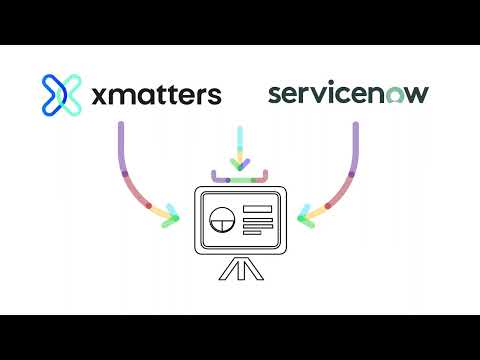
ServiceNow Integration - xMatters Integrations
Frequently Asked Questions (FAQ)
What buyers ask before choosing xMatters
Integrations What CRM integrations are available with xMatters?
xMatters offers several CRM integrations to enhance communication and incident management within your organization. Notably, it integrates seamlessly with platforms like Salesforce and ServiceNow, allowing users to automatically create context-rich tickets from alerts, which streamlines the incident resolution process. These integrations enable teams to manage customer relationships more effectively by ensuring that critical alerts are communicated promptly and efficiently. Additionally, xMatters supports custom integrations through its integration builder, allowing businesses to connect with other CRM systems as needed. This flexibility ensures that teams can orchestrate end-to-end incident management while leveraging the tools they already use, ultimately driving operational efficiency and improving customer satisfaction.
Integrations How does xMatters connect to Salesforce and HubSpot?
xMatters connects to Salesforce and HubSpot through seamless integrations that enhance communication and operational efficiency. With the Salesforce integration, xMatters allows users to automatically create context-rich tickets from alerts, ensuring that critical issues are addressed promptly within the Salesforce environment. This integration helps teams maintain visibility and streamline workflows, ultimately improving customer service and response times. Similarly, the HubSpot integration enables users to automate notifications and alerts based on specific triggers, ensuring that marketing and sales teams are informed in real-time about important events. By leveraging these integrations, businesses can enhance their operational capabilities, improve collaboration across departments, and drive overall success in their customer engagement strategies.
Integrations What are the setup steps for integrating xMatters with Marketo?
To integrate xMatters with Marketo, start by ensuring you have administrative access to both platforms. First, log into your xMatters account and navigate to the integrations section, where you can find Marketo listed among available integrations. Follow the prompts to connect your xMatters instance to your Marketo account, which typically involves entering your Marketo API credentials. Next, configure the integration settings to define how alerts from xMatters will trigger actions in Marketo, such as creating leads or updating records. It’s essential to map the relevant fields between the two systems to ensure data flows correctly. Finally, test the integration by sending a sample alert from xMatters to verify that it successfully creates or updates a record in Marketo. For detailed guidance, refer to the xMatters documentation specific to the Marketo integration.
Integrations Can I access the xMatters API for custom integrations?
Yes, you can access the xMatters API for custom integrations, allowing you to tailor the platform to meet your specific business needs. The xMatters API enables you to integrate with any programming language that can make HTTP requests, providing flexibility in how you connect xMatters with your existing systems. Additionally, xMatters offers integration libraries that support various functionalities, including DevOps, ChatOps, and IT Service Management (ITSM), which can further streamline your workflows. To get started, you can utilize the step-by-step guide provided by xMatters to build your own integration, ensuring that you can orchestrate end-to-end incident management effectively. This capability enhances your operational efficiency by allowing you to automate processes and manage workflows directly from notifications.
Integrations What is the data flow between xMatters and other systems?
The data flow between xMatters and other systems is designed to facilitate seamless communication and automation across various platforms. xMatters integrates with tools like Jira, enabling automated issue creation from alerts, which streamlines incident management workflows. Through its powerful open API, users can connect xMatters with numerous other systems, allowing for custom integrations that relay data efficiently. This integration capability supports both on-premise solutions and cloud-based applications, ensuring that notifications and updates are communicated effectively across teams. Additionally, xMatters offers integration libraries for DevOps, IT Service Management (ITSM), and ChatOps, enhancing the ability to manage workflows directly from notifications. Overall, this data flow enhances operational efficiency, reduces response times, and improves incident resolution processes.
Integrations Are there any limitations to the integrations available with xMatters?
Yes, while xMatters offers a variety of integrations, there are some limitations to consider. The platform provides built-in integrations with popular tools such as Jira and ServiceNow, allowing for seamless automation of issue creation and ticket management. However, the extent of these integrations may vary based on the specific plan you choose, as the Free plan has limited features compared to the Starter, Base, or Advanced plans. Additionally, while xMatters is flexible and allows for custom integrations, users may need to invest time and resources to develop these connections if they fall outside the standard offerings. For a comprehensive overview of available integrations and their capabilities, it's advisable to consult the xMatters documentation or reach out to their support team.
Features What does the workflow automation feature in xMatters do?
The workflow automation feature in xMatters enables businesses to streamline and enhance their operational processes by automating time-sensitive tasks and incident management workflows. With its intuitive drag-and-drop interface, users can create visual workflows without the need for coding, allowing for easy integration of various tools and systems. This feature helps organizations proactively manage issues, ensuring that the right personnel are notified at the right time, which reduces response times and minimizes the risk of errors. By automating repetitive tasks, xMatters allows teams to focus on delivering applications and services that meet customer needs, ultimately driving efficiency and improving overall business performance.
Features How do I create a low-code workflow in xMatters?
To create a low-code workflow in xMatters, start by accessing the Flow Designer, which features a user-friendly drag-and-drop interface. Begin by identifying the specific process you want to automate and sketch out the existing steps to pinpoint areas for improvement. In Flow Designer, you can add various components such as triggers, actions, and notifications by simply dragging them onto the canvas. Customize each element to fit your workflow requirements, and utilize pre-built integrations to connect with other tools like Jira or Slack seamlessly. Once your workflow is designed, test it using the Activity panel to ensure it functions as intended. Finally, save and activate your workflow to automate your processes effectively, enhancing efficiency and reducing manual tasks within your team.
Features What can I monitor with the workflow activity log in xMatters?
With the workflow activity log in xMatters, you can monitor various aspects of your workflows to ensure they are functioning as intended. This log provides detailed insights into whether workflows complete successfully or require troubleshooting, allowing you to identify and address issues promptly. You can track the execution of scheduled triggers, view historical data access related to IT events, and analyze on-call reports to understand team member availability and incident response times. The comprehensive audit trail enables you to recreate communication events, ensuring accountability and transparency in your incident management processes. By leveraging this monitoring capability, you can enhance operational efficiency and improve your team's responsiveness to incidents.
Features How do I set up scheduled triggers for workflows in xMatters?
To set up scheduled triggers for workflows in xMatters, start by logging into your xMatters account and navigating to the "Workflows" section. From there, you can create a new workflow or edit an existing one. Use the intuitive workflow designer to add a "Scheduled Trigger" component, where you can specify the frequency and timing for the trigger. Define the conditions under which the workflow should activate, such as specific dates or times. Once configured, ensure to test the workflow to verify that it triggers as expected. Additionally, you can utilize xMatters' training materials and tutorials for further guidance on setting up and managing your workflows effectively. This automation will help streamline your operations and ensure timely notifications to the right teams.
Features What information can I access through the real-time customizable dashboards in xMatters?
Through the real-time customizable dashboards in xMatters, users can access a wealth of information that enhances incident management and team performance. These dashboards provide visibility into delivery and response metrics across teams, allowing for the tracking of real-time status updates. Users can monitor key performance indicators such as Mean Time to Acknowledge (MTTA) and response efficacy, which are crucial for optimizing incident resolution processes. Additionally, the dashboards can be aligned across teams for consistent access to information, ensuring that all members are informed and can respond effectively. This level of insight not only aids in troubleshooting and decision-making but also supports continuous improvement in operational efficiency, making xMatters an invaluable tool for businesses aiming to enhance their incident management strategies.
Features How do I use the historical data access feature in xMatters?
To use the historical data access feature in xMatters, you can start by navigating to the analytics section of your xMatters dashboard. Here, you will find options to view and export historical incident data, which can help you analyze past alerts and responses. Utilize the Reporting APIs for integration with third-party Business Intelligence (BI) systems to create custom reports that suit your needs. This feature allows you to track real-time status and delivery metrics, enabling you to identify trends and improve your incident management processes. Additionally, you can access audit reports to troubleshoot configuration changes over the past three months, ensuring that your team can learn from previous incidents and enhance service reliability.
ROI & pricing What measurable business value can xMatters provide for my organization?
xMatters delivers measurable business value by enhancing operational efficiency and improving incident response times, which are critical for maintaining service reliability. By automating issue creation from alerts, particularly through integrations like Jira, teams can streamline workflows and reduce the time spent on manual tasks. This leads to faster resolution of incidents, minimizing downtime and its associated costs. Additionally, xMatters provides powerful analytics and postmortem reports that help organizations identify and address operational weaknesses, ultimately driving continuous improvement. With its ability to facilitate effective communication during incidents, xMatters ensures that the right resolver is engaged quickly, which enhances overall service quality and customer satisfaction. These efficiencies contribute to significant time and cost savings, making xMatters a valuable asset for organizations aiming to optimize their operations.
ROI & pricing How does xMatters impact ROI and cost savings for businesses?
xMatters significantly impacts ROI and cost savings for businesses by streamlining incident management and enhancing operational efficiency. Companies that implement xMatters report reduced incident resolution times, with some achieving an 80% decrease, which translates to faster recovery from disruptions and minimized downtime. For instance, a global utility company noted that they could evaluate critical incidents in under five minutes, compared to over an hour previously, leading to substantial time and cost savings. Additionally, xMatters' ability to automate issue creation through integrations with tools like Jira further optimizes workflows, allowing teams to focus on strategic tasks rather than manual processes. Overall, the platform's scalable pricing options ensure that businesses of all sizes can leverage its capabilities to drive measurable financial benefits.
ROI & pricing What are the different pricing plans available for xMatters?
xMatters offers a range of pricing plans designed to accommodate organizations of various sizes and needs. For small teams, there is a Free plan that supports up to 10 users with a limited feature set, making it ideal for those just starting out. As teams grow, xMatters provides scalable options such as the Starter, Base, and Advanced plans, which offer more comprehensive features and support for larger teams. Pricing is user-based, with specific plans tailored for up to 100 users, and unlimited options available for global enterprises. To explore the full details of each plan and find the one that best fits your organization, you can visit the xMatters Pricing Page or contact their sales team for a customized quote.
ROI & pricing What is the total cost of ownership for using xMatters over time?
The total cost of ownership (TCO) for using xMatters over time varies based on the specific plan chosen, as xMatters offers scalable pricing options tailored to organizations of all sizes. For small teams, there is a free plan available for up to 10 users, which allows businesses to assess the platform's capabilities without initial investment. As teams grow, costs will increase depending on the selected plan, such as Starter, Base, or Advanced, which provide additional features and user capacity. Additionally, organizations should consider potential savings from increased efficiency and reduced downtime, as many users report significant ROI through improved incident response and management. For a detailed breakdown of costs and features, it's advisable to consult the xMatters Pricing Page or contact their sales team for a customized quote.
ROI & pricing How quickly can I expect to see value from implementing xMatters?
You can expect to see value from implementing xMatters relatively quickly, often within a matter of days or weeks, depending on your specific use case and the complexity of your existing processes. Many users report significant improvements in incident response times; for instance, one global utility company noted that they reduced escalation time from over an hour to less than five minutes after adopting xMatters. The platform's ability to automate issue creation and streamline communication during incidents enhances operational efficiency, allowing teams to focus on critical tasks. By identifying manual processes and automating them with xMatters, you can quickly realize time and cost savings, ultimately driving better business outcomes and service reliability.
ROI & pricing What are the setup costs associated with xMatters implementation?
The setup costs associated with xMatters implementation can vary depending on the specific needs of your organization and the plan you choose. Generally, xMatters offers a free plan for small teams of up to 10 users, which allows you to explore the platform without any initial investment. For larger teams or more advanced features, pricing is scalable and tailored to fit your requirements, with options available for different user counts and functionalities. The initial setup process is described as intuitive and straightforward, often requiring minimal ongoing maintenance, which can lead to significant cost savings over time. Additionally, training materials and tutorials are provided to facilitate a smooth onboarding experience, ensuring that your team can quickly leverage the platform's capabilities. For a customized quote, it's best to contact the xMatters sales team directly.
Capabilities What can the xMatters platform do for incident management?
The xMatters platform offers a comprehensive solution for incident management by automating workflows, enhancing communication, and ensuring service reliability. It empowers teams, including DevOps, SREs, and IT operations, to respond swiftly to incidents by providing customizable alerts and structured communication channels. With xMatters, organizations can streamline incident resolution processes, reduce manual tasks, and improve collaboration across departments. The platform also features powerful analytics and postmortem reporting, enabling teams to learn from incidents and enhance operational efficiency. By integrating with various tools and platforms, xMatters ensures that critical information is shared promptly, allowing businesses to maintain uptime and deliver reliable services to their customers.
Capabilities Can xMatters automate workflows for DevOps and SRE teams?
Yes, xMatters can effectively automate workflows for DevOps and Site Reliability Engineering (SRE) teams, enhancing operational efficiency and incident management. The platform offers highly configurable, low-code workflows that allow teams to orchestrate and automate time-sensitive tasks, ensuring that services remain available and operational. By integrating with tools like Jira, xMatters enables seamless issue creation from alerts, streamlining the incident response process. This automation not only reduces the manual effort required to manage incidents but also allows teams to focus on delivering high-quality applications and services. With hundreds of pre-built integrations, xMatters empowers teams to coordinate information across systems, facilitating quick resolutions and improving overall team synchronization.
Capabilities Does xMatters support real-time customizable dashboards for tracking metrics?
Yes, xMatters supports real-time customizable dashboards that allow teams to track key delivery and response metrics effectively. These dashboards provide a visual representation of critical data, enabling users to monitor their operational performance in real-time. With the ability to customize these dashboards, teams can align their metrics with specific business objectives and ensure that all members have consistent access to the information they need. This feature enhances productivity by facilitating quick decision-making and improving incident management strategies. Additionally, xMatters offers shared operational dashboards, which further promote collaboration across teams by ensuring everyone is on the same page regarding performance metrics.
Capabilities Can xMatters help teams scale incident management based on changing conditions?
Yes, xMatters can significantly help teams scale incident management based on changing conditions. The platform allows teams to efficiently manage and resolve incidents of varying sizes and severities by utilizing a code-free workflow builder that automates key incident management tasks. With customizable templates, teams can adapt their workflows to meet evolving demands, ensuring that they remain agile in the face of incidents. Additionally, xMatters enhances visibility and accountability during incidents, reducing alert fatigue through better filtering and routing of notifications. This adaptability not only streamlines incident response but also drives continuous learning by reviewing comprehensive incident data, ultimately leading to improved service reliability and operational efficiency.
Capabilities What security compliance standards does xMatters meet?
xMatters meets several critical security compliance standards, ensuring that it provides a secure and reliable platform for its users. Notably, xMatters is ISO 27001 certified, which establishes a framework for managing sensitive company information and ensuring data security, vulnerability management, and business continuity. Additionally, it adheres to ISO 22301 for business continuity management and ISO 27701 for privacy information management. These certifications demonstrate xMatters' commitment to maintaining high security and privacy standards, which are essential for protecting customer data and complying with regulatory requirements. By implementing these standards, xMatters not only safeguards its operations but also instills confidence in its clients regarding the protection of their valuable information.
Capabilities Does xMatters provide actionable analytics and reporting features?
Yes, xMatters provides actionable analytics and reporting features that are designed to enhance operational efficiency and incident management. With tools such as real-time customizable dashboards, teams can track delivery and response metrics, allowing for immediate insights into performance. Additionally, xMatters offers comprehensive incident management analytics that unlock essential data for understanding team performance and response efficacy. The platform includes various reporting options, such as audit reports and historical data access, which help troubleshoot configuration changes and monitor on-call times. Furthermore, the Analytics API enables integration with third-party BI systems, allowing businesses to leverage their data for deeper analysis. Overall, these features empower organizations to make informed decisions and optimize their workflows effectively.
Use cases How can SDRs use xMatters to improve their incident response times?
Sales Development Representatives (SDRs) can leverage xMatters to significantly enhance their incident response times by utilizing its robust notification and automation capabilities. By integrating xMatters into their workflow, SDRs can ensure that critical alerts are sent out promptly to the right team members, facilitating quicker engagement and resolution of issues. The platform allows SDRs to automate communication processes, ensuring that all relevant stakeholders are informed in real-time, which minimizes delays during incidents. Additionally, xMatters provides in-depth analytics that can help SDRs identify patterns in incident occurrences, enabling them to proactively address potential issues before they escalate. This streamlined approach not only improves response times but also enhances overall service reliability, allowing SDRs to focus on their core responsibilities while maintaining high operational efficiency.
Use cases What are the best practices for marketers to implement xMatters in their communication workflows?
To effectively implement xMatters in communication workflows, marketers should start by mapping out existing processes to identify manual tasks that can benefit from automation. This involves analyzing current communication channels and pinpointing areas where xMatters can streamline operations, such as alerting team members or sending company-wide messages. Utilizing xMatters' workflow builder, marketers can create customized, no-code workflows that incorporate situation-specific responses and one-click triggers for quick actions. Additionally, integrating xMatters with tools like Jira can enhance issue management by automating the creation of tickets from alerts. Regularly reviewing and updating workflows based on team feedback and performance metrics will ensure continuous improvement and adaptability to changing needs, ultimately driving more efficient communication and faster incident resolution.
Use cases In what scenarios should RevOps teams consider using xMatters for incident management?
RevOps teams should consider using xMatters for incident management in scenarios where rapid response and effective communication are critical to maintaining service reliability and operational efficiency. For instance, during IT emergencies or critical incidents, xMatters automates workflows to quickly identify the relevant resolver and disseminate essential information, ensuring that teams can address issues promptly. Additionally, if your organization relies on multiple siloed tools, xMatters can integrate seamlessly with platforms like Splunk and Jira, streamlining incident management processes and reducing resolution times. By leveraging xMatters, RevOps teams can enhance their incident response capabilities, improve collaboration across departments, and ultimately drive better business outcomes through increased uptime and customer satisfaction.
Use cases How do sales leaders leverage xMatters to enhance team synchronization during critical incidents?
Sales leaders leverage xMatters to enhance team synchronization during critical incidents by utilizing its advanced incident management capabilities to ensure timely and effective communication. When a critical incident occurs, xMatters automates notifications to the relevant sales team members, ensuring that everyone is informed and aligned on the situation. This structured communication allows sales leaders to quickly mobilize their teams, coordinate responses, and maintain customer engagement, minimizing disruption to sales operations. Additionally, xMatters provides analytics that help sales leaders assess incident responses and improve future strategies. By integrating with tools like Jira, xMatters streamlines issue tracking and resolution, further enhancing team collaboration and efficiency during emergencies, ultimately driving better business continuity and customer satisfaction.
Use cases What specific workflows can DevOps teams automate with xMatters to reduce downtime?
DevOps teams can automate a variety of workflows with xMatters to significantly reduce downtime and enhance operational efficiency. Key workflows include incident response automation, where alerts from xMatters can trigger the automatic creation of issues in tools like Jira, ensuring that problems are addressed promptly. Additionally, teams can set up low-code workflows to manage time-sensitive tasks, such as orchestrating responses to incidents based on predefined criteria like skills or location. By utilizing xMatters’ Flow Designer, teams can streamline communication and coordination across systems, enabling faster resolution of issues. This automation not only minimizes manual intervention but also allows teams to focus on delivering high-quality applications, ultimately improving service reliability and customer satisfaction.
Use cases When is it most beneficial for infrastructure teams to adopt xMatters for incident management?
Infrastructure teams will find it most beneficial to adopt xMatters for incident management during critical incidents that require rapid response and effective communication. When systems experience outages or performance issues, xMatters streamlines the process of identifying the right resolver and disseminating crucial information quickly, which is essential for minimizing downtime and maintaining service reliability. Additionally, adopting xMatters can enhance operational efficiency by automating workflows and reducing the chaos associated with siloed tools. This is particularly valuable for teams managing complex infrastructures, as it allows them to focus on resolving issues rather than getting bogged down in communication hurdles. By implementing xMatters, infrastructure teams can significantly improve their incident response times and overall service reliability, ultimately leading to better customer experiences and reduced operational costs.
Alternatives What are the best alternatives to xMatters for incident management?
When considering alternatives to xMatters for incident management, several notable options stand out. PagerDuty is a popular choice, offering robust incident response capabilities and real-time alerts, making it ideal for DevOps teams. ServiceNow provides a comprehensive IT service management platform that includes incident management features, suitable for larger organizations seeking an integrated solution. Opsgenie, now part of Atlassian, focuses on alerting and incident response, seamlessly integrating with tools like Jira and Confluence. Additionally, VictorOps, which is now part of Splunk, emphasizes collaboration and incident resolution for on-call teams. Each of these alternatives has unique strengths, so evaluating them based on your specific operational needs and existing tool integrations is essential for making the best choice for your organization.
Alternatives How does xMatters compare to PagerDuty in terms of features and usability?
xMatters and PagerDuty both serve as incident management solutions, but they differ significantly in features and usability. xMatters is often praised for its flexible system integration and tailored automation capabilities, which enhance DevOps strategies by minimizing customer disruptions. Its Flow Designer allows for simple workflow automation, making it easier for teams to customize their incident response processes. In contrast, PagerDuty is known for its robust alerting and on-call management features but may not offer the same level of customization as xMatters. Users have reported that xMatters provides a more comprehensive and scalable solution, particularly for organizations needing extensive integrations and support during implementation. Ultimately, the choice between the two may depend on specific organizational needs, with xMatters standing out for those prioritizing flexibility and automation.
Alternatives What are the key differentiators between xMatters and OpsGenie?
xMatters and OpsGenie are both robust incident management solutions, but they have distinct differentiators that cater to different organizational needs. xMatters excels in its flexible system integration capabilities and tailored automation features, allowing for seamless workflows and enhanced incident response through tools like Flow Designer. It also offers hundreds of pre-built integrations with modern DevOps solutions, making it highly adaptable for diverse environments. In contrast, OpsGenie focuses on alerting and on-call management, providing strong scheduling features and escalation policies. While OpsGenie is known for its straightforward alerting system, xMatters stands out with its emphasis on automating issue creation and coordinating information across teams, which can significantly reduce downtime and improve operational efficiency. Ultimately, the choice between the two will depend on specific operational requirements and integration preferences.
Alternatives Why should I choose xMatters over ServiceNow for digital operations?
Choosing xMatters over ServiceNow for digital operations can provide several advantages tailored to your organization's needs. xMatters excels in incident management with its flexible system integration and tailored automation capabilities, allowing for seamless workflows that enhance operational efficiency. Users have reported significant reductions in incident resolution times, with some organizations experiencing up to an 80% decrease. Additionally, xMatters offers superior features for DevOps strategies, making it a preferred choice for teams looking to minimize customer disruptions. While ServiceNow is a robust platform, xMatters is often favored for its user-friendly interface and the ability to automate issue creation from alerts, which can streamline processes and improve response times. Ultimately, the choice depends on your specific operational requirements and the level of customization you seek in your digital operations solution.
Alternatives What makes xMatters a better choice than VictorOps for IT teams?
xMatters is often considered a better choice than VictorOps for IT teams due to its superior integration capabilities and flexible automation features. With xMatters, teams can seamlessly automate issue creation from alerts, particularly through integrations with platforms like Jira, which enhances incident management efficiency. Additionally, xMatters offers a user-friendly workflow builder that simplifies the process of creating and modifying workflows without the need for complex coding, making it accessible for teams with varying technical expertise. Furthermore, xMatters provides regular updates with new features that add value over time, ensuring that organizations can adapt to evolving needs. While VictorOps also offers incident management solutions, xMatters' comprehensive approach to automation and integration often leads to faster resolution times and improved operational efficiency for IT teams.
Alternatives How does xMatters stack up against Splunk On-Call in incident response capabilities?
xMatters and Splunk On-Call both offer robust incident response capabilities, but they cater to different needs and preferences. xMatters excels in automating incident management and communication, allowing teams to quickly identify the right resolver and disseminate critical information efficiently, which can significantly reduce response times. Its Flow Designer enables simple workflow automation, making it user-friendly for non-technical users. In contrast, Splunk On-Call, formerly known as VictorOps, focuses on integrating incident response with monitoring and observability tools, providing a comprehensive view of incidents within the context of system performance. While xMatters is praised for its stability and scalability, Splunk On-Call is favored for its deep integration with Splunk's analytics capabilities. Ultimately, the choice between the two will depend on your organization's specific incident management needs and existing toolset.
xMatters Competitors


xMatters Features
- Low
- Medium
- High
| FEATURE | RATINGS AND REVIEWS |
|---|---|
| AI Powered | Read Reviews (6) |
| Analytics | Read Reviews (48) |
| Custom Reports | Read Reviews (176) |
| CAPABILITIES | RATINGS AND REVIEWS |
|---|---|
| AI Powered | Read Reviews (6) |
| Analytics | Read Reviews (48) |
| Custom Reports | Read Reviews (176) |
xMatters Integrations
xMatters integrates with a wide range of software applications through its robust data import and export capabilities.


Few API Integrations for xMatters


Software Failure Risk Guidance
?for xMatters
Overall Risk Meter
Top Failure Risks for xMatters
xMatters, inc. News
Everbridge xMatters Expands Collaboration with ServiceNow ...
Everbridge xMatters and ServiceNow have expanded their collaboration to enhance incident response automation and workflow orchestration. This integration combines ServiceNow's AI Platform with xMatters' capabilities, aiming to improve operational resilience and reduce response times during major incidents. The partnership focuses on AI-driven digital operations to streamline coordination across systems.
Everbridge xMatters Expands Collaboration with ServiceNow to Accelerate ...
Everbridge xMatters and ServiceNow have expanded their collaboration to enhance incident response automation and workflow orchestration. This integration combines ServiceNow's AI platform with xMatters' capabilities, aiming to improve operational resilience and reduce response times by automating workflows and coordinating teams during major incidents.
xMatters Ranks No. 1 on G2s Top 20 IT Alerting Software List
xMatters has been ranked No. 1 on G2's Top 20 IT Alerting Software list, recognized for its ease of use, support, and business value. Customers report a 30% reduction in resolution time and improved audit preparation. The platform is also featured in G2's Top 50 Best Software Products in IT Management Software and has earned multiple distinctions in G2's Winter and Spring 2026 reports.
Incident Management Takes a Giant Leap with Next-Gen ServiceNow Integration
xMatters has launched a next-generation integration with ServiceNow, enhancing incident management capabilities. This integration offers a more flexible architecture, no-code customization, and expanded use cases. Key features include fine-tuned triggers, dynamic steps, and role-based assignments, allowing for more granular control and automation in incident response. The integration aims to streamline workflows, reduce manual intervention, and align IT service management with automated incident resolution.
xMatters, inc. Profile
Company Name
xMatters, inc.
Company Website
https://www.xmatters.com/HQ Location
12647 Alcosta Blvd, Suite 425, San Ramon, CA 94583, US
Employees
251-500
Social

Financials
PRIVATE

