Backlog Overview
Backlog centralizes project management tasks through a versatile platform that includes Kanban boards, task tracking, version control, and Gantt charts. This comprehensive toolkit caters to virtual teams by facilitating clear communication and streamlined workflow visualization. Over 18,000 companies trust Backlog to enhance collaboration, leveraging its integration capabilities with popular apps to fit seamlessly into existing processes. Businesses benefit from simplified project oversight, leading to improved task execution and timely delivery. The platform's flexible pricing ensures accessibility for various team sizes, supporting both startups and established enterprises.
Use Cases
Customers recommend Collaboration, Workflow Management, Onboarding, as the business use cases that they have been most satisfied with while using Backlog.
Business Priorities
Improve ROI and Improve Stakeholder Relations are the most popular business priorities that customers and associates have achieved using Backlog.
Backlog Use-Cases and Business Priorities: Customer Satisfaction Data
Backlog's features include Ticketing, Alerts: Popups & Notifications, Dashboard, etc. and Backlog support capabilities include 24/7 Support, Email Support, Chat Support, etc. also Backlog analytics capabilities include Custom Reports, and Analytics.
Reviews
"...This is a big plus for development teams...." Peer review by Miguel G., Owner, Design
Peer review evidence (same sources as the product rating summary)
"...In conjunction with realtime collaborative software, we are able to use BackLog for high-level project organization. ...." Peer review by Jim H., Application Engineer
"...Workflow A1..." Peer review by Jodus M., Director, Education
"...It is easy and dynamic to manage, it allows you to manage projects from a different perspective, which helps the work team to develop and execute new projects in a different way and dynamically...." Peer review by antony f, It is a versatile, efficient and powerful tool that helps you manage projects.
Backlog, Prism PPM (formerly WorkOtter), TeamGantt, ClickUp, MeisterTask, etc., all belong to a category of solutions that help Project Management. Each of them excels in different abilities. Therefore, determining the best platform for your business will depend on your specific needs and requirements.
Backlog is an all-in-one SaaS for project management. It offers Kanban boards, task tracking, version control, and Gantt charts.
Popular Business Setting
for Backlog
Top Industries
- Information Technology and Services
- Computer Software
- Design
Popular in
- Mid Market
- Small Business
- Enterprise
Backlog is popular in Information Technology And Services, Computer Software, and Design and is widely used by Mid Market, Small Business, and Enterprise.
Backlog Customer wins, Customer success stories, Case studies
How can Backlog optimize your Collaboration Workflow?
How can Backlog optimize your Workflow Management Workflow?
How does Backlog facilitate Onboarding?
Ministry of Economy, Trade and Industry (METI) Japan - Government Administration - Very Large
Frequently Asked Questions (FAQ)
What buyers ask before choosing Backlog
Integrations What CRM integrations are available for Backlog?
Backlog offers several CRM integrations to enhance your project management experience and streamline workflows. Notably, you can connect Backlog with popular CRM platforms through its open API, allowing for custom integrations tailored to your specific needs. Additionally, Backlog supports webhook integrations, enabling you to share data seamlessly with your preferred CRM tools. This means that updates made in Backlog can automatically sync with your CRM, ensuring that your sales and project management teams are always aligned. While specific CRM integrations are not detailed in the provided context, the flexibility of Backlog's API allows you to create connections with various CRM systems, enhancing collaboration and efficiency across your organization.
Integrations How does Backlog connect to Slack and Microsoft Teams?
Backlog integrates seamlessly with both Slack and Microsoft Teams, enhancing team communication and project management. With the Slack integration, users can receive real-time notifications about project updates, task assignments, and issue statuses directly in their Slack channels, allowing for quick responses and collaboration without switching platforms. Similarly, the Microsoft Teams integration enables teams to create and manage Backlog tasks directly within Teams, streamlining workflows and keeping all project-related discussions in one place. This connectivity ensures that team members stay aligned and informed, regardless of the tools they prefer, ultimately improving productivity and reducing the need for constant status updates. By leveraging these integrations, teams can maintain focus on their work while ensuring that important project information is always accessible.
Integrations What are the steps to set up API access for Backlog integrations?
To set up API access for Backlog integrations, first, log in to your Backlog account and navigate to the settings menu. From there, locate the API section and generate a new API key. This key is essential for authenticating your requests. Next, ensure you have the necessary permissions for the actions you want to perform through the API. After obtaining your API key, refer to the Backlog Developer page for detailed documentation on how to use the API effectively, including endpoints and data formats. If you plan to integrate with external tools, consult the Integrate with OpenAI guide if you're using AI features, or explore other integration options available through Backlog's open API to tailor the solution to your workflow needs.
Integrations How does data flow between Backlog and Jira or Redmine?
Data flow between Backlog and Jira or Redmine is facilitated through straightforward import guides that simplify the transition process. When switching to Backlog, users can easily bring their existing data, including issues, tasks, and project details, from Jira or Redmine into Backlog's unified workspace. This ensures that all relevant information is retained and accessible, allowing teams to maintain continuity in their workflows. Additionally, Backlog's open API enables custom integrations, allowing for real-time data synchronization between the platforms if needed. This flexibility ensures that teams can manage their projects effectively, whether they are migrating from Jira or Redmine or using both systems in tandem. Overall, Backlog provides a seamless experience for teams looking to streamline their project management processes.
Integrations Are there any limitations when integrating Backlog with third-party applications?
When integrating Backlog with third-party applications, there are some limitations to consider. While Backlog offers an open API that allows for custom integrations tailored to your workflow, the complexity of these integrations can vary based on the specific application and the data being exchanged. Additionally, certain features or functionalities of third-party tools may not be fully supported or may require additional configuration to work seamlessly with Backlog. It's important to review the documentation for both Backlog and the third-party application to understand any constraints. However, Backlog's ability to integrate with popular tools like Slack and other commonly used applications helps streamline workflows, making it easier for teams to maintain productivity despite these limitations.
Integrations How can I automate task creation in Backlog using email integration?
To automate task creation in Backlog using email integration, you can utilize the email-to-issue functionality. Start by configuring your Backlog project settings to enable email integration, which allows you to designate a specific email address for task submissions. Once set up, any email sent to this address will automatically convert into a trackable issue within Backlog. You can customize the email format to include essential details such as the task title, description, and priority. Additionally, you can streamline the process further by using Backlog's Google Sheets integration to import existing tasks or manage service requests efficiently. This automation not only saves time but also ensures that no requests are lost, keeping your team aligned and focused on their projects.
Features What does the Kanban board feature do in Backlog?
The Kanban board feature in Backlog is a visual project management tool designed to enhance workflow efficiency for teams, particularly in agile environments. It allows users to create customizable boards that represent different stages of a project, making it easy to visualize task progress and status at a glance. By limiting work-in-progress, teams can focus on completing tasks before taking on new ones, which helps to maximize productivity. The Kanban board also facilitates collaboration among team members, as everyone can see updates in real-time, ensuring that communication remains streamlined. This feature is particularly valuable for developers and designers, as it helps them manage their tasks effectively, prioritize work, and maintain a clear overview of project timelines and deliverables.
Features How do I set up custom workflows in Backlog?
To set up custom workflows in Backlog, start by navigating to your project settings and selecting the "Workflows" option. Here, you can create a new workflow by defining the stages that issues will move through, such as "To Do," "In Progress," and "Done." Customize each stage by adding specific statuses that reflect your team's processes. You can also assign roles and permissions to ensure that the right team members can transition issues between stages. Additionally, utilize custom issue templates to streamline the creation of tasks that fit your workflow needs. Once your workflow is configured, save your changes, and Backlog will apply it to all relevant issues, allowing your team to manage tasks efficiently and adapt to various project requirements.
Features What visualization tools does Backlog provide for managing workloads?
Backlog offers several powerful visualization tools designed to help teams effectively manage workloads and priorities. Key features include Kanban boards, which allow users to visualize task progress and manage day-to-day work efficiently, and Gantt charts, which provide a timeline view for project planning and scheduling. These tools enable teams to see what tasks are in progress, what is planned for the future, and how resources are allocated, fostering better communication and collaboration. By utilizing these visual aids, teams can streamline their workflows, prioritize tasks based on urgency, and ensure that deadlines are met, ultimately enhancing overall productivity and project management efficiency.
Features How do I use the bug tracking feature in Backlog?
To use the bug tracking feature in Backlog, start by logging into your Backlog account and navigating to the project where you want to report a bug. Click on the "Create Issue" button and select "Bug" from the issue type options. Fill in the required fields, including a clear description of the bug, any relevant screenshots, and set the priority level. You can also utilize custom fields to capture additional details specific to your team's workflow. Once submitted, the bug will be logged in the system, allowing team members to assign, track, and resolve it efficiently. Regularly monitor the bug data through Backlog's analytics tools to identify trends and improve your development process. This streamlined approach ensures that all team members, regardless of technical background, can contribute to effective bug tracking and resolution.
Features What automation options are available in Backlog for task management?
Backlog offers several automation options to enhance task management, making workflows more efficient and reducing manual effort. Users can set up automatic notifications to keep team members informed about task updates, deadlines, and status changes, ensuring that critical issues are prioritized. Additionally, Backlog allows for the creation of escalation alerts, which help in managing urgent tasks that require immediate attention. The platform also features an email-to-issue function, enabling users to convert emails into trackable tickets automatically, streamlining the intake process for service requests. By centralizing these automation features, Backlog helps teams maintain alignment and focus on completing tasks without the hassle of constant manual oversight, ultimately improving productivity and response times across projects.
Features How do I create and manage tasks in Backlog?
To create and manage tasks in Backlog, start by logging into your Backlog account and selecting the project where you want to create tasks. Click on the "Create Issue" button, where you can enter details such as the task title, description, assignee, and due date. You can also categorize tasks using custom issue types and statuses to streamline your workflow. Once created, tasks can be easily managed through the project dashboard, where you can update statuses, add comments, and attach files. Utilize Backlog's visual tools like Kanban boards and Gantt charts to track progress and timelines effectively. For ongoing management, regularly review and adjust tasks as needed to ensure alignment with project goals and deadlines, keeping your team organized and focused.
ROI & pricing What measurable business outcomes can I expect from using Backlog?
Using Backlog can lead to several measurable business outcomes that enhance productivity and efficiency. Teams can expect improved project visibility and communication, which reduces miscommunication and the time spent on status updates. The intuitive interface allows for quick sprint planning, enabling teams to set and achieve goals faster, often reducing planning time from hours to minutes. Additionally, Backlog's visual tools, such as Gantt charts and Kanban boards, help teams track progress and manage resources effectively, leading to better project timelines and resource allocation. By centralizing project tasks and communication, Backlog also minimizes costs associated with outdated tools and processes, ultimately contributing to a more streamlined workflow and higher-quality deliverables. Overall, organizations can anticipate enhanced collaboration, reduced operational costs, and increased project success rates.
ROI & pricing How does Backlog contribute to cost savings for businesses?
Backlog contributes to cost savings for businesses by streamlining project management and enhancing team collaboration, which reduces inefficiencies and miscommunication. By centralizing tasks, timelines, and communication in one platform, Backlog minimizes the need for multiple tools and the associated costs of managing them. Its intuitive interface allows teams to quickly adopt the software without extensive training, saving time and resources. Additionally, features like Gantt charts and Kanban boards enable better resource allocation and project tracking, helping teams identify and mitigate delays early on. This proactive approach not only accelerates project completion but also ensures that teams can focus on high-priority tasks, ultimately leading to reduced operational costs and improved productivity.
ROI & pricing What are the different pricing plans available for Backlog, and what do they include?
Backlog offers several pricing plans tailored to meet the needs of different teams. The Free plan provides basic features suitable for small projects, while the Starter plan, ideal for teams of 30 or less, includes additional project management tools and storage. The Standard plan expands on these features, allowing for multiple projects and enhanced collaboration tools. For larger teams or those requiring advanced security, the Premium plan includes everything in the Standard plan plus advanced security features and team management capabilities. Additionally, Backlog offers an Enterprise plan that can be installed on a private server for organizations needing full control over their data and security settings. Each plan is billed at a flat rate, regardless of the number of users, and you can choose between monthly or annual billing, with a 17% discount for annual subscriptions.
ROI & pricing What is the estimated ROI for companies that implement Backlog in their project management?
The estimated ROI for companies implementing Backlog in their project management can vary based on several factors, including team size, project complexity, and existing workflows. However, organizations often report significant improvements in efficiency and productivity due to Backlog's intuitive interface and visual tools, which streamline task tracking and communication. By centralizing project management, teams can reduce time spent on status updates and miscommunication, leading to faster project completion and reduced operational costs. Additionally, Backlog's ability to integrate with existing tools and its open API for custom integrations further enhances its value, allowing companies to tailor the platform to their specific needs. Overall, businesses leveraging Backlog typically experience a positive ROI through enhanced collaboration, reduced project delays, and improved resource allocation.
ROI & pricing How quickly can I expect to see value from implementing Backlog in my organization?
You can expect to see value from implementing Backlog in your organization almost immediately due to its user-friendly design and intuitive interface. Teams can start planning sprints and managing tasks within minutes, without the need for extensive training or IT support. Backlog's visual tools, such as Gantt charts and Kanban boards, facilitate quick organization and prioritization of work, allowing teams to gain clarity on their projects right away. As users become more comfortable with the platform, they can gradually explore advanced features like custom workflows and reporting, ensuring a smooth transition without overwhelming team members. This step-by-step adoption process minimizes disruption while maximizing productivity, making it easier for teams to realize the benefits of digital project management quickly.
ROI & pricing What is the total cost of ownership for using Backlog over time?
The total cost of ownership (TCO) for using Backlog over time includes several factors that contribute to its overall value. Backlog offers flexible billing options, allowing users to choose between monthly or annual payments, with a 17% discount for annual subscriptions. Importantly, Backlog charges a flat price per plan, regardless of the number of users, which helps maintain predictable costs as your team grows. Additionally, the intuitive interface reduces the need for extensive training or onboarding, minimizing hidden costs associated with employee ramp-up time. By centralizing project management and service requests, Backlog can also lead to significant time savings, further enhancing its cost-effectiveness. Overall, the TCO reflects not just the subscription fees but also the efficiencies gained through streamlined workflows and improved team collaboration.
Capabilities What project management features does Backlog offer for large teams?
Backlog offers a robust suite of project management features tailored for large teams, enabling efficient collaboration and streamlined workflows. Key functionalities include customizable task boards, Gantt charts for visual project timelines, and Kanban boards for day-to-day task management, allowing teams to prioritize and track progress effectively. The platform supports resource management by providing insights into team workloads, helping to balance assignments and avoid bottlenecks. Additionally, Backlog facilitates communication through comments and notifications on tasks, ensuring that all team members stay informed about updates and changes. With its intuitive interface, large teams can onboard new members quickly and maintain alignment across various projects, making Backlog an ideal choice for managing complex workflows in a large team environment.
Capabilities Can Backlog support enterprise-grade security measures for sensitive data?
Yes, Backlog is equipped to support enterprise-grade security measures for sensitive data, making it a suitable choice for organizations that prioritize data protection. It offers features such as secure user authentication through SAML, role-based permissions to control access levels, and the option for on-premise hosting with the Backlog Enterprise plan, allowing full control over data and security settings. Additionally, all Backlog servers are housed in secure data centers with 24/7 surveillance, and user data is encrypted using HTTPS with SSL. For organizations seeking enhanced security, Backlog also provides the option to integrate with Nulab Pass, further strengthening access management. These comprehensive security features ensure that sensitive information remains protected while enabling teams to collaborate effectively.
Capabilities Does Backlog provide customizable workflows for different agency processes?
Yes, Backlog provides highly customizable workflows tailored to meet the diverse processes of different agencies. This flexibility allows teams to create custom issue templates and statuses that align with each client's specific needs, ensuring that internal processes remain standardized while adapting to unique project requirements. By enabling agencies to design workflows that reflect their operational style, Backlog enhances project organization and efficiency without adding unnecessary overhead. Additionally, the platform supports the creation of dedicated project spaces, which helps keep tasks, files, and communications centralized. This level of customization not only streamlines agency management but also improves collaboration and accountability across teams, making Backlog an effective solution for managing various agency processes.
Capabilities Can Backlog help manage deadlines and dependencies in project tracking?
Yes, Backlog can effectively manage deadlines and dependencies in project tracking through its robust task management features. Project managers can set specific deadlines for tasks and subtasks, ensuring that all team members are aware of their timelines. Additionally, Backlog allows users to establish dependencies between tasks, which helps in visualizing the order in which tasks need to be completed. This is particularly useful for complex projects where certain tasks cannot begin until others are finished. By utilizing Gantt charts, teams can easily see how tasks interconnect and adjust schedules accordingly, promoting better planning and execution. Overall, Backlog's capabilities in managing deadlines and dependencies enhance project visibility and accountability, leading to more successful project outcomes.
Capabilities Does Backlog allow for role-based permissions to control access across teams?
Yes, Backlog does allow for role-based permissions to control access across teams, ensuring that the right individuals can view, edit, or resolve service requests without compromising security. This feature enables organizations to set specific access levels tailored to different teams or departments, which is crucial for maintaining data integrity and confidentiality. By implementing role-based permissions, teams can collaborate effectively while protecting sensitive information, allowing for a streamlined workflow as the organization scales. This structured approach not only enhances security but also fosters accountability, as team members can clearly understand their responsibilities and access rights within the Backlog platform.
Capabilities Can Backlog integrate with existing tools and workflows used by my team?
Yes, Backlog can seamlessly integrate with existing tools and workflows used by your team, enhancing productivity and collaboration. One of its key advantages is the open API, which allows you to build custom integrations tailored to your specific needs. Additionally, Backlog supports integration with popular communication and project management tools, making it easier for teams to maintain their preferred workflows. For instance, it can connect with platforms like Slack for communication and other applications that your team relies on daily. This flexibility ensures that you can centralize your project management processes without disrupting your established routines, allowing for a smoother transition and improved efficiency across your projects.
Use cases How can SDRs use Backlog for managing their sales pipeline effectively?
Sales Development Representatives (SDRs) can effectively manage their sales pipeline using Backlog by leveraging its centralized task management and tracking features. Backlog allows SDRs to create and assign tasks related to each lead, ensuring that follow-ups and outreach efforts are organized and prioritized. With customizable fields, SDRs can tailor the platform to reflect their specific sales processes, making it easier to track the status of leads and opportunities. The visual tools, such as Kanban boards, provide a clear overview of the pipeline, helping SDRs to identify bottlenecks and manage their workload efficiently. Additionally, Backlog's integration capabilities allow SDRs to connect with other tools they may be using, streamlining their workflow and enhancing collaboration with the sales team. This structured approach not only improves productivity but also increases the chances of converting leads into customers.
Use cases What are the best practices for marketers to utilize Backlog in campaign planning?
To effectively utilize Backlog in campaign planning, marketers should adopt several best practices that leverage its features for optimal results. First, create a dedicated project for each campaign to centralize all tasks, timelines, and communications, ensuring that team members can easily access relevant information. Utilize Backlog's customizable sprint boards to organize tasks by priority and assign responsibilities, which helps streamline workflow and accountability. Incorporate Gantt charts to visualize campaign timelines and track progress against deadlines. Additionally, take advantage of Backlog's task management capabilities to break down larger campaign goals into manageable tasks, allowing for better tracking and execution. Regularly review and adjust plans based on team feedback and performance metrics to enhance future campaigns. By following these practices, marketers can enhance collaboration, improve efficiency, and achieve campaign objectives more effectively.
Use cases In what ways can RevOps teams leverage Backlog to streamline their operational workflows?
RevOps teams can leverage Backlog to streamline their operational workflows by centralizing all projects, tasks, and communications in one unified platform, eliminating the need for disparate tools and spreadsheets. With customizable workflows, RevOps teams can tailor task fields and statuses to fit their specific processes, ensuring that all team members are aligned and accountable throughout the operational lifecycle. Backlog’s visual tools, such as Gantt charts and Kanban boards, enhance transparency and facilitate better planning and execution of tasks. Additionally, the ability to track service requests and issues in real-time allows teams to respond quickly to operational challenges, improving overall efficiency and collaboration. By using Backlog, RevOps teams can enhance visibility, reduce manual tracking, and foster a more cohesive working environment.
Use cases How do sales leaders implement Backlog to enhance team collaboration during project execution?
Sales leaders can implement Backlog to enhance team collaboration during project execution by creating a centralized project workspace that houses all relevant tasks, communications, and updates. To get started, they should set up a Backlog project tailored to their team's specific needs, ensuring that all members have access to the same information. Utilizing Backlog's visual tools, such as Kanban boards and Gantt charts, allows teams to track progress and manage day-to-day tasks effectively. Sales leaders can encourage team members to log updates and feedback directly within Backlog, reducing reliance on scattered emails and meetings. Additionally, integrating Backlog with other tools like email for service request management can streamline communication further, ensuring that everyone stays aligned and informed throughout the project lifecycle. This approach fosters a collaborative environment where team members can focus on execution rather than coordination.
Use cases What specific scenarios make Backlog an ideal tool for sprint planning in software development teams?
Backlog is an ideal tool for sprint planning in software development teams due to its intuitive interface and lightweight design, which allows teams to quickly onboard without extensive training or IT support. It excels in scenarios where small teams need to organize, prioritize, and track their work efficiently, as it centralizes all project tasks and communication in one platform. The ability to create customizable sprint boards and templates enables teams to tailor their workflows to fit their unique processes, whether they follow Agile methodologies or a hybrid approach. Additionally, visual tools like Gantt charts and Kanban boards help teams map out timelines and manage daily tasks effectively, ensuring clarity and alignment throughout the sprint. This streamlined approach minimizes setup time and maximizes productivity, making Backlog a valuable asset for software development teams aiming for efficient sprint execution.
Use cases How can teams in retail and e-commerce benefit from using Backlog for service request management?
Teams in retail and e-commerce can significantly benefit from using Backlog for service request management by centralizing all service requests, issues, and tasks in one unified workspace. This allows for streamlined tracking from intake to resolution, ensuring that customer inquiries and operational issues are managed efficiently. With Backlog, teams can replace scattered tools and spreadsheets with a single dashboard that provides visibility into request status and ownership, enhancing accountability. The customizable workflows enable teams to enforce consistent handling of requests, while features like email-to-issue functionality allow for easy submission of requests directly from customer emails. By improving collaboration across departments and maintaining control over service requests, Backlog helps retail and e-commerce teams enhance customer satisfaction and operational efficiency.
Alternatives What are the key differences between Backlog and Asana?
Backlog and Asana are both popular work management platforms, but they cater to different needs. Backlog is particularly strong in software development project management, offering features like bug tracking and code review integrated with project tasks, making it ideal for tech teams. Its intuitive interface allows for easy onboarding and sprint planning, which is beneficial for small teams. In contrast, Asana focuses on general work management, providing robust task management and collaboration tools suitable for a wide range of teams. While Asana excels in visual project tracking and team collaboration, Backlog's unique features for development workflows and asynchronous collaboration make it a better fit for tech-centric teams. Ultimately, the choice between Backlog and Asana depends on whether your primary focus is software development or broader project management needs.
Alternatives How does Backlog compare to Jira in terms of features?
Backlog and Jira both serve as project management tools, but they cater to different needs and workflows. Jira is primarily focused on issue tracking and bug management within agile project management, making it a robust choice for teams that require extensive customization and multiple subscription options. In contrast, Backlog offers built-in tools for issue management, code review, and file management, providing a more integrated experience for software development teams. Backlog's intuitive interface allows for quick onboarding and easy task creation, while its visual tools, such as Gantt charts and Kanban boards, simplify sprint planning and daily task management. Ultimately, teams may prefer Backlog for its ease of use and comprehensive feature set that supports both development and project management without the complexity often associated with Jira.
Alternatives What makes Backlog a better choice than Trello for project management?
Backlog is often considered a better choice than Trello for project management, particularly for software development and manufacturing teams, due to its comprehensive features that extend beyond simple task management. While Trello utilizes a Kanban-style approach primarily focused on list-making, Backlog integrates project management with bug tracking, code review, and resource management, making it ideal for technical workflows. Backlog's intuitive interface allows for easy onboarding and quick setup, enabling teams to focus on building rather than managing tools. Additionally, its visual tools, such as Gantt charts and customizable sprint boards, provide enhanced visibility and organization, which are crucial for managing complex projects. This combination of features makes Backlog a robust solution for teams needing more than just a task list, ensuring efficient project execution and collaboration.
Alternatives What are the best alternatives to Backlog for bug tracking and code review?
When considering alternatives to Backlog for bug tracking and code review, two notable options are Jira and Redmine. Jira is widely recognized for its robust issue tracking capabilities and extensive integration options, making it suitable for larger teams that require advanced project management features. It offers customizable workflows and detailed reporting, which can enhance bug tracking efficiency. On the other hand, Redmine is an open-source project management tool that provides flexibility and customization, allowing teams to tailor their bug tracking processes to specific needs. It supports multiple SCM integrations and has a strong community for support. Both tools have their strengths, so the best choice depends on your team's specific requirements and workflow preferences.
Alternatives How does Backlog stack up against Microsoft Project for team collaboration?
When comparing Backlog and Microsoft Project for team collaboration, both tools offer distinct advantages tailored to different needs. Backlog excels in providing a lightweight, intuitive platform that integrates bug tracking and code review directly into daily project work, making it ideal for development teams seeking seamless collaboration without a steep learning curve. Its visual tools, such as Kanban boards and Gantt charts, facilitate easy task management and sprint planning. In contrast, Microsoft Project is a more robust project management solution that may be better suited for larger teams requiring extensive resource management and detailed project tracking. However, it can be complex and may require more training to use effectively. Ultimately, the choice between Backlog and Microsoft Project depends on your team's size, project complexity, and specific collaboration needs.
Alternatives Why should I choose Backlog over Jira for agile project management?
Choosing Backlog over Jira for agile project management can be advantageous for teams seeking a more intuitive and lightweight platform. Backlog offers a clean, user-friendly interface that simplifies task tracking, sprint planning, and bug reporting, making it easier for teams to onboard new members without extensive training. Unlike Jira, which can be complex and overwhelming, Backlog allows teams to focus on building rather than managing tools, enabling faster adoption and streamlined workflows. Additionally, Backlog provides visual tools like Gantt charts and Kanban boards that enhance project visibility and organization. For teams looking for a straightforward solution that minimizes setup time and maximizes productivity, Backlog presents a compelling alternative to Jira.
Backlog Competitors


Backlog Features
- Low
- Medium
- High
| FEATURE | RATINGS AND REVIEWS |
|---|---|
| AI Powered | Read Reviews (1) |
| Custom Reports | Read Reviews (141) |
| Analytics | Read Reviews (7) |
| CAPABILITIES | RATINGS AND REVIEWS |
|---|---|
| AI Powered | Read Reviews (1) |
| Custom Reports | Read Reviews (141) |
| Analytics | Read Reviews (7) |
Backlog Integrations
Backlog integrates with a wide range of software applications through its robust data import and export capabilities.
Few API Integrations for Backlog


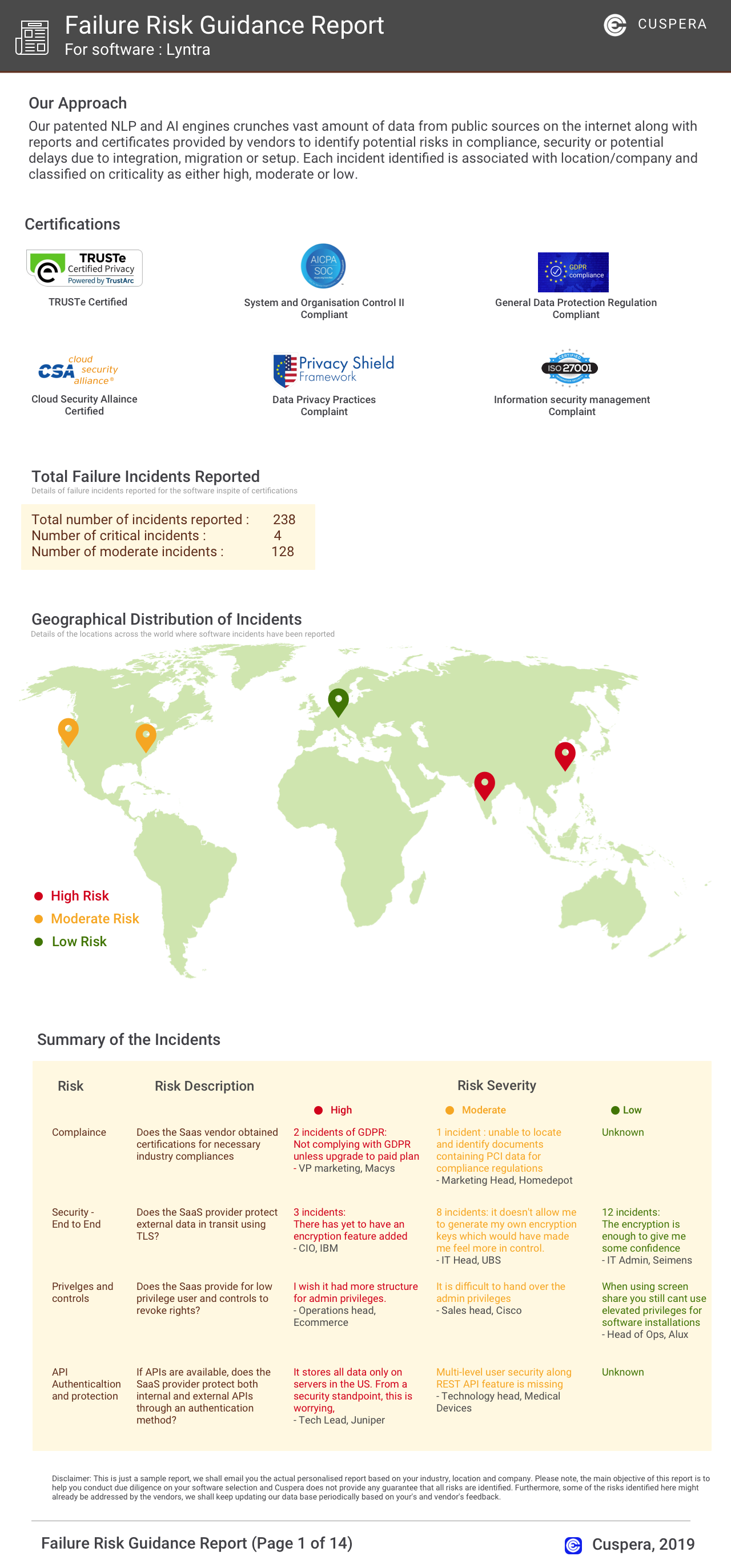
Software Failure Risk Guidance
?for Backlog
Overall Risk Meter
Top Failure Risks for Backlog
Nulab Inc. News
Save time with Backlogs new replicate feature
Nulab has introduced a new Project Settings Export/Import feature in Backlog, enabling users to replicate project settings efficiently. This update allows teams to export settings such as general settings, issue types, statuses, categories, and milestones, and import them into new projects, streamlining project setup and reducing errors. Future updates will include support for custom attributes.
Save time with Backlogs new batch import feature
Nulab has introduced a batch import feature for Backlog, its project management platform. Users can now upload up to 250 issues at once via CSV, streamlining project setup and data migration. This update reduces manual entry and accelerates onboarding for teams managing large volumes of tasks.
New in Backlog Documents: Tags, subpages, TOC, and embeds
Nulab has introduced new features to Backlog Documents, including tags, subpages, a table of contents (TOC), and embeds, enhancing content organization, navigation, and integration for improved team collaboration and project knowledge management.
Update: Were discontinuing Backlogs old Gantt chart
Nulab is retiring the old Gantt chart feature in Backlog, its project management tool. Starting March 19th, 2025, all users will use the new Gantt chart by default. The update aims to improve project planning and workflow efficiency for Backlog users.
Nulab Inc. Profile
HQ Location
262 Bowery, New York, NY 10012, US
Social